
A business phone system for customer support should help callers reach the right person, give agents useful context, and make missed calls easier to recover. For a small or midsize US team, compare shared numbers, menus, queues, voicemail, texting, CRM fit, reliability, and total cost; then test a realistic call journey before moving your business number.
Key takeaways
- A small support team can route shared calls with a business number, menu, queue, business-hours rules, voicemail, and callback follow-up.
- Cloud phone calls use an internet connection, so call quality depends on the team’s network, devices, and setup.
- Compare total monthly cost across users, plan tiers, add-ons, usage limits, and billing terms instead of relying on a starting price.
- Test CRM logging, customer context, transfers, voicemail, and emergency-calling procedures before launch.
- The Bureau of Labor Statistics counted 2,725,930 US customer service representative jobs in May 2024, a labor-market measure rather than an estimate of phone-system savings.
What is the best business phone system for a small customer support team?
The best business phone system for a small customer support team matches its call volume, routing complexity, channels, integrations, and budget. Teams sharing everyday inbound calls may need menus, queues, voicemail, texting, and CRM context; teams that need skills-based routing or detailed contact center analytics should compare platforms built for those needs.
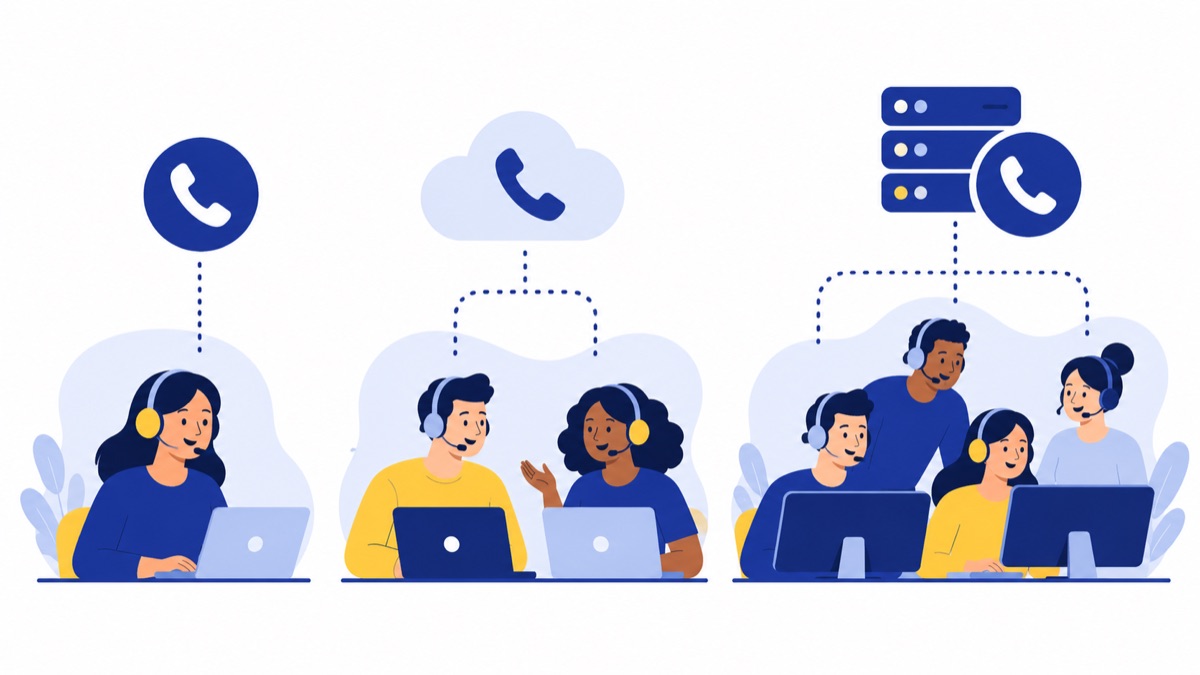
A cloud business phone system carries calls over the internet through apps, browsers, or compatible phones. A traditional PBX is on-premises phone equipment, while a contact center platform adds specialized tools for managing more complex service operations.
| System type | Typical fit | What it does |
|---|---|---|
| Personal phone line | One person with occasional calls | Handles an individual’s calls, with limited shared routing and business oversight |
| Cloud business phone system | Small or midsize team | Shares business numbers, routes calls, and supports compatible apps or devices |
| Traditional PBX | Business with on-site phone infrastructure | Routes calls through locally managed equipment, which may require more maintenance |
| Contact center platform | Larger or more complex service operation | May provide advanced routing, queues, analytics, and workforce management tools |
A support call often follows a simple path: a customer calls the business number, hears a menu, joins a queue or reaches a teammate, and either speaks with an agent or leaves a message. Afterward, the team can review voicemail, return the missed call, and add activity or follow-up notes to the customer record.
For a lean team, cover the path customers actually use. Avoid paying for complex routing or analytics unless the team needs them. The small business phone system costs, features, and setup guide can help you map those requirements before comparing plans.
What features should a customer support phone system have?
A customer support phone system should help callers reach the right person, give agents useful context, and make missed calls easy to recover. Start with shared numbers, simple menus, queues, business-hours routing, voicemail, and the channels your customers use; then check whether CRM activity, call summaries, recording, and reporting are included in the plan you would buy.
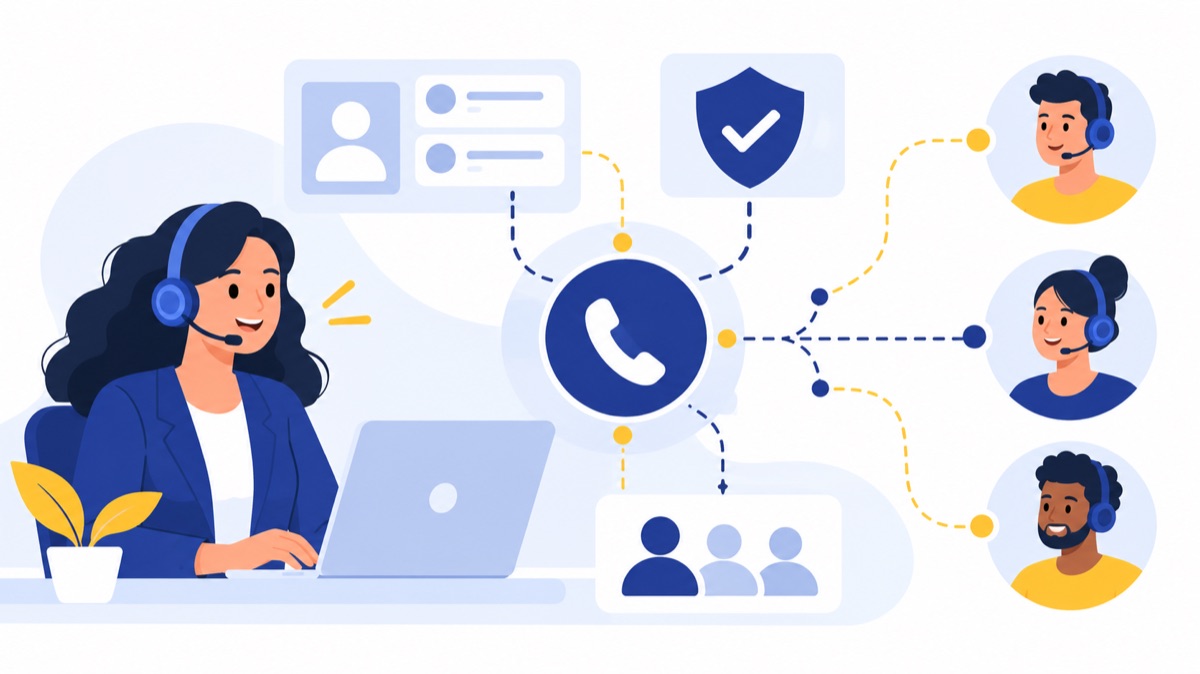
Menus, queues, routing, and business hours
An interactive voice response (IVR) menu lets callers choose a destination, such as “press 1 for support.” A queue holds callers until an available teammate can answer. Route urgent calls to a live person, send after-hours calls to voicemail, and set realistic queue and overflow behavior so customers know what to expect.
Voicalyst describes its IVR menus and call routing for directing callers to the right team. Verify which routing rules your selected plan supports, including business hours, forwarding, transfers, and fallback destinations.
Shared voicemail, missed calls, and texting
Shared voicemail helps a team cover messages when an individual is away. A useful workflow assigns an owner, sets a callback expectation, and tracks whether the customer was reached. Business texting can handle short confirmations or follow-ups, but check consent requirements and make sure replies are visible to the staff responsible for them.
Call summaries and CRM context
A call summary is an automatically generated recap of a conversation; an agent should review it before using it as the official record. Summaries can reduce manual note-taking, but they may miss names, numbers, or commitments. Confirm whether transcription and summaries are available, how long recordings or transcripts are retained, and who can access them.
For HubSpot workflows, test whether the phone system logs inbound and outbound calls to the correct contact, shows relevant customer details, and saves notes or follow-up tasks. Voicalyst’s AI call summaries are intended to help capture call details; confirm plan availability and review how customer data is handled. For a broader comparison, see what to compare in business phone systems with AI call summaries.
Browser access, call quality, and reliability
Browser calling lets agents use a computer and headset rather than a desk phone, if the provider supports their browser and device. Test calls from the actual office, home, or remote setup. Listen for delay, clipping, and background noise; also test transfers and calls while common work apps are running.
Pew Research Center reported that 95% of US adults used the internet and 80% subscribed to high-speed internet at home in its 2023 survey. Those figures provide general connectivity context, but they do not establish business call quality; test your own network and devices. Pew Research Center’s connectivity survey
Which business phone systems fit different support teams?
The right system depends on whether a team needs simple shared calling, connected CRM workflows, or full contact center controls. Compare providers by team fit, workflow features, integration relevance, pricing basis, and trade-offs; the table below is not a hands-on performance ranking, so confirm current plan details and availability directly.
| Provider or system | Best-fit team | Relevant features to verify | Pricing basis | Trade-offs |
|---|---|---|---|---|
| Voicalyst | Small US sales or support team wanting browser-based shared calling | Support workflows, HubSpot calling, call summaries; confirm routing and plan limits | Check current Voicalyst pricing | Verify availability, integrations, and compliance needs against your workflow |
| OpenPhone | Small team prioritizing shared business numbers and team messaging | Shared calling and messaging; verify CRM connection and queue behavior | Check current provider pricing and billing terms | May not suit teams that need advanced contact center reporting or routing |
| Dialpad | Team comparing business calling with CRM and AI features | Verify current integrations, call notes, and support routing for the selected plan | Check current provider pricing and included features | Compare plan tiers and add-ons against the features your team needs |
| Aircall | Support team evaluating a phone-focused workflow with CRM connections | Verify queue, routing, CRM, and analytics capabilities for the chosen plan | Check current provider pricing, billing terms, and add-ons | Confirm total cost and whether the team needs advanced workflow tools |
| Contact center platform | Larger operation with complex service requirements | Skills-based routing, advanced analytics, and workforce tools, depending on product | May depend on seats, usage, feature tiers, or a quote | More configuration and operating complexity may be unnecessary for a lean team |
If your needs center on calls over internet-connected apps and devices, the VoIP phone service guide for small businesses explains the setup choices to consider. Confirm each provider’s current features, plan limits, and billing terms before making a decision.
How much does a business phone system cost?
Business phone system cost depends on the number of users, plan tier, billing term, add-ons, usage limits, and whether messaging, recording, or AI features cost extra. Compare a complete monthly estimate for your current team and expected growth, including applicable number fees or usage charges, instead of choosing from a starting price alone.
Compare per-user pricing and plan tiers
Many providers charge per user, with different tiers for routing, integrations, recording, analytics, or AI features. A lower entry tier may exclude a workflow the team needs, while an annual billing discount can require a longer commitment. Ask whether phone numbers, texting, international calls, call recording, or transcription have separate limits or charges.
Estimate total cost as the team grows
Use this simple estimate:
Monthly total = users × per-user plan price + add-ons + usage or number charges
Calculate the total at today’s headcount and at the likely headcount 12 months from now. Include features the team will actually use, and compare monthly and annual billing on the same basis. Request a written quote if pricing varies by seat count or usage.
How should you choose and test a phone system for your support team?
Choose a phone system by mapping the calls your team handles, then test a realistic customer journey before porting numbers or training agents. A short trial should cover routing, transfers, missed-call follow-up, CRM logging, browser quality, and the provider’s emergency-calling instructions, so the team can catch workflow gaps before launch.
Use this checklist:
- Count inbound calls by day and identify busy periods, after-hours calls, and missed-call patterns.
- Decide whether callers need one shared queue, a menu, direct extensions, or a callback option.
- List must-have channels, such as calls, voicemail, and business texting.
- Confirm CRM behavior: call logging, customer lookup, notes, and follow-up tasks.
- Test with the team’s browsers, headsets, office network, and remote-work connections.
- Simulate a busy queue; transfer calls, leave voicemail, return a missed call, and review any generated summary.
- Confirm which features are included in the plan and what usage limits or add-ons apply.
- Ask about security controls, data retention, recording access, and number porting timelines.
- Check how to register locations for VoIP emergency calling and what happens if someone calls from another location.
Number porting transfers an existing business number to a new provider. Plan the move with the provider, keep service active until the transfer is complete, and confirm the date and fallback plan. VoIP emergency-calling procedures can vary by provider and location, so review the provider’s specific setup instructions and keep registered addresses current.
The Bureau of Labor Statistics counted 2,725,930 customer service representative jobs in the US and reported mean annual wages of $45,380 in May 2024. These figures provide labor-market context, not an estimate of savings from adopting a phone system. BLS occupational wage data
For a small business evaluating support workflows, Voicalyst offers support team calling and a demo to review how its tools fit your call volume and CRM setup.
Frequently Asked Questions
These answers summarize the main selection criteria: match a phone system to call volume, routing, integration, and budget, then verify the workflow in a trial. VoIP relies on internet-connected services, and provider features, plan limits, and emergency-calling procedures can vary, so confirm details for the specific service before rollout.
What is the best phone system for a small support team?
The best phone system depends on call volume, routing needs, channels, integrations, and budget. A small team sharing inbound calls may need business numbers, a menu, a queue, voicemail, texting, and CRM notes. Teams that need skills-based routing or detailed analytics should compare contact center platforms. Test the team’s real call flow before choosing.
Does a small business phone system need a call queue?
A call queue helps when several people share incoming calls and callers should wait for the next available teammate instead of hearing a busy signal. If calls are rare or one person handles them, direct routing and voicemail may be enough. Simulate a busy period to check wait messages, overflow, and callback handling.
Can a business phone system work in a browser?
Many cloud phone systems let employees place and receive business calls in a browser, depending on supported browsers, devices, and network requirements. Test the computers and headsets your team will use, including transfers, background noise, and calls while common work apps are open.
Can a phone system sync calls with HubSpot?
Some phone systems connect calls to HubSpot records, but features vary. Confirm whether the integration logs inbound and outbound activity, shows customer context, and saves notes or follow-up tasks to the right contact. Test duplicate contacts and unknown numbers before rollout.
Does VoIP support 911 calling?
VoIP providers may offer emergency calling, but procedures depend on the service and registered location. Ask how to enter and update each user’s location, what happens when someone calls from another address, and how outages affect service. Review the provider’s emergency-calling instructions before activation.