
Cloud business phone system features connect a company’s public number to the right person or team through menus, extensions, call queues, and voicemail. For a small business, the right setup can make one main number work for sales and support without making callers guess where to go. This guide explains what each feature does, how they fit into a call flow, and what to check before choosing a system.
Key takeaways
- A business number is the public number customers call; extensions route callers internally without requiring a separate public number for every employee.
- An auto attendant presents menu options, while a call queue holds and distributes calls to a team according to its ring strategy.
- A useful queue setup defines its ring order, wait experience, overflow destination, business hours, and maximum wait time.
- Businesses using interconnected VoIP should check how 911 calls work and keep registered device locations current.
- Compare user, number, and queue limits by plan, as well as setup costs, support, security, reliability, and the full monthly price.
Which business phone systems offer numbers, extensions, menus, queues, and voicemail?
Cloud business phone systems commonly combine numbers, extensions, automated menus, queues, and voicemail. What matters is how the provider connects those features into your call flow and which features or usage limits your plan includes.
A cloud business phone system is a phone service that uses the internet to manage calls and connect employees through apps, browsers, or compatible phones. The model can suit a very small company as well as a larger department: the Bureau of Labor Statistics counted 653,641 U.S. construction establishments with fewer than five employees in March 2026. BLS establishment-size data
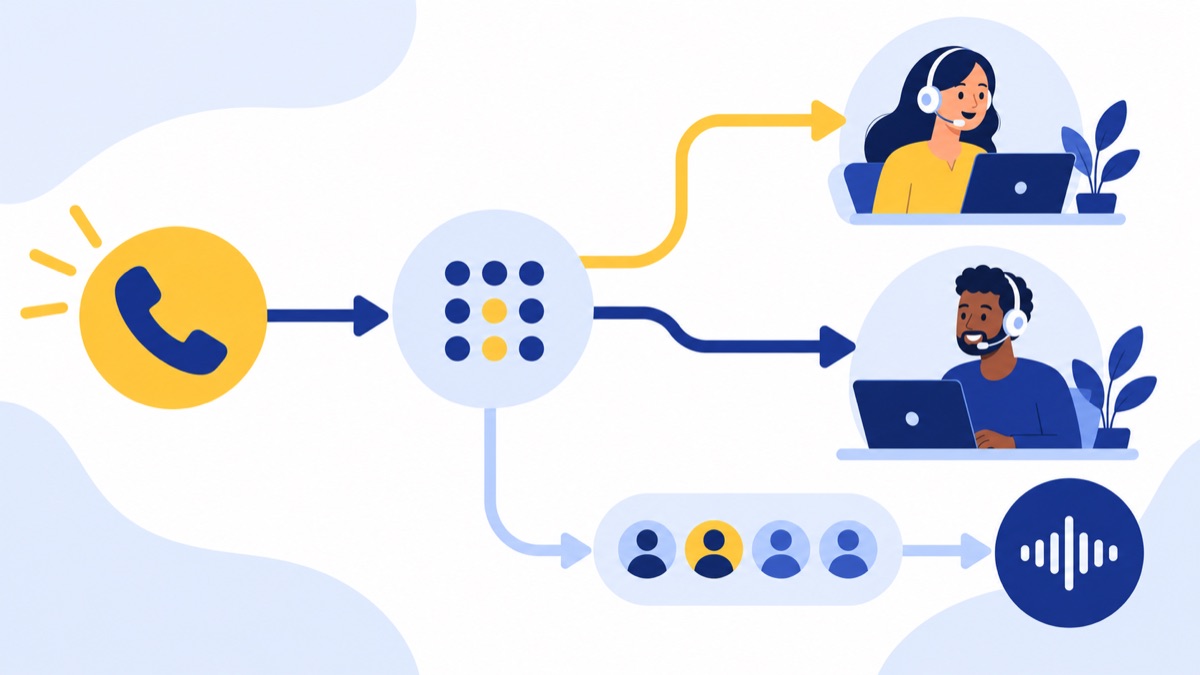
A simple call path might work like this:
- A customer calls the company’s local or toll-free business number.
- A recorded greeting offers choices, such as “Press 1 for sales, 2 for support.”
- The sales option rings a queue; the support option routes to a team extension or queue.
- If nobody answers before the queue’s limit, the system routes the caller to voicemail or another destination.
That sequence can keep one main number manageable while giving callers a clear route. For setup choices and costs, read this small business phone systems guide.
What are the five core business phone system features?
The five core business phone system features are numbers, extensions, automated menus, call queues, and voicemail. Numbers let customers reach the company; menus and extensions direct them; queues distribute calls to a team; and voicemail captures calls the team cannot answer.
Business numbers: local, toll-free, shared, or ported
A business number is a public telephone number assigned to a company, employee, or team. You may select a new local or toll-free number, share one main number across a team, or request to move an existing number to a new provider.
Number porting is the process of transferring an eligible phone number from one service provider to another. The FCC describes local number portability as the ability to retain an existing number when switching providers, subject to applicable conditions. FCC number portability order
Before ordering or switching, ask:
- Which local area codes and toll-free numbers are available?
- Can one number ring several employees or teams?
- Can outbound calls show the business number as caller ID?
- Which documents and lead time does porting require?
- What will happen to texts, forwarding, and call routing during the transfer?
For choosing, moving, and routing a public number, see this guide to local business phone numbers.
Extensions: reach teammates without separate public numbers
An extension is a short internal number that routes a call to a person, desk, or team. Employees can dial extensions to reach colleagues, and outside callers may be able to enter an extension from the menu or use a directory.
A direct number is different: it is a public number someone can call without first dialing the company’s main number. A business can use one public number with extensions for a small team, then add direct numbers for roles such as a sales manager or account specialist when callers need a shortcut.
Menus and auto attendants: direct callers by choice
An auto attendant is an automated greeting that gives callers menu options and routes calls based on their selection. IVR, or interactive voice response, is technology that lets callers interact with an automated phone menu, usually by keypad or voice; business phone products often use “IVR” and “auto attendant” for overlapping menu features.
For example, “Press 1 for sales, 2 for support, or enter an extension” gives callers a predictable route without requiring a receptionist to answer every call. Keep the first menu short, use plain department names, and offer a path for callers who do not know where to go. Voicalyst describes its IVR phone menus and call routing for routing callers to teams and extensions.
Queues: hold and distribute calls to a team
A call queue is a holding line that places incoming calls in order and offers them to available team members. A queue may ring everyone, rotate through agents, or ring the person who has been idle longest; available choices vary by system.
A ring group rings a selected set of phones, often at the same time or in a set sequence. A queue is designed to manage waiting callers and distribute demand over time. Ask whether the system supports hold messages, maximum wait times, overflow to another team, business-hours schedules, and queue-specific voicemail.
Voicemail: capture calls your team cannot answer
Voicemail is a recorded message a caller leaves when a person or team cannot take the call. Systems may offer individual inboxes, shared team or queue inboxes, custom greetings, email or app notifications, and transcription that turns a recording into text.
Decide who owns each inbox and how quickly messages should be returned. For a shared support inbox, name a primary owner and backup, set a response target, and confirm that staff can tell whether someone has already handled a message. Check whether voicemail transcription is included and how staff access and retain recordings or transcripts.
How does a sales and support call flow through a business phone system?
A practical small-business call flow starts with one public number, uses a short menu to separate sales from support, routes each call to an extension or team queue, and sends unanswered or after-hours calls to voicemail or another destination. Define each step before setup so callers do not encounter dead ends.
| Step | Caller experience | Example setting |
|---|---|---|
| Main number | Calls the number on the company website | Local business number with company caller ID |
| Greeting and menu | Hears sales and support options | “Press 1 for sales, 2 for support” |
| Sales | Waits for an available representative | Queue rings available sales staff, then overflows to a manager |
| Support | Reaches a team or known employee | Support extension or support queue |
| No answer | Leaves a message or receives another option | Shared voicemail inbox with named owner |
| After hours | Hears when the company is open | After-hours greeting routes to voicemail |
A business-hours schedule is a rule that changes call routing based on the company’s open and closed times. Set the time zone, holidays, lunch coverage, and any overflow number deliberately; a schedule that closes at the wrong local time can send callers to voicemail while staff are still working.
If your team is small, start with one main number, a two-option menu, one queue for the busier department, and a clear voicemail owner. Add more routing when call volume or team responsibilities justify it.
What should you check before choosing a business phone system?
Before choosing a business phone system, confirm that the numbers and routing fit your workflow, that the plan includes the features your team needs, and that the provider can support your calling requirements. Compare recurring charges and one-time costs together, including licenses, numbers, usage, equipment, and setup.
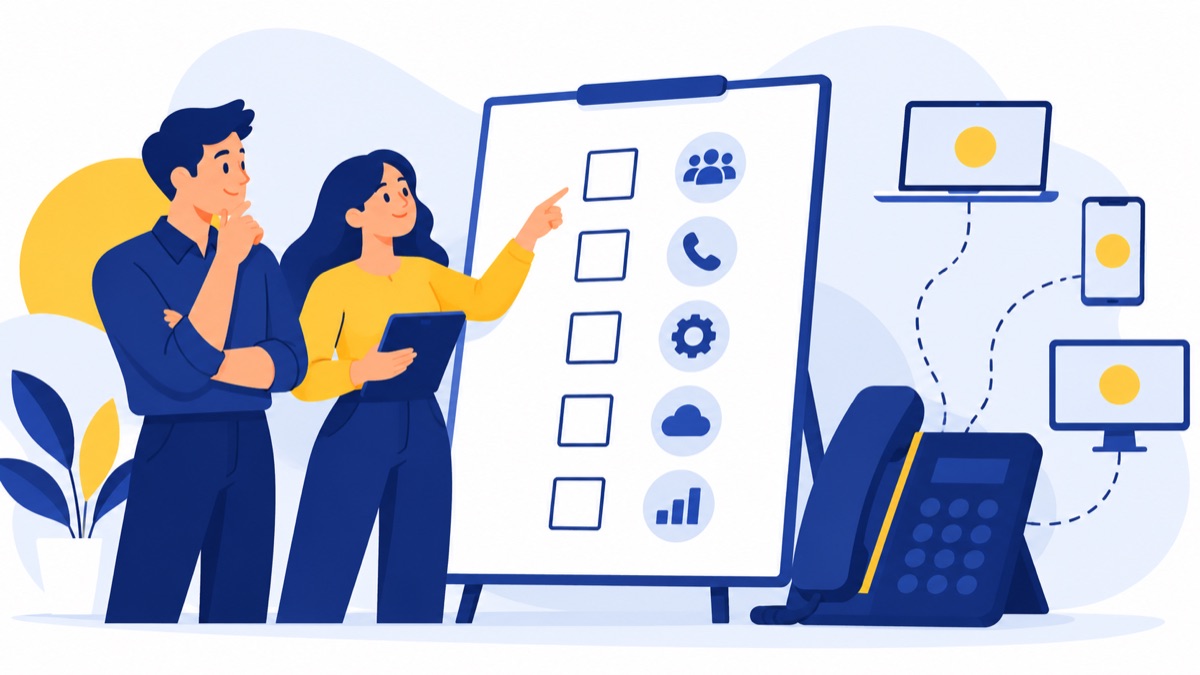
Use this checklist in a provider conversation:
- Number availability and porting: Confirm local or toll-free choices, caller ID behavior, number sharing, and eligibility and timing for transferring existing numbers.
- Users, numbers, and extensions: Ask what the plan includes and what each additional user, number, or extension costs.
- Routing flexibility: Verify menu choices, extension dialing, queue strategies, overflow paths, business hours, and holiday schedules.
- Voicemail: Check individual and shared inboxes, notifications, transcription, retention, access controls, and queue voicemail.
- Browser and mobile calling: Confirm supported devices, app availability, transfer between devices, and behavior when internet access is interrupted.
- Adjacent sales and support tools: Check whether business texting, CRM sync, call summaries, analytics, and a dialer are available and whether they require a higher plan.
- Reliability and support: Ask about service-status communication, support hours, escalation paths, and how outages affect routing.
- Security and privacy: Review account access controls, data retention, recording permissions, and the provider’s security documentation.
- Total cost: Request a written estimate covering monthly seats, numbers, add-ons, usage, equipment, taxes, and implementation.
Internet-based calling is relevant to many U.S. teams: Pew Research Center’s 2025 survey found that 91% of U.S. adults had a smartphone and 78% subscribed to broadband at home. Those figures describe consumer access, not business call quality, so test the service on the networks and devices your staff will use. Pew Research Center’s 2025 technology survey
How should a business phone system handle 911 calls?
A business using interconnected VoIP should verify the provider’s 911 process and keep registered locations current for each device or user as needed. 911.gov explains that VoIP callers may not be locatable unless a device is registered to a physical address, and that users should contact the provider when a device moves. 911.gov VoIP registration FAQ
The FCC requires interconnected VoIP providers to provide E911 service, with location requirements that vary by service type. Ask how the provider handles emergency calls from fixed and non-fixed devices, how staff register locations, and what happens when an employee works from another office or home. FCC VoIP E911 rules
How can business phone system features support sales and support teams?
Business phone system features can connect inbound routing to the tools sales and support teams use to follow up. Voicalyst describes a browser-based system with numbers, menus, call routing, extensions, queues, and voicemail, alongside tools for sales and support workflows; check current plan availability and limits before choosing a configuration.
For example, a company could route calls from its main number into a sales queue, then use a power dialer for outbound prospecting. Staff can review AI call summaries and connect calls with HubSpot through the HubSpot calling integration, subject to product setup and plan rules.
Browser and mobile access can help employees answer business calls away from a desk, provided their connection is reliable. Pew’s survey found smartphone ownership is common among U.S. adults, but employees still need a backup plan for connectivity problems.
To see whether Voicalyst fits your workflow, review its virtual phone system and pricing details. Before a demo, map your current number, menu choices, queues, and voicemail owners; then compare that call flow with the business phone system cost guide.
Frequently Asked Questions
Can several employees share one business number?
Yes. A business number can route calls to several employees through a menu, call queue, ring group, or simultaneous ringing. Each employee can still have an individual extension or direct number. Check whether the provider charges separately for users, numbers, or queues, and decide who owns incoming shared calls.
Do extensions require a separate phone number?
No. An extension is an internal number that directs a caller to a person or team after they reach the business’s main number. Employees can dial extensions internally, and an outside caller may be able to enter one through the menu. A direct number is a separate public number callers can dial directly.
Can callers reach an extension from the menu?
Often, yes. A phone menu can offer department choices and may let callers enter an extension at any time, depending on the provider and configuration. Decide whether callers should hear a directory, enter a known extension, or choose sales or support. Test the greeting and menu from an outside phone before launch.
Can I keep my current business number?
Usually, you can request to port an eligible number to a new provider. Local number portability lets customers retain a number when switching providers, subject to applicable conditions. Confirm eligibility and follow the new provider’s steps. Keep the existing service active until the transfer is complete to avoid disruption.
Can calls ring in a browser and on mobile?
Many cloud phone systems let employees make and receive business calls in a browser, mobile app, or both over an internet connection. Check whether your plan includes both options, how calls move between devices, and what happens during an outage. Employees should also know how to place calls using the business caller ID.
What happens when no one answers a queued call?
A call queue can keep a caller waiting, play an announcement, overflow to another team or number, or send the caller to voicemail. Options vary by provider and plan. Set a maximum wait time and clear after-hours behavior, then assign someone to check and return queue voicemails.