
Choose a business phone system when your team mainly needs reliable business calling, straightforward routing, voicemail and basic call visibility. Consider a contact center when customer interactions are managed as measurable work, with service targets, complex queues, active supervision or coordinated digital channels. Team size alone does not settle the choice: the deciding factor is how much control your workflows require.
Key takeaways
- A business phone system usually fits teams that need business numbers, menus, call handling and straightforward follow-up.
- A contact center is useful when managers need to track service targets, oversee queues or coordinate several customer channels.
- Both product types may offer queues, routing and CRM integrations, so compare capabilities at the plan level.
- Total cost includes licenses, add-ons, implementation, administration and training—not just the per-user charge.
- Track missed calls, wait times, transfers and follow-up gaps before deciding whether your team needs more advanced controls.
The short answer: choose by how you manage calls
A business phone system routes calls to people and supports everyday communication; a contact center adds tools to manage interaction queues and team performance. Choose based on whether your team needs call handling and visibility, or measurable queue management, detailed reporting and coordinated service workflows.
A business phone system routes calls to people
A business phone system gives a company a way to make and receive calls using business numbers, menus, ring groups, voicemail and other call-handling features. Many cloud systems also include texting, call summaries or integrations, depending on the plan.
A contact center manages customer interactions and performance
A contact center platform organizes customer interactions and gives managers tools to monitor operations. Those tools may include skills-based routing, service-level reporting, live queue dashboards, call monitoring, quality reviews and support for multiple communication channels.
Business phone system vs. contact center: what is the difference?
A business phone system focuses on company calling and practical call handling, while a contact center focuses on managing customer interactions and the people handling them. These categories overlap: both may offer call queues, CRM connections or reporting, and product labels vary, so inspect the capabilities available in the plan you would buy.
| Capability | Business phone system | Contact center |
|---|---|---|
| Primary job | Business calling and call routing | Managing customer interactions and service performance |
| Typical routing | Menus, ring groups, voicemail, basic queues | Advanced queues, skills-based routing, overflow and queue controls |
| Channels | Primarily voice; some plans add business texting | Often voice plus chat, email, SMS or social messaging |
| Reporting | Call logs, call activity and summaries | Queue, service-level, agent and quality reporting |
| Supervision | Basic call management may be available | Monitoring, coaching and quality workflows may be available |
| Customer context | May connect calls to a CRM | May bring channel interactions and customer history together |
| Operational complexity | Straightforward calling workflows | Managed queues, targets and coordinated service work |
A business phone system is a service for making and receiving business calls, typically with shared numbers and call-handling features. A call center is an operation or platform focused on handling customer interactions by phone. A contact center coordinates customer interactions across voice and other channels. A business comparing phone-first options can also review these business phone system features.
Which capabilities change the decision?
The deciding capabilities are the ones that change how your team handles work: routing and queues, supervisor oversight, customer-channel context and reporting. Neither category guarantees a specific feature. Confirm what each product and plan actually includes, then map that to the workflows your team needs every week.
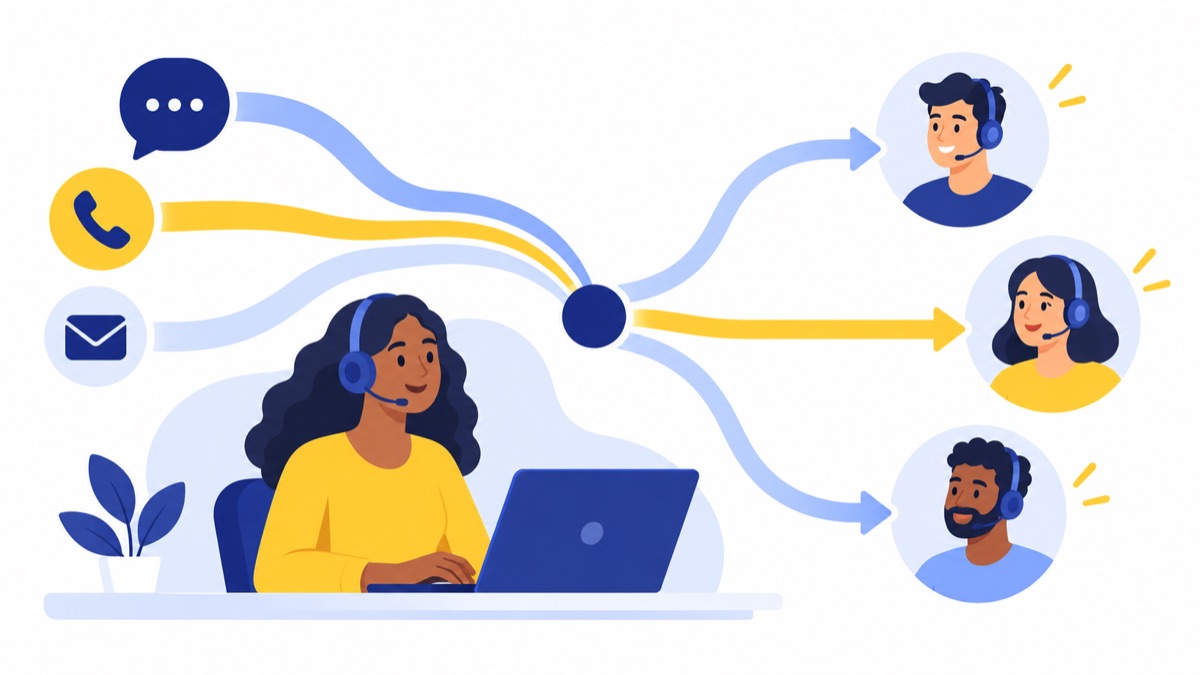
Call handling, menus and queues
Auto-attendants or IVR menus direct callers through options, while ring groups send calls to a set of people. A call queue places callers in line when no one is immediately available. These features can exist in business phone systems as well as contact-center plans.
The distinction is often how much control and visibility the queue needs. If supervisors need queue status, wait-time information, overflow rules and performance against a service target, check that those controls are available in the plan.
Routing and agent supervision
Basic call routing directs a call to a person, group or menu option. Skills-based routing assigns interactions according to attributes such as an agent’s role or area of expertise; managers may also need options for overflow, call monitoring and coaching.
A team that occasionally needs to redirect calls may not need dedicated supervisory tools. A team that regularly manages queues against response goals should check for live monitoring, coaching and quality assurance.
Channels, CRM and customer context
Some phone systems combine voice and business texting, while contact centers may coordinate voice with chat, email, SMS and social messaging. The practical question is whether staff can see and continue a customer’s history across the channels they use.
CRM or help-desk integrations can connect a conversation to customer records. Compare the depth of the integration: a contact appearing on a call or a summary syncing to a CRM is different from agents managing several channels in one shared workspace.
Sales and support workflows
Sales teams often need outbound dialing, business texting, call summaries and CRM-linked follow-up. They may also need a supervisor to review activity, but sales dialing and follow-up are distinct from contact-center tools for managing inbound service targets or workforce schedules.
Support teams often need inbound queues, voicemail, transfers and a clear record of unresolved requests. If customers contact the team through several channels, shared interaction history and channel-specific reporting may matter as much as voice routing. For more on phone-first service workflows, see this business phone system guide for customer support.
Analytics, AI and quality assurance
Call logs show activity such as who called, when and for how long. Contact-center analytics may add queue conditions, service levels, abandoned interactions, agent performance and quality-review workflows. Check which reports are real-time, which are historical and which require an add-on.
AI call summaries can help staff review conversations and follow up; they are not the same as autonomous automation that talks to customers or resolves requests. Evaluate AI by the specific task it supports, such as capturing action items. This guide to comparing AI call summaries can help frame that review.
Customer service work spans several channels: the Bureau of Labor Statistics describes customer service representatives as assisting customers by phone, email, text, live chat and social media. That does not mean every team needs to manage all of them in a contact center; it means you should choose around the channels your customers actually use.
When is a business phone system enough?
A business phone system is often enough when a team needs dependable calling, a manageable call flow and practical follow-up without dedicated service-level management. It can suit phone-first sales and support teams that use shared numbers, menus, ring groups or queues, voicemail and selected CRM or texting features.
Phone-first sales and support teams
A small sales team may call prospects, send follow-up texts and log outcomes in a CRM. A support group may share an inbound number, use a menu to separate requests and return voicemails during business hours. Neither workflow requires a contact center solely because several people handle calls.
Voicalyst is a cloud business phone system for US sales and support teams. Its listed capabilities include business numbers, menus, queues, voicemail, AI call summaries, a power dialer, texting and HubSpot sync. For teams whose needs fit phone-first workflows, explore the Voicalyst phone system for sales teams or phone system for support teams.
Shared numbers and straightforward call flows
A growing multi-location business may give each location its own number, direct callers to the right team and use overflow routing when staff are busy. If managers can resolve recurring missed calls by adjusting hours, ring groups or voicemail coverage, a phone-system workflow may be sufficient.
If you are setting up or moving business lines, this guide explains how to choose, port and route local business phone numbers.
When should you evaluate a contact center platform?
Evaluate a contact center when your team’s work depends on meeting service targets, managing complex queues, coordinating channels or actively supervising customer interactions. These needs can arise in a small team or a large one; recurring operational requirements matter more than a fixed number of agents or daily calls.
Look for observable signals such as:
- Callers regularly wait or abandon calls, and managers need reliable queue visibility.
- The team is accountable for response or resolution targets.
- Routing depends on skills, priority, customer history or multiple overflow rules.
- Agents need to handle several channels with shared customer context.
- Supervisors need live monitoring, coaching, quality reviews or agent performance reporting.
A high-volume multichannel service operation, for example, may coordinate voice, email and chat while tracking response targets and reviewing quality. That operation needs to evaluate whether the platform can support its channels and management workflow; high volume alone does not prove that any specific feature is necessary.
How can you decide which platform to choose?
Use a workflow checklist to identify the controls your team needs before comparing products. If you mostly need to direct calls and follow up, start with a business phone system; if you must manage queues to targets, route by skills or supervise several channels, evaluate contact-center capabilities.
| Question | If yes, look for |
|---|---|
| Do callers regularly wait or abandon calls? | Queue visibility, wait-time reporting and overflow controls |
| Do managers need real-time service-level visibility? | Live dashboards and service-level reporting |
| Are routing rules complex or skills-based? | Advanced routing rules and queue management |
| Must agents manage multiple channels together? | Unified channel workflows and interaction history |
| Do supervisors review calls and coach agents? | Monitoring, recording, quality and coaching tools |
| Which features will the team use every week? | Plan-level fit without paying for unused capabilities |
During a demo, ask the vendor to show your actual call flows, not just a feature list. Test what happens when the team is busy, an agent is unavailable, a customer leaves voicemail or an interaction needs a follow-up. Verify whether required controls are in the quoted plan or sold separately.
How do cost and implementation effort compare?
Compare the total cost of operating each option, not just its license price. Add-ons, usage, setup, administration, training and migration can change the cost and workload, and a more capable platform can cost more to implement and manage if your team does not need its controls.
Build a comparison that includes:
- Licenses and add-ons: Count the required seats and features, such as reporting, recording, integrations or advanced routing.
- Usage and service terms: Check how calling, messaging, storage and support are priced and what limits apply.
- Setup and administration: Include call-flow design, permissions, reporting configuration and ongoing maintenance.
- Training: Account for time supervisors and staff need to learn and maintain the workflows.
- Migration: Ask about number porting, timelines, temporary forwarding and any fees. Review the provider’s number porting process.
- Recording and security: Confirm recording controls and applicable state consent rules before recording calls. The FTC notes that state laws vary on whether telephone conversations may be recorded and what consent is required; check requirements that apply to your business.
Ask vendors how they handle reliability, security, integrations and data retention. Confirm what happens to your numbers and recordings if you leave, and verify that the integration supports the records and actions your team needs.
How should you plan a staged move?
Start with the phone workflows you need now, measure where they fall short and add contact-center controls when those gaps persist. A staged approach helps distinguish a poorly configured call flow from a genuine need for live queue reporting, complex routing or unified channel management.

Track missed calls, wait times, transfers, voicemail response and follow-up gaps. Review whether business hours, menus, ring groups and overflow routing are configured correctly. If the team still cannot meet its service targets or managers cannot see how queues are performing, identify the specific controls a contact-center platform must provide.
Use that evidence in a demo. Ask vendors to show queue monitoring, reporting, routing and channel handoffs using a workflow that resembles your operation. For a phone-first team, Voicalyst’s IVR menus and call routing and business texting may fit the workflow; compare actual plan details before deciding.
Frequently Asked Questions
Can a business phone system have call queues?
Yes. Many business phone systems offer call queues, menus, ring groups, voicemail and overflow options. The key distinction is how much control managers need: basic queue handling may be enough for a small team, while real-time wait times, service-level tracking, skills-based routing and queue supervision may point toward contact-center capabilities. Check the features included in the specific plan.
Is a call center the same as a contact center?
Not usually. A call center primarily handles customer interactions by phone. A contact center typically coordinates phone with channels such as email, chat, text or social messaging, often alongside shared customer history. Vendors use these labels differently, so compare the workflows, reporting and channels included in each product rather than relying on its name.
Can a small team need contact center software?
Yes. Team size alone does not determine the right platform. A small support team may need contact-center controls if it works to defined service targets, handles complex queues or needs live supervision. A larger business with straightforward calling may be well served by a business phone system. Choose based on operating requirements, not an arbitrary headcount.
Can a phone system support sales and customer support?
Yes. A phone system can support business numbers, inbound menus or queues, voicemail, outbound calls and, depending on the plan, texting, CRM sync and call summaries. Teams with shared queues, strict service targets, multiple coordinated channels or extensive supervisor reporting may need contact-center functionality in addition to core calling.
When should we move from a phone system to a contact center?
Consider the move when call-flow adjustments no longer solve recurring problems such as missed service targets, poor visibility into waits and abandoned calls, complicated skills-based routing or disconnected channel histories. Track those gaps first, then compare plans and test the required workflows. Upgrade when the team needs operational controls the current system cannot provide.
For a phone-first team, see Voicalyst to compare its business phone capabilities with your workflow.