
A medical office phone system should route appointment, billing, and clinical calls to the right people, make callbacks someone’s responsibility, and handle after-hours calls according to clinic policy. To choose one, map your call types and coverage first, then compare routing, privacy safeguards, reliability, integrations, and the full cost of the setup.
Key takeaways
- A clinic phone system should separate scheduling, billing, records, and clinical calls so staff can route each request to an owner.
- A cloud VoIP system places calls over an internet connection and can support business numbers, menus, queues, voicemail, and browser or mobile calling.
- A phone vendor may be a HIPAA business associate if it creates, receives, maintains, or transmits ePHI for a covered entity; assess the service and configuration before use.
- A practical small-clinic setup can use one public number, a shared front-desk queue, overflow routing, callback ownership, and a separate approved after-hours path.
- Compare quotes using the same users, numbers, devices, call flows, integrations, and support requirements; subscription price alone does not show total cost.
What does a medical office phone system need to handle?
A medical office phone system connects patients and other callers to the right staff, team, or approved message path. A cloud system can add menus, queues, business numbers, and browser or mobile access; it handles calls and routing, while the clinic’s EHR or practice-management system remains responsible for clinical records and scheduling workflows.
How a cloud phone system works
A cloud VoIP phone system carries calls over an internet connection and manages numbers and routing through hosted software. VoIP means voice over internet protocol. Staff can answer from desk phones, computers, or mobile devices, depending on the service and configuration.
A traditional PBX is an on-site telephone exchange that routes calls through office equipment. A landline setup may rely on physical lines and simpler forwarding. A cloud system can make it easier to adjust call flows as staffing changes, while a PBX may suit a clinic that prefers on-site control or has existing equipment to maintain. Compare resilience and support as well as features; cloud calling still depends on power and internet availability at the clinic.
For a closer look at the tradeoffs, see this comparison of cloud phone systems and PBX costs over five years. Clinics evaluating hosted options can also use this guide to choosing a cloud-based VoIP phone system.
How clinic calling differs from a general business line
Clinic calls often involve different staff and privacy needs within the same conversation. A patient may start with a scheduling question, then need a clinical team member. The phone system can route or transfer the call, but it does not decide clinical urgency or replace clinical judgment.
A phone system for medical office use should fit the clinic’s workflow without implying that a phone feature is an EHR integration. Verify whether a vendor supports the practice-management or EHR system you use, what information passes between systems, and whether the integration is available on the plan you are evaluating.
How should you map the calls your clinic receives?
Map calls by reason, destination, and follow-up owner before choosing a clinic phone system. This reveals where callers get transferred, which requests need clinical triage, and which voicemail or queue needs a named person responsible for returning messages.
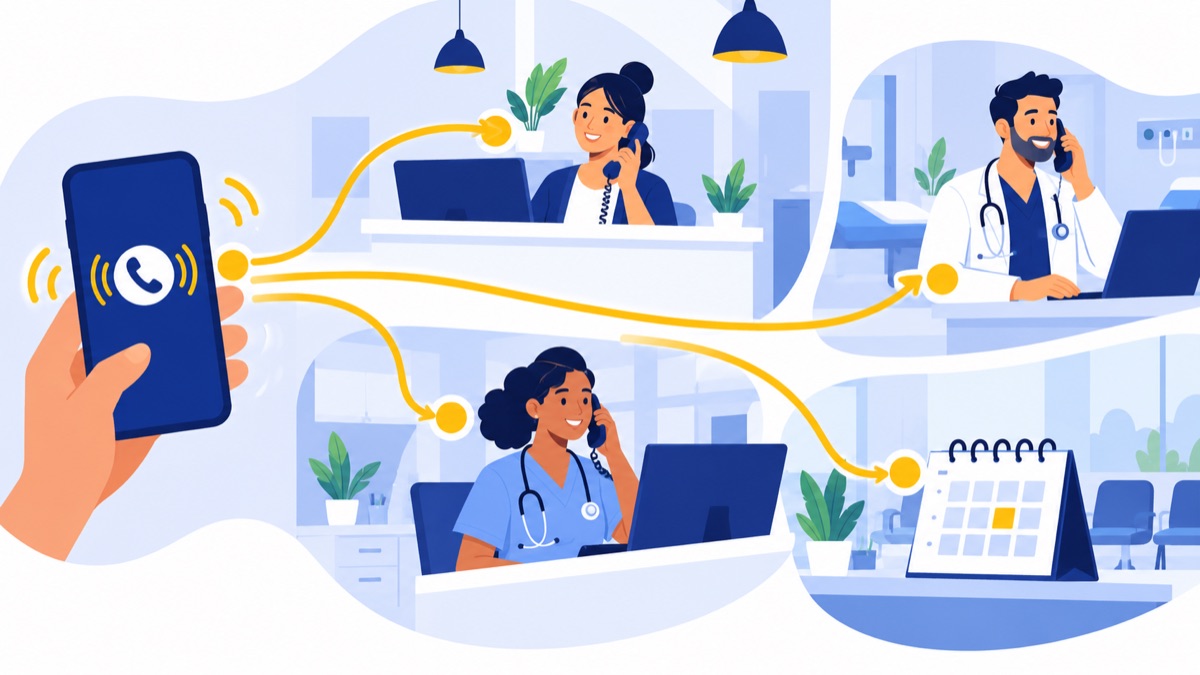
| Call reason | First destination | Follow-up owner |
|---|---|---|
| Appointment booking or change | Scheduling queue | Scheduling staff member |
| New-patient inquiry | Front desk or intake group | Assigned intake staff |
| Billing question | Billing group or callback queue | Billing staff member |
| Prescription, referral, or records request | Approved administrative workflow | Staff member assigned under clinic policy |
| Clinical question | Care team or nurse triage path | Clinical staff member |
| Urgent concern | Approved urgent-call path | On-call or triage staff under clinic policy |
Appointments and new-patient inquiries
Scheduling calls usually benefit from a shared queue that rings available staff and keeps the caller’s place during busy periods. If staff cannot answer, offer an approved callback option or send the caller to a mailbox that a named scheduling owner checks.
New-patient inquiries may need a different greeting or destination if intake requires specific staff. Keep any menu short and use plain language: “For appointments, press 1. For billing, press 2. For all other questions, stay on the line.”
Billing, referrals, prescriptions, and records requests
These requests often belong to different administrative workflows. Route billing calls to billing staff; route prescription, referral, and records requests according to the clinic’s established process. The phone system can identify the destination and capture a message, but it should not suggest that a request has been clinically reviewed or completed.
Clinical questions, transfers, and urgent concerns
Clinical questions should reach the care team or triage process designated by the clinic. Make transfers warm when possible: the first staff member explains the caller’s reason before handing off, or confirms the right callback path if the receiving team is unavailable. Set escalation rules with clinical leadership and use the clinic’s approved scripts for urgent concerns.
What features should a medical office phone system have?
A medical office phone system should make routine calls easy to route, provide a clear fallback when staff are busy, and show whether callers receive timely follow-up. Prioritize business numbers, extensions, menus, queues, voicemail, hours-based routing, outage plans, and reporting; add transcription or recording only after reviewing privacy, access, and retention requirements.
Menus, queues, and callback options
An auto-attendant is a recorded menu that routes callers based on their selection. A queue holds callers for a group of staff, while a ring group rings several phones at once. Ask whether callers can request a callback without losing their place and whether the system captures that request for the right team.
Keep a menu short enough that callers can choose without navigating a long directory. A virtual phone system with menus and call routing may be useful when a clinic needs to direct callers to scheduling, billing, or a shared front desk.
Hold handling, voicemail, and callback ownership
A hold message should tell callers what to expect without promising a response time the clinic cannot meet. If the queue offers estimated wait times, check how they are calculated and what callers hear when conditions change.
Assign every mailbox to a role and an owner, with a backup. Define who checks it, how often, and how staff log completed callbacks. If the clinic uses transcription, decide who can access transcripts, how long they remain available, and what the transcript could contain. Voicemail transcription is available as a Voicalyst feature, but clinics should verify its privacy suitability before using it for patient messages.
Hours-based routing, access, and reporting
Set separate rules for regular hours, lunch closures if applicable, holidays, and unexpected closures. Browser or mobile access can help authorized staff answer calls away from a desk, but clinics should manage access and devices under their privacy and security policies.
Ask about service availability, outage notifications, and what happens when the clinic loses power or internet. Can calls forward to an approved backup number? Can staff make outbound calls from the clinic’s business number? If you plan to keep your current number, confirm the process, timeline, and costs for porting an existing business number.
Track answered calls, abandoned calls, hold time, callback time, and routing outcomes. The AHRQ CAHPS Clinician & Group survey includes a question about how often callers receive an answer to a medical question the same day when calling during regular office hours. Clinics can use that as a measurement idea, not as a current national benchmark (AHRQ survey).
Are VoIP phone systems HIPAA compliant?
VoIP is not automatically HIPAA compliant; the clinic must assess the data, vendor relationship, safeguards, and planned use of each feature. HHS says a covered entity may use a cloud service that handles ePHI on its behalf if the parties have a HIPAA-compliant BAA and otherwise comply with HIPAA, and the organization must conduct its own risk analysis (HHS cloud computing guidance).
When a phone vendor may be a business associate
A business associate is a person or organization that performs certain functions involving protected health information for a covered entity. HHS says a cloud service provider that maintains ePHI may be a business associate even when the information is encrypted and the provider does not have the decryption key.
Ask vendors whether the specific phone service and features you plan to use are covered by a BAA. A BAA is one part of the arrangement; it does not by itself establish that the clinic’s configuration or practices meet HIPAA requirements.
Risk analysis, access, storage, and retention
HHS describes Security Rule risk analysis as an ongoing process, with no single required schedule; the appropriate timing depends on the organization’s circumstances (HHS risk analysis guidance). Include the phone system and connected workflows in the clinic’s analysis, such as who can retrieve messages, where recordings or transcripts are stored, and how access is removed when staff leave.
Ask vendors how they control access, protect stored and transmitted data, support retention settings, and handle data deletion. Work with the clinic’s privacy or security lead to document which features are approved for which types of communication.
Voicemail, transcription, AI summaries, texting, and recording
HHS permits providers to leave phone messages but recommends limiting information to what is necessary, such as a provider’s name and number or a request to call back. HHS also says providers must accommodate reasonable patient requests to communicate by alternative means or at alternative locations, such as calling at work instead of home (HHS guidance on messages and communication preferences).
Voicemail, voicemail transcription, texting, call recording, and AI call summaries can capture sensitive information. Set policies for patient communication preferences, staff access, retention, and review; confirm applicable recording consent requirements for the states where the clinic operates. Do not enable a feature for patient communications until the vendor’s terms, controls, and BAA position have been reviewed for that use.
What is a sample phone setup for a small clinic?
A small clinic can start with one public main number, a short menu, a shared front-desk queue, a backup group for overflow, and a separate after-hours path approved by clinic leadership. The example below is a starting configuration, not a clinical protocol; adjust hours, escalation, and response targets to staffing and clinic policy.
Main number and optional department lines
Use the clinic’s published main number as the entry point. Add a direct billing number only if billing has distinct staff and enough call volume to justify it; otherwise, include billing as a menu option. Keep staff extensions internal unless direct dialing improves a real workflow.
Weekday, lunch, holiday, and overflow rules
For example, set the main number to open Monday through Friday, 8:00 a.m. to 5:00 p.m. local time. During open hours, send appointment and general calls to a front-desk queue that rings three staff members for 25 seconds, then overflows to a second trained group. Send billing selections to billing staff; route other administrative requests to the appropriate shared mailbox.
If the clinic closes for lunch, play a brief notice and offer a callback or voicemail path. On holidays, play a closure message with the reopening date and the approved urgent-call instructions. Set voicemail ownership by role, with a named primary and backup who check messages at defined intervals.
After-hours routine and urgent call paths
After closing, route routine calls to a message option with a callback expectation set by clinic policy. Route urgent calls to the clinic’s approved answering service or on-call workflow, with a defined escalation path if the first contact does not respond. The clinic should write and approve all urgency language; the phone system should carry out that policy, not invent triage rules.
How much does a clinic phone system cost?
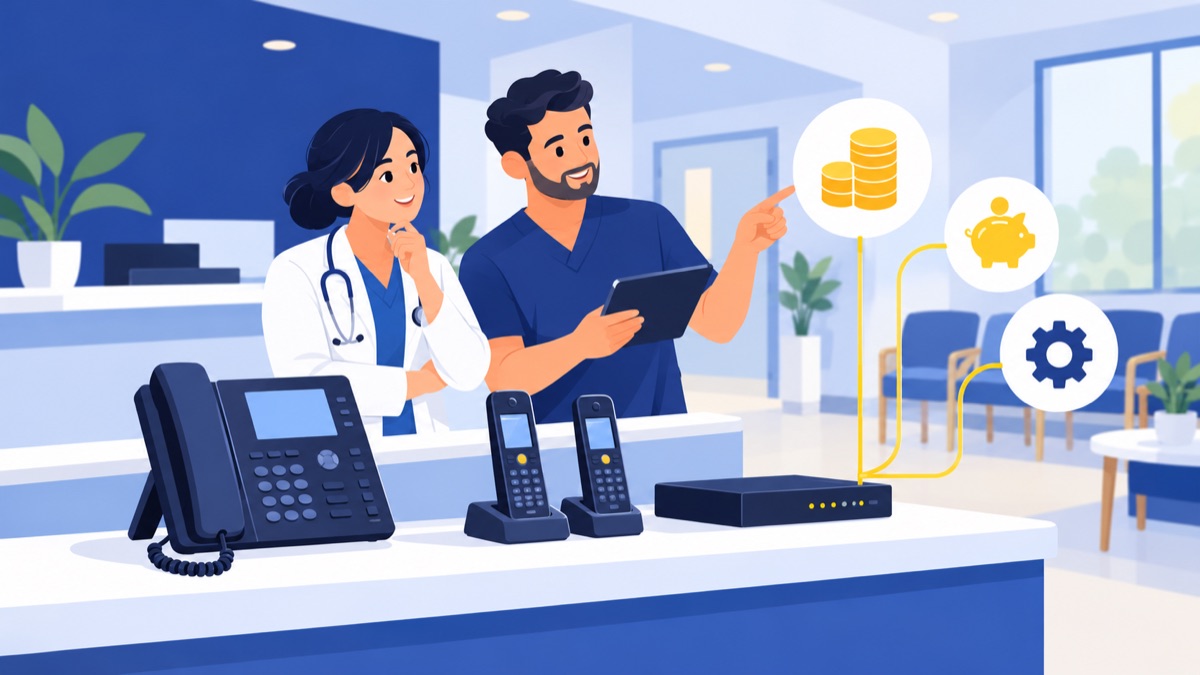
The cost of a clinic phone system depends on users, numbers, equipment, setup, integrations, support, and optional services, so a single price will not fit every practice. Request an itemized quote for the exact same seats, devices, routing, and add-ons from each vendor; then compare recurring charges and one-time fees over the contract term.
Recurring seats, numbers, and usage
Ask how the vendor bills users, extensions, shared phones, and additional numbers. Check whether domestic calling, texting, voicemail storage, call recording, or advanced reporting carries a separate charge or usage limit.
Hardware, setup, integrations, and support
Include desk phones, headsets, installation, staff training, setup, number porting, and any integration fees. Confirm whether the quoted EHR or practice-management integration exists for your system and plan, what data it shares, and who supports it. An optional answering service may have its own monthly or per-call charges.
Questions to compare vendor quotes
Ask each vendor to quote the same scenario: number of users, main and department numbers, menu and queue design, hours, overflow, devices, support level, integrations, and any privacy-related requirements. Request the contract term, renewal and cancellation terms, taxes, porting fees, implementation charges, and the price of add-ons in writing.
For broader cost and setup considerations, compare these small business phone system costs, features, and setup steps.
Where might Voicalyst fit a clinic?
Voicalyst offers business-phone functions that may fit administrative call workflows, including business numbers, menus, queues, voicemail, browser calling, texting, AI call summaries, and HubSpot sync. Clinics should verify BAA availability, healthcare integrations, and ePHI handling for the exact services and configuration before using Voicalyst for patient communications.
For a clinic evaluating a virtual phone system, these capabilities may be relevant for routing or staff coordination where the clinic has approved the use. Voicalyst’s AI call summaries should receive the same review as transcription or recording because a summary may contain patient information. HubSpot sync is a CRM workflow, not an EHR integration; confirm any healthcare-specific integration separately.
To discuss fit and requirements, contact Voicalyst.
What should you check before choosing a clinic phone system?
Before choosing a clinic phone system, test real call scenarios, confirm privacy and outage requirements, and compare complete quotes. Include the staff who answer calls and the people responsible for privacy, security, and clinical escalation, then assign owners for every queue and mailbox.
Test real call scenarios
- Call as a new patient asking about appointments.
- Call to change an appointment while the scheduling queue is busy.
- Select billing, then test its voicemail or callback path.
- Ask for a clinical team member and confirm how staff transfer or return the call.
- Call after hours and test routine, urgent, holiday, and emergency messaging.
- Simulate an internet or power outage and confirm where calls go.
Verify privacy, reliability, and total cost
- Confirm whether the service and selected features require a BAA for the clinic’s planned use.
- Review access, storage, retention, patient communication preferences, and recording policies.
- Confirm number porting, support coverage, outage routing, and available redundancy.
- Compare total costs using the same number of users, devices, numbers, integrations, and support terms.
- Assign owners to queues and mailboxes, then track answered calls, abandoned calls, hold time, callback time, and routing outcomes.
Frequently Asked Questions
Are VoIP phone systems HIPAA compliant?
VoIP is not automatically HIPAA compliant. A clinic should assess how the service handles electronic protected health information (ePHI), confirm required safeguards and a business associate agreement (BAA) with the provider when applicable, and conduct its own risk analysis. Review voicemail, texting, transcription, recording, and AI summaries in the configuration the clinic plans to use.
Does a phone system vendor need to sign a BAA?
A BAA may be required when a vendor creates, receives, maintains, or transmits ePHI on behalf of a covered entity. HHS says a cloud provider that maintains ePHI may be a business associate even if information is encrypted and the provider cannot decrypt it. Confirm the vendor’s role and terms; a BAA does not replace the clinic’s risk analysis or safeguards.
How much does a phone system for a medical office cost?
There is no single useful price for every clinic: quotes depend on seats, phone numbers, usage, hardware, setup, number porting, integrations, support, taxes, and optional answering services. Ask vendors to price the same users, call flows, devices, and add-ons, then compare recurring charges, one-time fees, contract terms, and support.
Can medical offices leave appointment details in voicemail?
HHS permits providers to leave messages but recommends limiting what they disclose—for example, giving a provider’s name and number or asking the patient to call back. Follow the patient’s communication preferences and clinic policies before leaving appointment details. Assess voicemail access and retention because messages and transcripts may contain sensitive information.
How should a medical office route after-hours calls?
Set a distinct after-hours greeting and route routine messages to a monitored mailbox with a named callback owner and response window. Send urgent clinical calls through the clinic’s approved answering or on-call workflow, with a defined escalation path. Direct callers with emergencies to emergency services according to clinic policy; do not rely on a generic forwarding rule as clinical triage.