
A cloud-based VoIP phone system lets a business make and receive calls through a provider-hosted platform using an internet connection and supported devices. It can replace an on-site PBX, support remote staff, or work alongside existing equipment. This guide explains how calls move through the system, what your team needs, how to compare options, and how to plan a low-risk migration.
Key takeaways
- A cloud-based VoIP phone system hosts call control with a provider and connects staff through supported apps, browsers, or desk phones.
- AT&T Business gives 80–100 kbps per active call in each direction as a common bandwidth planning range; peak calls and other traffic also matter.
- A typical migration inventories users, numbers, devices, call flows, and integrations before configuration, testing, number porting, training, and cutover.
- 911.gov advises VoIP users to register a physical address with their provider and update it when a device is moved.
- Keep existing phone service active until the new provider confirms that number porting is complete.
What is a cloud-based VoIP phone system?
A cloud-based VoIP phone system carries calls over the internet while a provider hosts the software that manages users, numbers, and call routing. It gives businesses calling features without requiring them to run the entire phone platform on a server in their office.
Cloud VoIP, hosted PBX, and business phone system: what do the terms mean?
VoIP means Voice over Internet Protocol: technology that carries voice as data over an internet connection. Cloud hosting means that the provider operates the system’s call-control software and infrastructure remotely. A hosted PBX is a provider-managed business phone system that routes calls and provides features such as extensions, menus, and voicemail.
People sometimes use cloud VoIP, hosted PBX, and cloud phone system to describe similar services. Before comparing plans, check where the call-control platform runs, which devices it supports, and which features and services are included.
The market is established, but that does not mean every business uses a cloud system: the FCC counted approximately 64.2 million interconnected VoIP subscriptions in the United States in December 2023. The FCC report also said approximately 62% of fixed retail voice subscriptions were business connections. Those figures describe interconnected VoIP overall, not cloud VoIP adoption specifically. FCC voice telephone services report
Who is a cloud system designed for?
Cloud systems can suit businesses that want employees to answer calls from multiple locations or prefer a provider to operate the phone platform. They can also work for a single office that needs menus, shared lines, or call queues.
A cloud system is not automatically the right choice for every organization. Businesses with specialized on-site equipment, strict control requirements, or limited internet options should compare cloud, on-premise, and hybrid setups against their actual needs.
How does a cloud VoIP phone system work?
A cloud VoIP phone system sends voice data from a user’s device over the internet to the provider’s platform, which applies routing rules and connects the call to its destination. For inbound calls, those rules can direct callers to a menu, team queue, individual, or voicemail.
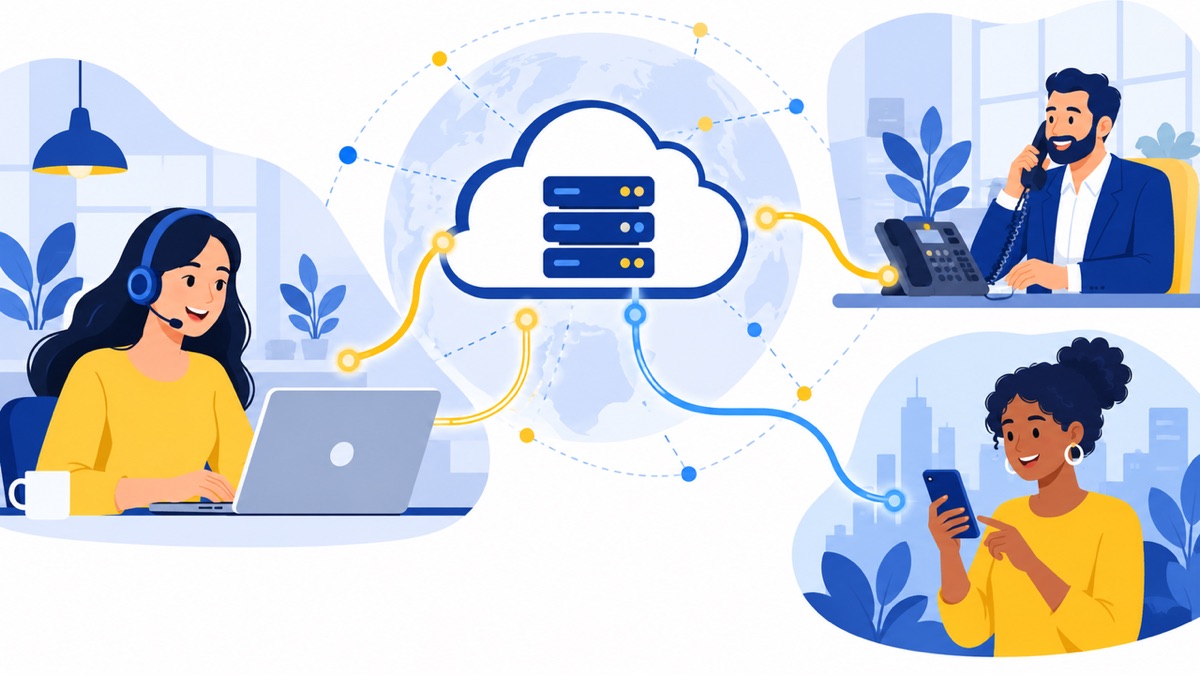
What happens when a customer calls your business number?
A typical inbound call follows these steps:
- A customer dials your business number.
- The provider’s platform receives the call and checks your settings, such as business hours or the number the customer called.
- A greeting or menu gives the caller options, such as “Press 1 for sales” or “Press 2 for support.”
- A routing rule sends the caller to an agent or queue. If no one answers, the system can send the call to voicemail or another destination.
- If the caller reaches an agent, the agent answers on a supported desk phone, computer, or mobile device.
How do outbound calls connect?
When an employee places an outbound call, the app or phone sends voice data to the provider platform. The platform applies the business’s calling rules and connects the call to the recipient’s phone network. The employee can use a company number as the caller ID where the plan and configuration allow.
For a practical example, imagine a 12-person US customer support team. A caller chooses “support” from the phone menu, waits in the support queue, and reaches an available agent. If the phone system connects to the team’s CRM, the agent may see the caller’s record and the team may have call activity available there. Confirm how a specific provider handles screen pops, call logging, and customer records.
Cloud VoIP vs. an on-premise phone system: what’s the difference?
Cloud VoIP runs its call-control platform with a provider, while an on-premise PBX runs on equipment the business operates at its location. A hybrid system combines the two; the best fit depends on costs, maintenance responsibilities, internet resilience, and how much control the business needs.
| Consideration | Cloud VoIP | On-premise PBX | Hybrid |
|---|---|---|---|
| Infrastructure | Provider hosts call-control platform | Business operates PBX equipment | Some call control or equipment remains on-site |
| Maintenance | Provider manages platform; business manages its network and devices | Business or its contractor maintains the system | Responsibilities are shared |
| Scaling | Adding users may be a plan or configuration change | May require additional capacity or hardware | Depends on which parts are expanded |
| Remote access | Often available through supported apps or phones | May require extra setup or equipment | Depends on configuration |
| Internet dependence | Calls typically depend on internet access | Internal calling may continue locally, though external service still depends on its design | Varies |
| Costs | Recurring plan charges, plus devices and add-ons | Hardware and maintenance, plus connectivity and support | Costs from both approaches |
Cloud can reduce the need for businesses to operate PBX hardware, but it does not guarantee lower total cost. Compare subscription charges, setup, devices, support, integrations, taxes, and the cost of any existing equipment you would keep. For a five-year cost comparison framework, see cloud phone system vs. PBX costs.
A hybrid setup may make sense when a business needs to retain specialized on-site systems but wants cloud features for some users or locations. Map which calls and functions each system will handle before choosing that route.
What do you need to use cloud VoIP?
A business typically needs a stable internet connection, a network configured for voice traffic, supported user devices, business numbers, and a plan for outages and emergency calls. Exact requirements vary with the provider, call volume, devices, and features.
How much bandwidth does a business need for cloud VoIP?
Plan for simultaneous calls, not just the total number of employees. AT&T Business gives 80–100 kbps per active call in each direction as a common planning range and advises businesses to account for peak calls and other network traffic. Actual bandwidth depends on the setup and codec, so treat that range as a starting point, not a guarantee. AT&T Business bandwidth guide
Call quality also depends on upload capacity, latency, jitter, and packet loss. Wi-Fi coverage, congested networks, video meetings, and large file transfers can affect calls, even when a speed test shows a high download rate. The FCC identifies 100 milliseconds round-trip latency as a threshold for certain federally supported broadband networks and explains why latency matters for real-time services such as VoIP. That is not a universal VoIP service requirement. FCC broadband performance report
Before rollout, estimate the busiest expected call period, check your network’s upload capacity, and test calls where staff actually work. Ask your internet provider and VoIP provider how to assess voice quality on your connection.
Which devices can employees use?
Teams can often mix browser calling, desktop apps, mobile apps, and compatible IP phones. Support varies by provider, plan, device model, and operating system, so verify compatibility before buying or reusing hardware. Also check whether headsets, shared phones, and conference phones work with the service.
How should a business handle numbers, power, and outages?
Decide whether the business needs new local or toll-free numbers, or wants to move existing numbers. List the people and teams that need each number, along with the hours, menus, and destinations the system should use. If number choice and routing are still open questions, see this guide to choosing and routing local business numbers.
Plan what happens when power or internet service is disrupted. Options may include forwarding calls to mobile devices, using a backup internet connection, or directing callers to voicemail, depending on provider capabilities and setup. For emergency calling, confirm the service’s 911 behavior and keep each registered location current. 911.gov advises VoIP users to register a physical address and update it when a device is moved.
Which features should a business phone system include?
A business phone system should first handle the company’s everyday calling needs, such as business numbers, call routing, voicemail, and the ability to reach the right person. Features such as texting, CRM integration, dialers, and AI call summaries can help specific workflows, but availability and pricing vary by plan.
What core calling features should you compare?
Start with the basics your team needs to answer and return calls:
- Business numbers and extensions: Let customers call the company or a specific team.
- Menus and routing: Direct callers by team, selection, or business hours.
- Queues: Hold callers until an agent is available, where supported.
- Voicemail: Capture messages when a person or team cannot answer.
A virtual phone system can bring several of these calling functions together. Compare the exact features in each plan rather than assuming every system includes the same capabilities.
Which sales and support workflows need extra features?
A sales or support team may also need business texting, CRM call logging, or AI-generated call summaries. These features can reduce manual steps when they fit the team’s process, but check what data is recorded, where it appears, and whether users need to take extra steps.
For teams using HubSpot, review the details of Voicalyst’s HubSpot calling integration. If outbound prospecting is a major workflow, this guide explains what a power dialer does and when to use one.
Before buying, ask which features require a higher tier or add-on, how integrations are licensed, whether texting has usage limits, and what the quote includes for setup and support.
How do you choose a cloud-based VoIP system?
Choose a cloud-based VoIP system by matching provider capabilities to your users, call flows, device needs, and budget. Compare service commitments and total costs using your own requirements, and verify important features and terms directly with each provider.
What should you include in your requirements list?
Write down:
- Number of employees, locations, and remote users
- Typical and peak simultaneous calls
- Numbers to keep, add, or retire
- Required menus, queues, operating hours, and voicemail destinations
- Devices and headsets to use
- Integrations and reporting your team needs
Use this inventory to compare like with like. A system designed for basic office calling may not include the queue management or reporting a busy support team needs.
What questions should you ask each provider?
- Call quality: Can you trial calls from office and remote networks during busy periods?
- Reliability and support: What service commitments, support hours, and escalation routes are written into the agreement?
- Security: Which access controls, administrative settings, and security information are provided?
- Emergency calling: How does 911 work, and how do users register or update their location?
- Number porting: Will the provider check eligibility, handle the request, and explain the expected timeline?
- Compatibility and integrations: Are your devices, CRM, and other tools supported on the quoted plan?
- Scalability: Can the service accommodate more users, numbers, and locations, and how do charges change?
- Total cost: Add per-user charges, calling plans, number fees, hardware, integrations, support, contract terms, taxes, and fees.
If you are comparing providers, this guide to choosing a VoIP service provider offers a broader evaluation framework.
How do you migrate from an on-premise system to cloud VoIP?
A low-risk migration inventories the current phone setup, checks network and device compatibility, configures and tests the new service, and then coordinates number ports and cutover. Keeping the old service active until numbers transfer successfully helps avoid losing service or numbers during the transition.
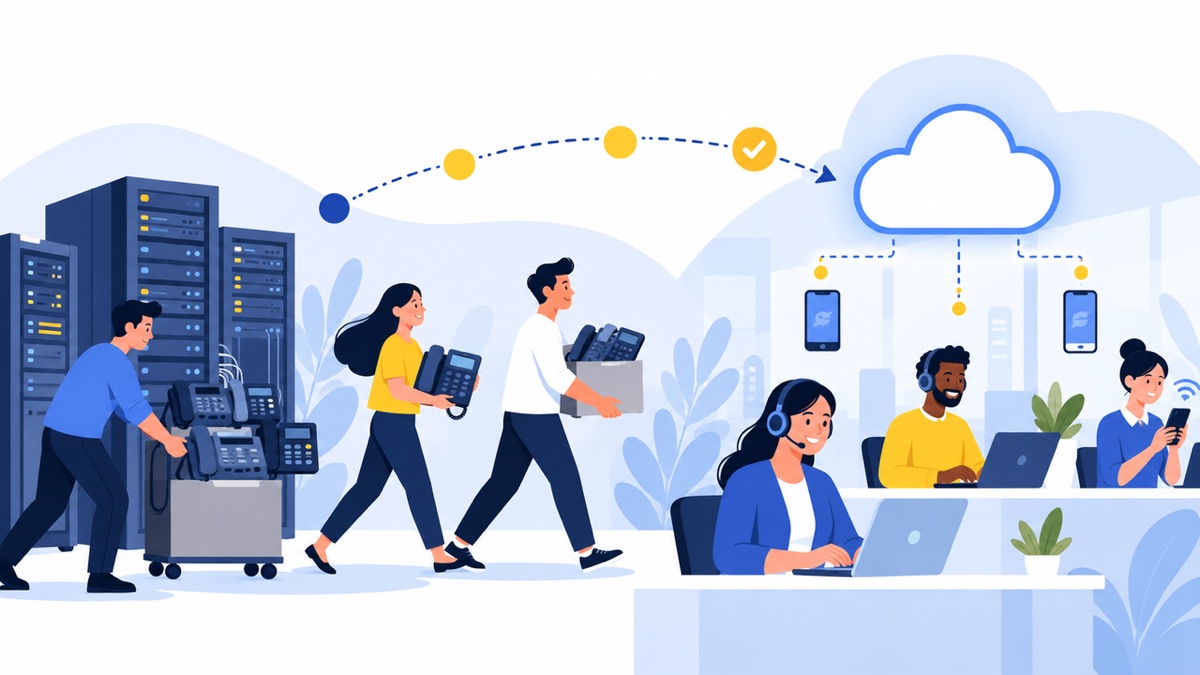
1. Inventory users, numbers, devices, and call flows
List users, extensions, public numbers, shared lines, desk phones, headsets, call menus, business hours, voicemail destinations, and integrations. Note special cases such as a reception desk, after-hours support, or a sales line that rings several employees.
2. Check the network and provider compatibility
Estimate peak simultaneous calls and test the office and remote connections. Confirm that devices, headsets, CRM tools, and any existing phone equipment will work with the proposed service. Document what the provider supports and what requires an add-on or replacement.
3. Configure and test before cutover
Set up users, numbers, menus, queues, voicemail, business hours, and integrations. Test internal calls and calls to outside numbers, then check each menu option, queue behavior, voicemail delivery, CRM activity, and caller ID. Decide how staff will handle calls if the new system or internet connection is unavailable.
4. Coordinate number ports, train staff, and monitor
The new provider typically starts the port request. The FCC consumer guide says customers switching providers while staying in the same geographic area can generally keep their number through porting, and advises starting the port with the new provider before canceling the old service. Keep existing service active until the transfer completes. FCC consumer guide to keeping your phone number
Train employees on signing in, transferring calls, voicemail, mobile use, and escalation procedures. Choose a cutover time, confirm the fallback plan, and monitor calls and CRM activity afterward. Voicalyst provides number porting information for businesses evaluating that part of a switch.
Frequently Asked Questions
Can I keep my existing business number?
Usually, you can port an existing business number when switching providers and staying in the same geographic area, but eligibility depends on the number and provider. Ask the new provider to confirm the number can be transferred, then start the port through that provider. Keep your current service active until the transfer is complete to avoid losing service or the number.
Can employees use their own phones or computers?
Often, employees can make and receive business calls through a supported browser, desktop app, or mobile app, and a team can mix those options with compatible IP desk phones. Confirm which operating systems and devices the provider supports, whether personal mobile numbers remain private, and what security or management controls are available before rollout.
What happens to calls if the internet goes down?
Internet-dependent VoIP devices may lose calling when the office connection fails. Ask whether the provider can redirect calls to mobile numbers, another office, or voicemail, and test that fallback before launch. A backup internet connection, mobile service, and battery backup for network equipment can reduce disruption, but each option has its own costs and limits.
Does cloud VoIP support 911?
Many VoIP services support 911, but the calling behavior and location handling depend on the provider and setup. Confirm how emergency calls are routed, how users register physical locations, and what happens when remote staff move. 911.gov advises VoIP users to register a physical address and update it when the device is moved.
For a practical next step, map your users, numbers, call flows, and integrations, then compare providers against that list. Explore Voicalyst’s business phone system to see whether its features match your team’s calling needs.