
A VoIP phone makes and receives calls over an internet or other IP network using Voice over Internet Protocol (VoIP). If you’re asking what is a VoIP phone, it can mean a dedicated desk phone or calling software in a browser or app. For a business, the right setup depends on where employees take calls, how reliable the network is, which features teams need, and how emergency calling is configured.
Key takeaways
- VoIP stands for Voice over Internet Protocol; a VoIP phone is the hardware or software endpoint that places calls over an IP network.
- A business VoIP service can assign phone numbers, route calls, connect to traditional phone networks, and provide features such as menus and queues.
- AT&T Business suggests about 100 Kbps per call in each direction as a bandwidth planning starting point, but network stability and simultaneous call volume matter too.
- 911.gov says VoIP callers may not be locatable unless the service is registered to a physical address, which should be updated when the device moves.
- Browser softphones let employees call from a computer with a supported browser, internet access, and a headset, without a dedicated desk phone.
What is a VoIP phone?
A VoIP phone is a device or software endpoint that carries voice calls over an internet or other IP network. VoIP is the technology; the phone is what a person speaks into and listens through, such as a desk phone, browser, or mobile app.
VoIP stands for Voice over Internet Protocol. “VoIP acronym” and “VoIP abbreviation” refer to the same term. In plain English, VoIP means turning voice into data that can travel over a network.
The phrase “VoIP phone” can mean either:
- An IP phone: dedicated hardware, typically a desk phone that connects to a network.
- A softphone: software on a computer or mobile device that uses its microphone, speaker, and often a headset.
The endpoint is only one part of the setup. The service behind it provides the phone number and routes calls. For a broader overview of choosing a system, see this small business VoIP phone service guide.
How does a VoIP phone work?
A VoIP call captures your speech, converts it into digital audio, and sends it across a network in small packets that the other person’s device reassembles. If you call a traditional phone number, the service may hand the call off to the public telephone network so it can reach a regular landline or mobile phone.
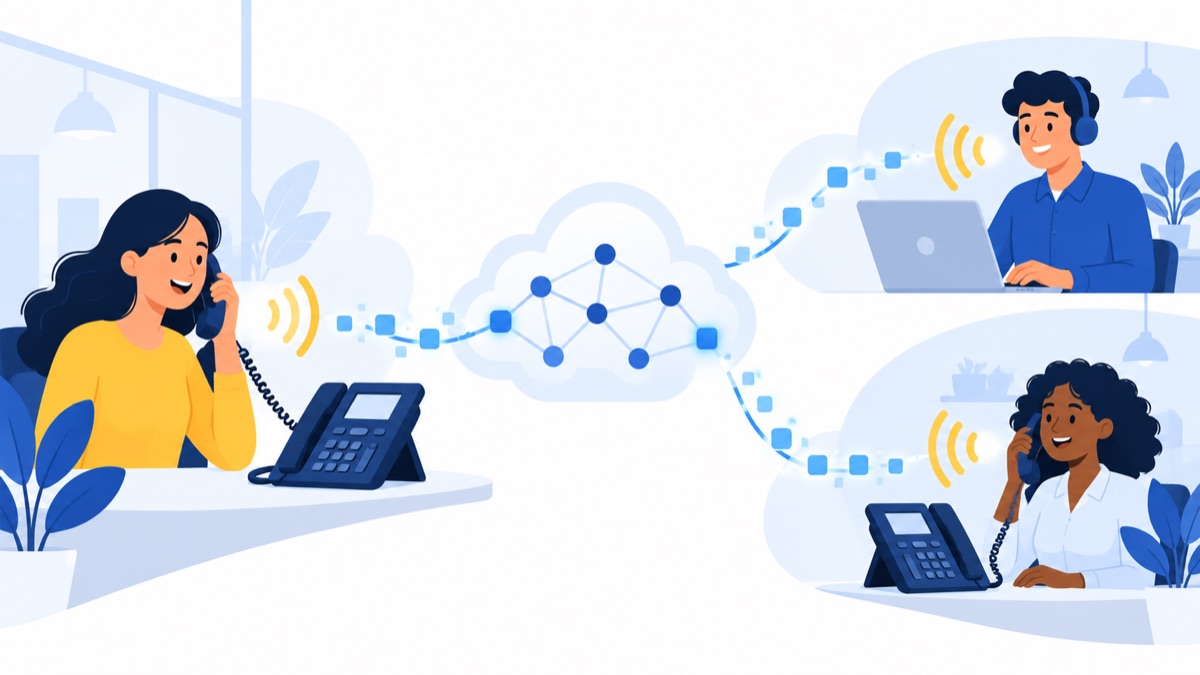
The call follows four basic steps:
- Your microphone captures speech. You speak into a handset, headset, or computer microphone.
- The phone or software digitizes the sound. It converts the audio into data and divides it into packets.
- The network carries the packets. Your internet connection sends them toward the other caller.
- The recipient hears the call. The receiving device puts the packets back together and plays the sound.
The process works in both directions during a conversation. Each person’s device captures and sends audio while receiving and reassembling the other person’s packets.
When both people use internet calling, the call can stay on IP networks. When a VoIP user calls a standard phone number, the provider may use a gateway to connect the internet call to traditional phone networks. The Cybersecurity and Infrastructure Security Agency’s VoIP guide distinguishes software softphones from dedicated VoIP phones and explains that reaching traditional networks requires an appropriate service.
What is the difference between an IP phone and a softphone?
An IP phone is dedicated calling hardware, while a softphone is calling software that runs on a computer or mobile device. Both use a VoIP service and network connection; the choice comes down to how employees work and whether they need a physical handset or prefer using a device they already have.
| Option | What it needs | Often fits |
|---|---|---|
| IP desk phone | Compatible phone, network connection, power, and service | Reception desks, shared workspaces, and employees who prefer a handset |
| Browser softphone | Computer, supported browser, microphone permissions, headset or speakers, internet, and service | Teams that work at a computer and want to start calls without installing a desktop app |
| Desktop or mobile app | Computer or mobile device, app, microphone or headset, internet, and service | Remote and hybrid workers who call from multiple locations |
| Analog phone with adapter | Analog phone, compatible adapter, network, power, and service | Businesses that want to keep certain existing handsets |
A browser softphone uses the browser’s microphone and audio controls to place calls. Employees need to allow microphone access, choose the right input and output devices, and use a stable connection. A headset can help reduce background noise and feedback.
An IP desk phone may suit a fixed workstation or shared front desk. A browser softphone may be easier for a team that already works at computers. Some businesses mix the two, using desk phones at reception and browser or mobile calling for sales and support staff.
What is VoIP phone service?
VoIP phone service connects a phone or softphone to business calling by assigning numbers, routing calls, and connecting calls to traditional phone networks. Depending on the provider and plan, the service can also include features such as call menus, queues, voicemail, texting, and integrations with business software.
The endpoint handles the conversation, but the service determines how calls enter and move through the business. For example, a provider can give a team business numbers, route incoming calls to specific people, and connect outbound calls to customers’ regular phone numbers.
Features vary by plan. Sales and support teams may want:
- Menus and routing to direct callers to the right team.
- Queues to manage calls when staff are already busy.
- Voicemail and transcription so employees can review messages.
- Business texting for customer follow-ups.
- Call summaries or recording to support documentation and coaching.
- Power dialing for teams making many outbound calls.
- CRM sync to keep call activity near customer records.
Compare the features with the work your team actually does. A small office with low call volume may need only business numbers, routing, and voicemail. A larger sales or support team may also benefit from queues, integrations, or call summaries. This guide to choosing a cloud-based VoIP phone system can help you compare service needs.
What does a VoIP phone need to work well?
A VoIP phone needs a compatible endpoint, a VoIP service, reliable network access, and enough power for the phone and networking equipment. For internet planning, AT&T Business suggests about 100 Kbps per call in each direction as a starting estimate, but actual call quality also depends on network conditions and other traffic.
To estimate bandwidth, count simultaneous calls rather than the total number of employees. If six employees may be on calls at the same time, the starting estimate is roughly 600 Kbps in each direction for those calls. This is a planning estimate, not a guarantee that a connection will perform well.
Latency is the time it takes data to travel across the network. Jitter is variation in packet arrival timing, and packet loss means some data does not arrive. High latency, jitter, packet loss, busy Wi-Fi, and competing traffic can interrupt or delay speech even when a speed test reports high bandwidth. The FCC has noted that latency affects real-time communication applications such as interactive voice and video.
Before choosing devices or a plan, check:
- Whether the network can handle the number of simultaneous calls during busy periods.
- Whether callers use Wi-Fi or a wired connection, and how crowded that Wi-Fi is.
- Whether employees have suitable headsets or handsets and can grant browser or app microphone access.
- Whether the router, internet equipment, and phones have power during an outage.
- Whether the provider supports the devices and calling features you require.
Test calls from the locations where employees will actually work. A single speed test cannot show how the connection behaves when a team is on calls while uploading files, running video meetings, or using cloud apps.
Is a VoIP phone the same as a landline?
A VoIP phone is not the same as a traditional landline: VoIP sends calls over an IP network, while a traditional landline uses telephone network infrastructure. Either may be appropriate for a business; portability, features, network and power resilience, and emergency-call configuration can differ by setup.
| Consideration | VoIP | Traditional landline |
|---|---|---|
| Where calls work | Anywhere with supported service and network access | Usually associated with a fixed line and location |
| Setup | May use desk phones, browsers, apps, or adapters | Typically uses a phone connected to a telephone line |
| Business features | May offer menus, queues, texting, and software integrations, depending on plan | Features depend on the line and services purchased |
| Internet reliance | Requires IP network access | A conventional landline does not rely on your business internet connection |
| Power resilience | Internet equipment and phones may need backup power | Service resilience depends on the line and equipment |
| Emergency calls | Location handling and support depend on configuration; check registration | Associated with a fixed service location, but confirm the provider’s arrangements |
VoIP can make it easier to support calls across locations or add software features, but costs and call quality depend on plan terms, network conditions, and backup arrangements. A landline may be more suitable where internet access is unreliable or a separate connection is important. Compare the actual monthly service, equipment, and backup costs rather than assuming one option is always cheaper.
Can you call 911 from a VoIP phone?
VoIP users may be able to call 911, but emergency calling depends on the provider and how the service is configured. Confirm the provider’s 911 support, register the physical address and location details for each applicable phone or user, and update those details when the setup or location changes.

The 911.gov FAQ explains that VoIP callers may not be locatable unless the device is registered to a physical address through the provider. 911.gov defines a dispatchable location as a validated street address plus additional details such as a suite or apartment number in its guidance on Kari’s Law and the RAY BAUM’S Act.
A phone moved to another office, home, or floor may need updated location information. Ask the provider how to manage locations for desk phones, browser users, and remote employees, and how to verify emergency calling using its recommended process. Do not place an uncoordinated test call to 911.
Plan for outages as well. A VoIP phone may stop working if the internet connection or the equipment powering the service is down. The FCC explains that voice service may be unavailable during a power outage without backup power. Ask which components need backup power and how employees should reach emergency services if the system is unavailable.
Does your business need a VoIP phone?
A VoIP phone can suit a business that wants employees to make and receive calls from desk phones, browsers, or apps using a business service. Sales and support teams may find it useful when they need shared numbers, call routing, queues, or software integrations; the fit depends on call patterns, network reliability, and outage planning.
Think through these questions before choosing a setup:
- Where do employees take calls? Fixed desks may favor IP phones; hybrid and remote roles may favor browser or mobile calling.
- How many calls overlap? Estimate peak simultaneous calls to plan capacity.
- Which features solve a real workflow problem? Match menus, queues, texting, summaries, dialers, and CRM sync to specific team needs.
- How reliable is the connection? Include Wi-Fi performance and busy-hour network traffic in your assessment.
- What happens during an outage? Plan backup connectivity, power, and an alternate way to contact customers.
- How will 911 locations stay current? Assign responsibility for registering and updating locations as people or phones move.
Small business VoIP readiness checklist
Before moving numbers or ordering devices:
- List users, work locations, and the number of simultaneous calls during busy periods.
- Choose which roles need desk phones, browser softphones, mobile apps, or a mix.
- Test voice quality from each work location during typical network use.
- Check headset compatibility, browser permissions, and the provider’s supported devices.
- Plan backup power or connectivity for critical calling equipment.
- Confirm 911 support and register complete physical locations, including suite or floor details where applicable.
- Ask how to update locations and what to do if internet or power fails.
Voicalyst is one example of a cloud business phone system with browser-based calling. If you are comparing options, review your team’s workflows and locations first, then explore Voicalyst.
Frequently Asked Questions
What does VoIP stand for?
VoIP stands for Voice over Internet Protocol. It is technology that carries voice calls over an internet or other IP network. A VoIP phone is the endpoint a person uses to make or receive those calls, such as a dedicated IP desk phone or software on a computer or mobile device.
Do VoIP phones need internet?
VoIP phones need a working internet or other IP network connection and a VoIP service. Call quality also depends on network stability, congestion, latency, jitter, packet loss, and how many calls happen at once. Phones and networking equipment may need power or backup power to keep working during an outage.
Can you call 911 from a VoIP phone?
VoIP users may be able to call 911, but support and location handling depend on the provider and service configuration. Confirm 911 support, register the phone’s physical address and suite or floor details, and update the location when a user or device moves. Follow the provider’s process to verify emergency calling; do not place an uncoordinated test call.
What is the difference between an IP phone and a softphone?
An IP phone is dedicated hardware, typically a desk phone connected to a network. A softphone is calling software on a computer or mobile device; a browser softphone runs in a supported browser. Both need a VoIP service and network access, while the softphone also needs microphone permissions and audio equipment such as a headset or speakers.
What is VoIP phone service?
VoIP phone service connects a phone or softphone to business calling. The provider typically assigns numbers, routes calls, and connects calls to traditional phone networks. Depending on the plan, service may also include menus, queues, voicemail, business texting, call records, or integrations with business software.