
If your business already owns a supported PBX and has people to maintain it, SIP trunking may let you keep that system while adding internet-based calling. If you want the provider to run the phone platform and give employees apps, menus, and call queues, hosted VoIP may fit better. The key distinction: both use VoIP; they differ in who supplies and manages the phone system.
Key takeaways
- VoIP means voice carried over an IP network; SIP trunking connects a phone system to outside calling, while hosted VoIP includes a provider-managed phone platform.
- A SIP channel generally represents one simultaneous call, while a hosted VoIP seat generally represents one user; compare peak call concurrency with user count.
- SIP trunking can preserve an existing PBX, but your business remains responsible for its compatibility, maintenance, and support.
- Hosted VoIP reduces PBX administration, but still depends on your internet, network quality, power, and outage planning.
- Before switching, confirm number porting, E911 location procedures, failover, and all recurring and setup charges with the provider.
SIP trunking vs VoIP: what is the difference?
VoIP is the broad method of sending voice over an internet protocol network; SIP trunking is a service that commonly connects a business phone system to the public telephone network. Hosted VoIP also uses VoIP, but the provider supplies and manages the phone-system platform. So the practical comparison is usually SIP trunking versus hosted VoIP.
Why are they often treated as alternatives?
Businesses often compare the two when deciding how to modernize phone service. A company with a PBX may be able to add a SIP trunk and keep its current extensions, phones, and call flows. A company without a PBX may choose hosted VoIP to avoid buying and operating a separate phone platform.
The difference is who operates the system that manages users and calls. With trunking, that system is typically your PBX. With hosted VoIP, the provider runs the platform, and employees connect through desk phones, computers, or mobile apps.
What do VoIP, SIP trunking, hosted VoIP, and PBX mean?
VoIP carries voice over IP networks, while SIP is one protocol commonly used to set up and manage calls. A SIP trunk provides a connection between a phone system and outside phone service; a PBX manages internal extensions and call handling. Hosted VoIP bundles the phone-system platform as a provider-managed service.
A PBX (private branch exchange) is a phone system that routes calls among employees and handles functions such as extensions, transfers, and voicemail. A PBX can run on hardware at your office or as software in a hosted environment.
A SIP trunk is a service connection that lets a compatible phone system place and receive calls over IP. A trunk provider may supply phone numbers, call capacity, and connectivity to the public telephone network. Hosted VoIP is a provider-operated phone platform that your team uses through compatible phones or apps.
What do SIP and RTP do during a call?
SIP signaling commonly establishes, modifies, and ends a session; the Internet Engineering Task Force defines those functions in RFC 3261. RTP commonly carries real-time media, such as audio, and RFC 3550 describes its role and quality feedback through RTCP.
In plain terms, SIP is often like the call’s coordination layer: it helps the endpoints arrange the call. RTP is commonly the stream that carries the sound. A call might start when a sales rep dials a customer, use signaling to set up the connection, and then exchange audio media. Providers and deployments vary, so ask how a specific service handles signaling, media, and encryption. For a broader explanation of call setup and quality, see this VoIP call guide.
SIP trunking vs hosted VoIP: how do they compare?
SIP trunking leaves the PBX and much of the phone-system administration with your business, while hosted VoIP puts the platform under the provider’s management. The table compares typical responsibilities and tradeoffs; exact features, support, and network arrangements depend on the plan and implementation.

| Consideration | SIP trunking with your PBX | Hosted VoIP |
|---|---|---|
| What you receive | Connectivity for an existing phone system to make and receive outside calls | Phone-system platform, calling service, and user features |
| Where the PBX runs | Usually at your site or in infrastructure you manage | Provider’s environment |
| Setup | Configure the trunk and confirm PBX compatibility; integration may need specialist help | Set up users, numbers, devices, menus, and call routing in the service |
| Administration | Your team or IT partner usually manages PBX changes and upkeep | Provider maintains the platform; your team manages users and settings |
| Features and control | Can suit custom or legacy call flows; capabilities depend on PBX and trunk | Features depend on the hosted service; changes are often administered through its tools |
| Call capacity | Often priced or provisioned around channels for concurrent calls | Often priced around user seats, with concurrency rules to confirm |
| Reliability | Depends on PBX, trunk, network, power, and failover arrangements | Depends on provider infrastructure plus your internet, network, power, and failover |
| Security responsibilities | More responsibility for PBX configuration, access, patches, and network controls | Provider manages its platform; your business still secures accounts, devices, and network access |
| Number porting | May port numbers to the trunk provider; coordinate routing and cutover | May port numbers to the hosted provider; coordinate user assignment and cutover |
| Ongoing maintenance | PBX licensing, updates, support, backups, and replacement planning | Subscription and device upkeep; platform maintenance is generally provider-managed |
A trunk does not automatically improve or reduce call quality. Voice quality depends on the end-to-end path, including network performance, device setup, and provider configuration.
The FCC counted approximately 64.2 million interconnected VoIP subscriptions in the United States in December 2023, including residential subscriptions; that figure is broad market context, not a count of business hosted VoIP seats or SIP trunks. See the FCC’s December 2023 Form 477 report.
How much does SIP trunking cost compared with hosted VoIP?
There is no universal cheaper option because SIP trunking and hosted VoIP often meter different things. Trunking costs can depend on channels, PBX licensing, support, and setup, while hosted VoIP commonly charges by user seat and may add charges for devices, usage, or features. Compare the full cost over the same period and include labor and network costs.
What costs belong in a SIP trunk estimate?
Include the provider’s monthly trunk or channel charges, usage charges, phone numbers, taxes, and applicable fees. Add PBX licensing, support, installation, upgrades, and the time your staff or IT partner spends managing the system.
If your PBX needs compatible hardware, software, or network changes, include those costs too. Check whether the business needs backup internet, power protection, or a second service path to keep calls available during an outage.
What costs belong in a hosted VoIP estimate?
Start with the number of user seats and any usage-based charges. Add phone or headset purchases, optional features, taxes and fees, E911 charges if applicable, and any one-time setup or number-porting costs.
Hosted VoIP can reduce the work involved in maintaining a PBX, but the service does not remove every IT responsibility. Budget for reliable internet, network configuration, device management, and backup connectivity where business continuity requires it.
Use this total-cost worksheet
Use a 12-month or 36-month period for both options and ask providers to itemize charges. Treat internal labor as a real cost, even if it does not appear on the provider’s invoice.
| Cost item | SIP trunking | Hosted VoIP |
|---|---|---|
| Monthly service: channels or seats | $___ × ___ months | $___ × ___ months |
| Calling usage, numbers, taxes, and fees | $___ | $___ |
| PBX hardware, licensing, or replacement | $___ | $___ |
| Phones, headsets, and setup | $___ | $___ |
| Installation, porting, and training | $___ | $___ |
| Support and ongoing maintenance labor | $___ | $___ |
| Internet upgrades, backup, and power | $___ | $___ |
| E911 and location-related charges | $___ | $___ |
| Total for comparison period | $___ | $___ |
A channel is generally capacity for one simultaneous call; a seat is generally a licensed user. For example, a 25-person office may need fewer than 25 channels if not everyone calls at once, but peak inbound and outbound concurrency matters more than the headcount alone. Verify the provider’s definitions and capacity limits before comparing quotes.
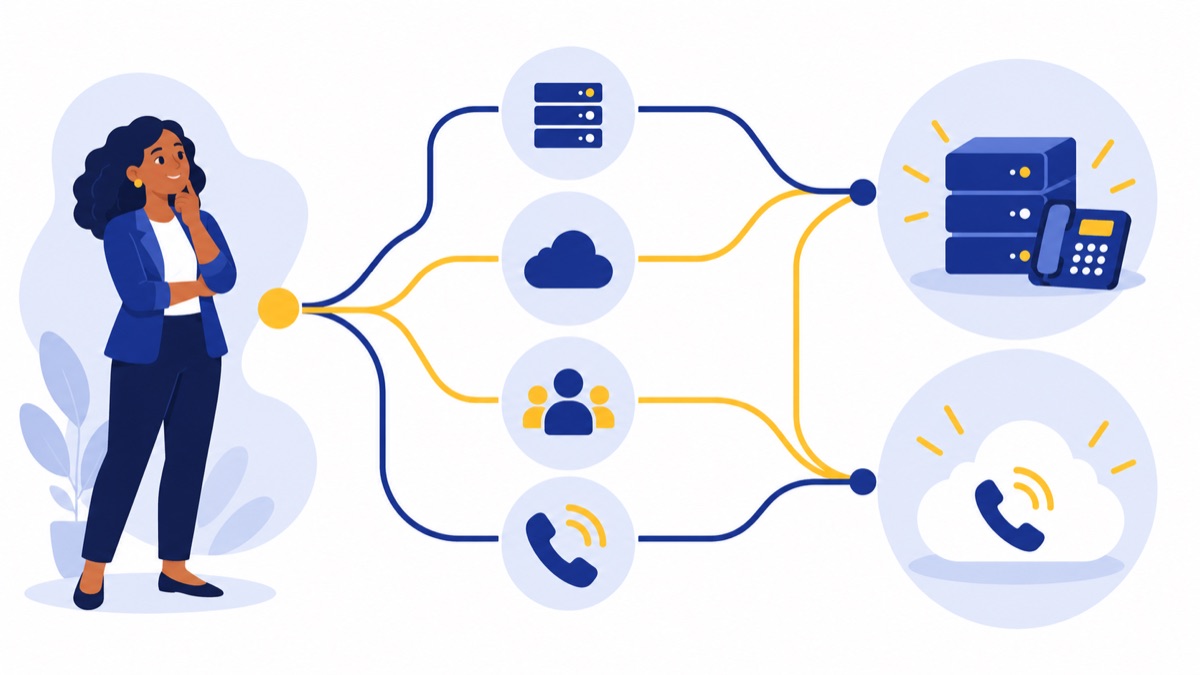
Which option fits your business? Use this decision tree
The best fit depends first on whether you already have a supported PBX and someone responsible for maintaining it. Use the branches below to identify which option to investigate, then check call-flow needs, mobile access, growth, and how much phone-system administration your team wants to own.
Do you have a supported PBX?
├─ Yes
│  └─ Do you have reliable PBX support and want to keep its custom call flows?
│     ├─ Yes → Evaluate SIP trunking and PBX compatibility.
│     └─ No  → Compare hosted VoIP and the cost of replacing or retiring the PBX.
└─ No
   └─ Do you want a provider-managed system with browser or mobile calling?
      ├─ Yes → Evaluate hosted VoIP.
      └─ No  → Define the required phone architecture and support model first.

For either path:
├─ Need unusual call flows or close control? Confirm feature and integration support.
├─ Expect rapid growth or distributed staff? Check user setup and capacity scaling.
└─ Want less system administration? Favor a managed platform if it meets call needs.
Keeping a PBX and adding a trunk can make sense when the system is supported, the call flows matter, and internal or contracted support is available. Replacing it with hosted VoIP may fit better when the PBX is aging, the team needs browser or mobile calling, or the business wants fewer systems to maintain. Compare the migration and operating costs, not just the monthly quote.
For a broader hosted-service overview, see hosted VoIP costs, features, and switching considerations. If you are comparing provider capabilities, this VoIP service provider selection guide can help organize requirements.
What should you check before choosing a SIP trunk provider or hosted VoIP service?
A SIP trunk provider supplies connectivity between a compatible phone system and outside calling; hosted VoIP providers supply a managed phone platform as well. Compare providers against your actual PBX, call volume, support needs, number inventory, and outage plans, and get implementation details in writing before committing.
Compatibility, capacity, and number porting
Ask a SIP trunk provider which PBX models, software versions, codecs, and configurations it supports. Confirm how it measures channels, what happens when you exceed capacity, and whether it supports the call flows and locations you need.
For hosted VoIP, verify supported desk phones, apps, browser calling, integrations, and user limits. For either option, request a written number-porting plan: which numbers are eligible, what information you must provide, expected steps, and how the cutover will be coordinated. Voicalyst’s number porting information explains its number-transfer offering.
E911, security, outages, and failover
Ask how the service handles 911 calls and associated location information, and how administrators or remote employees update registered locations. FCC rules require interconnected VoIP providers to transmit 911 calls and associated location information under applicable requirements; businesses should still confirm the service’s setup and keep locations accurate (FCC rule document).
Also ask what happens if your office internet, local power, PBX, or provider service becomes unavailable. Confirm the available failover options, where calls can be rerouted, and how security features such as encryption and account controls fit your setup. The FCC notes that interconnected VoIP relies on broadband from the end user’s location, so service availability depends in part on that connection (FCC guidance).
Support and full monthly charges
Ask who handles troubleshooting for the PBX, local network, phones, and provider service. Request support hours, response expectations, escalation steps, contract terms, cancellation requirements, and a quote that itemizes recurring and one-time costs, taxes, fees, usage, and E911.
How do you migrate without losing track of calls?
A safe migration starts with an inventory of numbers, users, devices, and call flows, followed by compatibility and network checks. Pilot the new setup, coordinate number porting with the provider, and test normal calls, emergency procedures, and outage routing before relying on the service across the business.
Migration checklist
- List every business number, extension, user, shared line, fax line, and device.
- Document menus, business hours, queues, voicemail, transfers, recordings, and after-hours routing.
- Confirm PBX support and trunk configuration, or hosted-service device and integration compatibility.
- Check internet capacity, network quality, power backup, and any secondary connection or failover plan.
- Ask the provider to explain number eligibility, porting steps, dates, and cutover ownership.
- Register and verify E911 locations for office and remote users; follow the provider’s procedure.
- Pilot with a small group and test inbound and outbound calls, caller ID, menus, queues, voicemail, and failover.
- Train staff, set a cutover contact, and verify all numbers and call routes after the change.
- Keep the current service active until the provider confirms the port and your team validates the new routes.
Porting and emergency-calling procedures vary by provider and implementation. Assign an owner on your side to track the cutover and confirm each critical number and location after activation.
Where does Voicalyst fit?
Voicalyst may be relevant if your business is comparing hosted VoIP platforms and wants calling tools for sales or support teams. Its virtual phone system is the starting point for a hosted setup, and you can review IVR menus and call routing for handling incoming calls or AI call summaries for post-call workflows.
If the hosted approach matches your requirements, explore Voicalyst and compare its capabilities and pricing with the checklist above.
Frequently Asked Questions
SIP trunking connects a compatible phone system to outside calling, while hosted VoIP provides a provider-managed platform; the right choice depends on your PBX, support capacity, and calling needs. These answers cover the questions business buyers most often need to resolve before comparing plans, estimating capacity, or scheduling a phone-system migration.
Is SIP trunking a type of VoIP?
Yes. VoIP is voice carried over an IP network, and SIP trunking is one way to deliver it. A SIP trunk connects a phone system, usually a business PBX, to outside phone networks. Hosted VoIP also uses VoIP, but the provider runs the phone-system platform for your team.
Do I need a PBX for a SIP trunk?
Usually, yes: a SIP trunk connects an IP-compatible PBX or phone system to outside calling. Before buying, confirm that the provider supports your PBX model, software version, and configuration. If you do not have a PBX and do not want to manage one, compare hosted VoIP instead.
How many SIP channels does my business need?
A channel represents capacity for one simultaneous call, while a user seat represents one person or account. Estimate the busiest-hour number of concurrent calls, including inbound and outbound calls, then check whether your PBX and provider can handle that load. Ask about channel limits, overages, and how capacity changes.
Can I keep my business number and use 911?
Businesses can often transfer existing numbers, but porting eligibility, timing, and steps depend on the numbers and providers involved. Confirm the porting process before cancelling current service. For 911, verify how the service sends location information and how to register and update locations, especially for remote users.
What do SIP and RTP do?
SIP commonly handles call setup, changes, and termination; RTP commonly carries the audio media during a real-time call. The protocols have different jobs. Implementations vary, so ask a provider how its service handles media, security, and network requirements with your specific PBX or devices.