
For a 50–500-person company, enterprise VoIP is a business phone service designed to handle more than individual extensions: it supports controlled administration, dependable call routing, useful reporting, security reviews, and integrations as teams grow. Use this guide to define what your sales and support teams need, compare deployment options, and ask vendors questions you can verify in a demo and contract.
Key takeaways
- Enterprise VoIP requirements depend on call workflows, locations, risk, and growth—not a universal employee-count threshold.
- Capacity planning should start with peak concurrent calls, queue demand, sites, remote users, and network resilience rather than total headcount.
- A scalable phone system needs defined admin roles and repeatable processes for provisioning, number assignment, routing changes, and offboarding.
- Buyers should test CRM workflows and get uptime definitions, support response targets, exclusions, and remedies in writing.
- Interconnected VoIP E911 location updates, broadband, and power dependencies belong in the rollout plan for remote and office users.
What does enterprise VoIP mean for a 50–500-person company?
Enterprise VoIP is business voice service delivered over an IP network, with the administration, routing, and reporting controls an organization needs to operate it across teams or locations. The right setup depends on the complexity and risk of your calls; no single headcount makes a phone system “enterprise.” The FCC defines interconnected VoIP as two-way voice service using broadband and IP-compatible equipment that can connect with the public switched telephone network (FCC definition).
Enterprise VoIP versus a basic business phone system
The difference is often governance. A small team may rely on one person to add users and change greetings. A growing company may need department-specific administrators, approvals for routing changes, access controls, audit history, and standard onboarding and offboarding steps.
A VoIP platform is the software and service used to configure and operate business calling. VoIP unified communications (UC) usually means voice packaged with collaboration tools such as video meetings and team messaging. Evaluate UC features separately: a company with complex support queues may need advanced voice operations more than another meeting app. For a broader buying framework, see this VoIP phone system buyer’s guide.
Compare cloud, on-premises, and hybrid deployment
With cloud-hosted VoIP, the provider operates the core service and handles platform updates; your business still manages users, endpoints, network access, and configuration. With on-premises systems, your organization operates more of the infrastructure and update process. Hybrid designs split responsibilities, so document which party owns each component and how calls continue if a site or connection fails.
A useful first question is: “Who detects, communicates, and fixes a service issue at each layer—provider, internet connection, office network, and handset?” The answer should shape your staffing, support, and recovery plan. For more deployment and selection considerations, see this guide to cloud-based VoIP phone systems.
How should you plan VoIP capacity?
VoIP capacity should be estimated from the busiest expected call periods and the networks and endpoints carrying those calls. A 100-person company with a busy support queue can have different needs from a 300-person company where most staff make occasional calls. Include growth, seasonal peaks, locations, remote work, and resilience in the estimate.
Estimate peak concurrent calls and queue demand
Ask each team for its busiest-hour inbound and outbound activity. Record expected simultaneous calls, queue arrivals, average handling patterns, and overflow destinations. Have the vendor validate the system’s capacity and any licensing or usage limits against those assumptions.
| Planning input | What to record |
|---|---|
| Call peaks | Busiest-hour inbound and outbound simultaneous calls by team |
| Queues | Expected arrivals, staffing, wait handling, and overflow |
| Locations | Offices, home users, and other regular work sites |
| Endpoints | Desk phones, computers, and mobile devices in use |
| Growth | Planned hires, seasonal changes, and new locations |
| Resilience | Backup internet, power, and call-forwarding options |
Map sites, remote users, and network dependencies
Test call quality over the actual office and remote network paths, including Wi-Fi where staff will use it. Ask the provider or network team to assess congestion, latency, and quality-of-service settings under realistic load; avoid relying on generic bandwidth promises without testing your environment. Specify what happens to inbound calls if an office loses internet or power.
Remote work makes location procedures operationally important. In the first quarter of 2024, 35.5 million people in the United States teleworked or worked at home for pay, or 22.9% of people at work, according to the Bureau of Labor Statistics. That is a reason to test mobile and remote workflows, not a forecast for your own staffing.
How should you set administration and access requirements?
A scalable VoIP system needs clear owners for user access, phone numbers, routing, and configuration changes. Before rollout, decide who can perform each task, who approves higher-impact changes, and what evidence remains when settings change. This prevents routine onboarding from turning into uncontrolled system-wide administration.
Assign owners and delegated admin roles
A practical model might give the central IT owner control of security and system settings, while trained sales and support leads manage approved team-level tasks. Local site contacts can report device or location changes without gaining broad access. The vendor should explain whether permissions can be limited by role, team, or location.
Standardize onboarding, offboarding, and changes
Write down the steps for each common lifecycle event:
- Onboarding: provision the account, assign a number or extension, apply the right permissions, and test calling.
- Role or location change: update routing, emergency location information, and team access as appropriate.
- Offboarding: disable access promptly, reassign numbers and business calls, and review voicemail and call-data handling.
- Routing change: record the requester, approver, change time, and rollback step.
Check whether the platform records who changed settings and when. Define an approval path for edits to public numbers, business hours, menus, and after-hours destinations.
How do you design call routing for sales and support?
Call routing sends callers to the right person, team, or fallback based on rules such as number dialed, business hours, and queue availability. Design each caller journey from the first ring through its final destination, including what happens when nobody answers. Test the full path from outside the company, not just from an employee extension.

Build menus and queues around caller needs
For example, a sales inquiry might reach a short menu, then a sales queue, then a backup group if the queue is full. A support caller might reach the appropriate queue during staffed hours and hear an after-hours message with a monitored voicemail option when the team is closed. Keep the menu focused on common caller needs and provide a clear route for callers who choose incorrectly.
Map business numbers, menus, queues, business hours, voicemail, overflow, and escalation paths. IVR menus and call routing can support business calling needs; check the capabilities and plan fit against your specific routing requirements.
Test after-hours and remote call paths
Verify what happens during holidays, staff shortages, queue timeouts, and office outages. Confirm who receives voicemail, how urgent calls escalate, and whether managers can change schedules without bypassing approvals. Make a test call to each published number and document the expected and actual result.
Which VoIP reports should managers require?
Useful VoIP reports answer operational questions: how many calls were missed, how long callers waited, where they abandoned a queue, and whether staffing matched demand. Define the intended decision for each metric before comparing dashboard screenshots. Reporting also needs access and retention rules because call records can reveal customer and employee activity.
Choose metrics by role
- Team leads: missed calls, answer rates, queue wait time, abandonment, agent availability, and callback completion.
- Operations managers: call volume by hour, queue performance by team, overflow frequency, and trends across locations.
- Executives: service levels, demand trends, and the operational outcomes tied to staffing or customer experience.
Ask whether reports can be filtered by team, number, and time period, and whether data can be exported in a usable format. Set how long reports and call records are kept, who can access them, and whether retention can be configured. If considering AI call summaries, review AI call summaries alongside your data access and retention requirements.
What security, E911, and continuity checks matter?
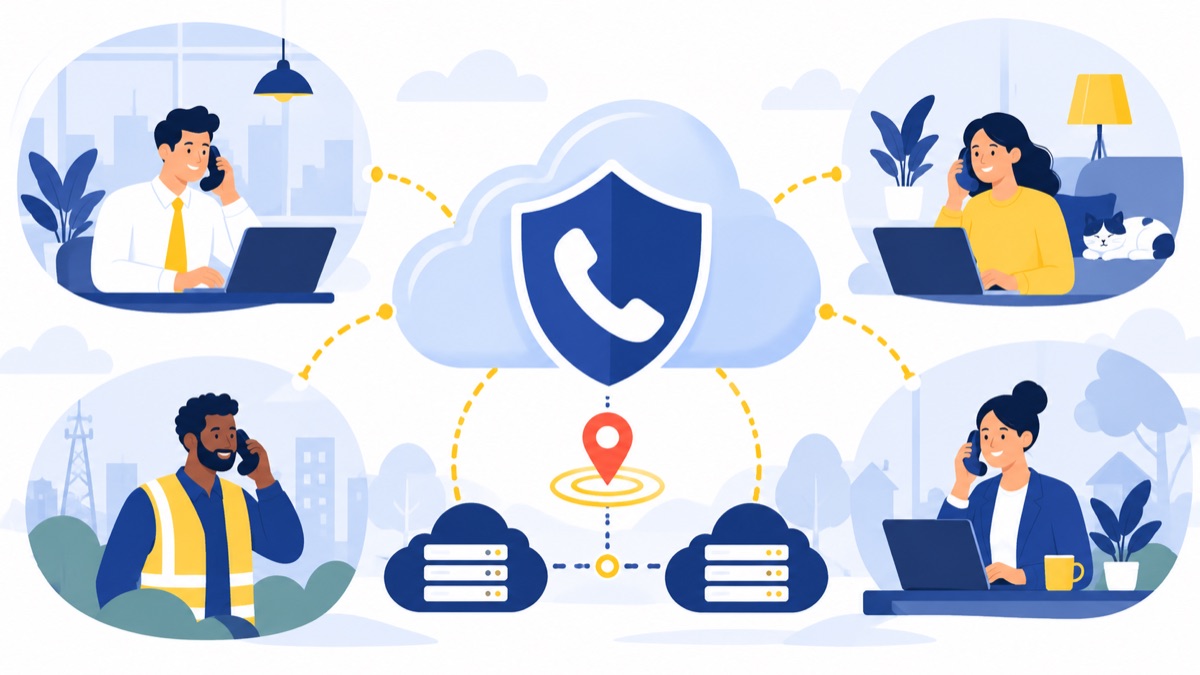
A VoIP security review should cover account access, authentication, encryption, auditability, call recording and voicemail retention, vendor incident handling, and recovery options. Verify how the provider supports emergency calling and registered-location updates for office and remote users. No certification alone proves that a particular setup meets your organization’s needs.
Verify access and data handling
Ask for the provider’s security documentation and clarify how it applies to the service you will use. Confirm role permissions, authentication options, encryption in transit and at rest where applicable, audit logs, and incident notification procedures. Decide who can access call recordings, voicemail, transcripts, and reports, and set retention periods that fit your policies.
Credential risk is a general security concern, not a VoIP-specific breach statistic: Verizon’s 2025 report analyzed more than 22,000 security incidents and 12,195 confirmed breaches, with credential abuse and vulnerability exploitation among the leading initial attack vectors (Verizon DBIR summary). Use that context to ask how the service supports strong authentication and timely account removal.
Confirm emergency calling and outage procedures
The FCC says interconnected VoIP E911 service may be affected by broadband failure, loss of electrical power, equipment relocation, or delays in making a registered location available (FCC advisory). The FCC also requires users to have a way to update their registered location, including an option using only the equipment necessary to access the service (FCC order).
Before rollout, verify the provider’s location-update steps, which devices or users require location records, and what employees should do during an outage. Include backup connectivity, power, forwarding, and recovery contacts in your continuity procedure. Recheck location procedures when remote employees move or change their usual work site.
What should a VoIP SLA and support agreement include?
A VoIP service-level agreement (SLA) is a contract section that defines measurable service commitments and what happens when the provider misses them. Ask for the calculation method, measurement window, exclusions, support coverage, response targets, escalation process, incident communications, service credits, and other remedies in writing. An uptime percentage without these details is hard to evaluate.
Ask vendors:
- How is uptime measured, over what period, and for which parts of the service?
- Which planned maintenance, customer network failures, and third-party outages are excluded?
- What support hours apply, and what are the response targets by severity?
- How will the provider communicate during a widespread incident?
- Who owns escalation, and what remedy applies if the commitment is missed?
Separate a commitment to restore service from a commitment to respond to your ticket. Confirm that the support model matches the hours your sales and support teams actually handle calls.
How should you test integrations and total cost?
Evaluate integrations by watching a complete task happen in your workflow, not by counting logos on a feature page. For HubSpot, test contact matching, click-to-call, screen pops, call logging, and record ownership with representative users. Compare the full cost over your expected contract term, including implementation and likely seat changes.
Validate the CRM workflow end to end
Use a scripted demo with one sales user and one support user. Place and receive calls, find known and unknown contacts, verify what gets logged, and check where notes or outcomes appear. Ask how duplicate contacts, transferred calls, and shared numbers are handled. Confirm the exact behavior in the proposed configuration before signing.
Review the HubSpot calling integration against your workflow, including its documented capabilities and any plan or setup requirements. Consider other workflow needs separately: for example, a power dialer may fit an outbound sales process, while business texting may matter when teams follow up by text.
Compare the full cost and contract
Ask for a written cost model that covers:
- Seats, usage, phone numbers, and taxes or fees.
- Desk phones, headsets, adapters, and replacement hardware.
- CRM integrations, analytics, recording, and other add-ons.
- Implementation, training, support, and number porting.
- Contract length, renewal terms, cancellation, and seat increases or decreases.
Check what happens to phone numbers and call data at renewal or termination. For number migration, confirm the timeline, responsibilities, and continuity plan; review number porting as part of that discussion. For a more basic service overview and small-business buying context, see VoIP phone service for small business.
What should an enterprise VoIP requirements checklist include?
A useful shortlist separates requirements that protect daily operations from optional collaboration features. Put each must-have into a demo script, written response, or contract question, and name the person responsible for accepting the result. Then pilot the service with real users before moving every department.
Must-haves for an RFP or vendor shortlist
- Role-based administration, authentication, and an auditable change process.
- Repeatable onboarding, offboarding, number assignment, and access removal.
- Business numbers, menus, queues, hours, overflow, voicemail, and escalation.
- Reports for missed calls, answer and abandonment rates, queue performance, and agent activity.
- Call-record, voicemail, and recording access and retention controls.
- Documented E911 location updates, outage procedures, support coverage, and SLA remedies.
- Tested CRM workflows, data exports, number porting, and a complete cost model.
- Capacity validation using peak concurrent calls, locations, network conditions, and growth assumptions.
Treat video meetings and team messaging as optional unless teams have a clear use case for them. A feature belongs on the must-have list only when someone can explain the work it supports and how the company will validate it.
Pilot and scale deliberately
Start with a pilot group that includes a sales user, a support user, a manager, and the people who administer the system. Test inbound and outbound calls, queue overflow, after-hours handling, remote access, CRM logging, emergency-location procedures, and recovery steps. Train users, confirm number-porting dates, and keep a continuity plan for the transition.
Review requirements as the organization grows. Around 50 users, one administrator may still handle most changes; around 100, teams may need delegated ownership and approval steps; by 500, multiple locations, reporting access, and change governance may require formal owners. These are planning prompts, not universal thresholds.
Voicalyst offers phone workflows for sales and support teams, including a phone system for sales teams and a phone system for support teams. Compare the requirements above with your call paths and CRM workflow, then review Voicalyst for fit.
Frequently Asked Questions
What is an enterprise VoIP phone system?
An enterprise VoIP phone system carries business calls over IP networks and gives an organization tools to manage users, numbers, routing, and reporting. For a 50–500-person company, “enterprise” describes operational requirements such as delegated administration, multiple teams or locations, security controls, integrations, and documented support—not a fixed user-count cutoff.
How does enterprise VoIP differ from unified communications?
Enterprise VoIP refers to business voice service and the administration and routing around it. VoIP unified communications usually means voice bundled with other collaboration tools, such as video meetings and team messaging. A company can need advanced phone workflows without needing every UC feature, so evaluate each capability against actual work.
How many simultaneous calls can a VoIP system support?
There is no reliable concurrency estimate based on employee count alone. Ask each department for its busiest-hour inbound and outbound calls, queue demand, and expected growth, then validate capacity with the provider. Include every site, remote endpoint, network path, and backup connection in the review.
How does 911 work with VoIP for remote employees?
Interconnected VoIP E911 service relies on a registered location, and the FCC notes that broadband failure, power loss, equipment relocation, or delays in updating a location can affect emergency calling. Confirm the provider’s location-update process and train employees to keep their registered location current when they move or work remotely.
Can a VoIP platform integrate with HubSpot?
A HubSpot integration may support workflows such as click-to-call, contact matching, screen pops, and call logging, but the exact behavior depends on the platform and configuration. Test those steps with real sales users before purchase, including which record owns a call, what details are logged, and how duplicate or unmatched contacts are handled.