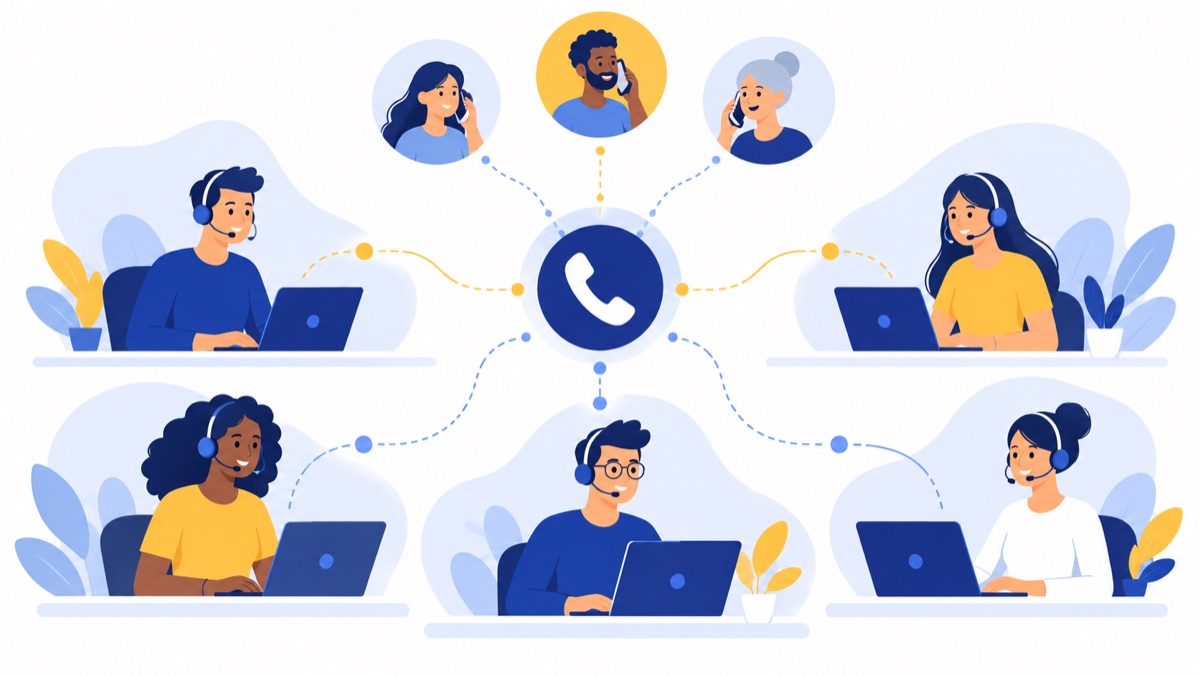
A small call center phone system gives a 5–50-agent sales or support team a shared business number, menus, queues, routing, and visibility into how calls are handled. The right setup can reduce missed calls and confusing handoffs. This guide explains how to map your workflow, choose practical features, estimate costs, and check US compliance before you buy.
Key takeaways
- A queue-based cloud phone system can serve a voice-led team of 5–50 agents; teams that need workforce management or coordinated routing across many channels may need a fuller contact center platform.
- A useful inbound flow connects a main number to a short menu, separate sales and support queues, a clear wait message, and a defined overflow or callback path.
- Supervisors should review wait time, abandoned calls, missed calls, transfers, talk time, and wrap-up time together instead of treating one metric as a complete measure of agent performance.
- Per-agent price is only one part of the monthly bill; seats, supervisor tools, minutes, numbers, recording storage, integrations, contract terms, taxes, and fees can also affect cost.
- US call recording and outbound calling obligations depend on applicable rules and circumstances, so businesses should confirm requirements with counsel before configuring campaigns.
What does a small call center phone system do?
A small call center phone system routes calls from shared business numbers to menus, queues, and available agents, then gives managers basic visibility into how those calls were handled. For voice-led sales and support teams, a cloud business phone system with queue features may be enough; a full contact center platform adds more coordinated channel, staffing, or quality tools.
Business phone system vs. contact center software
A business phone system connects people and routes calls; a contact center platform is designed to manage larger, more complex customer service operations. A basic system may include business numbers, an auto-attendant, ring groups, call logs, voicemail, and simple reporting.
Inbound call center software typically adds more control over queues, agent assignment, supervisor monitoring, and performance reporting. Some products also include omnichannel routing, workforce management (tools for forecasting demand and scheduling staff), quality management (tools for evaluating customer interactions), or advanced analytics. Those capabilities matter when calls are one of several service channels or staffing needs to track demand closely.
When is a cloud phone system enough for 5–50 agents?
A cloud phone system is often enough when a small team handles a manageable volume of voice calls during defined hours, with straightforward sales and support routes. Cloud calling uses internet-connected apps or devices, so agents may work in an office or remotely without a traditional on-premises phone system.
A full contact center platform is more likely to fit when supervisors need formal quality scorecards, detailed workforce forecasting, or coordinated routing for voice, chat, email, and social messages. Compare products against the workflow your team actually runs each day, not the longest feature list.
How should you map a small call center’s workflow?
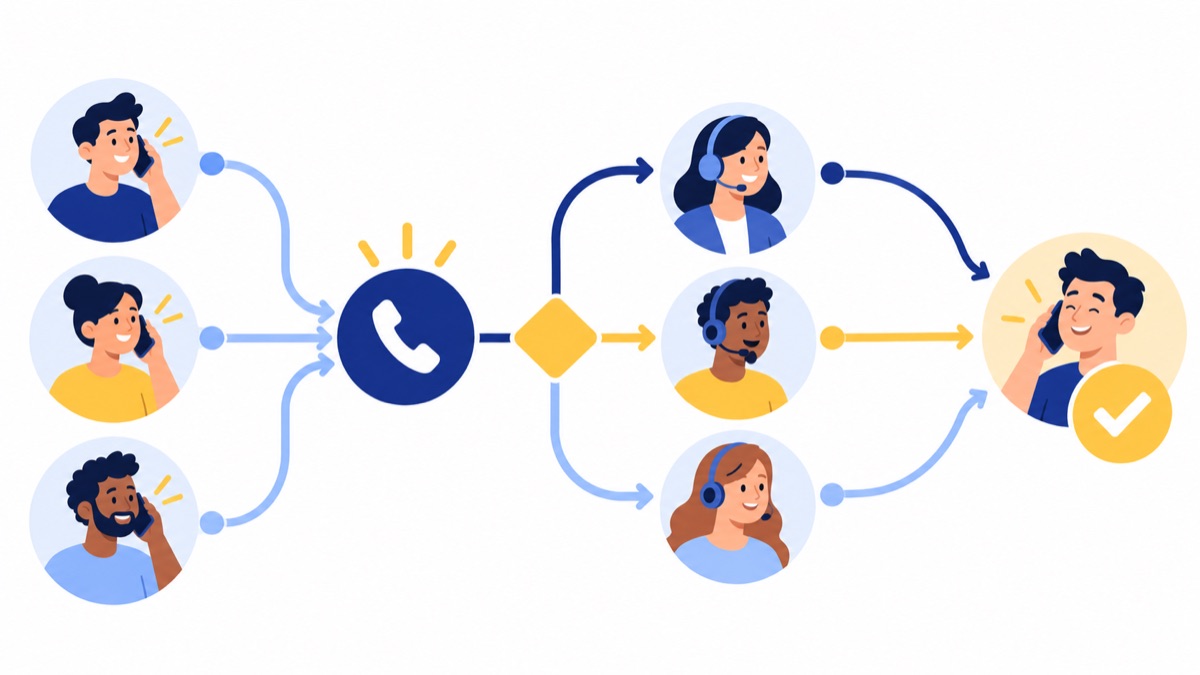
Map the caller’s journey from the number they dial through greeting, menu, queue, agent, and follow-up, including what happens when nobody is available. A written flow exposes bottlenecks before purchase and gives vendors a realistic scenario to demonstrate.
Inbound support and sales calls
An inbound workflow begins when a customer dials the main number. A greeting offers a few clear menu choices; each choice sends the caller to a staffed queue or appropriate ring group. Once connected, the agent resolves the issue or transfers the caller with context, records the outcome, and schedules any follow-up.
Keep menu choices short and base them on what callers need. If a caller must navigate several layers before reaching a person, the menu may be solving the company’s routing problem at the customer’s expense.
Outbound follow-up and callbacks
For outbound work, agents need a reliable way to see who needs a callback, why the customer called, and what happened on the previous attempt. A simple process is to log the call outcome, assign an owner, set a due time, and follow up using an approved business number and channel.
A power dialer can help sales teams place calls from a contact list, but it does not remove the need to review applicable outbound calling rules. See the compliance section below before launching campaigns.
What does a sample 10-agent call flow look like?
A practical 10-agent setup can use one main number, a two-option menu, separate sales and support queues, and a backup destination when the primary team is full. For example, staff sales with four agents and support with six, set hours from 8 a.m. to 6 p.m. Eastern on weekdays, then route after-hours calls to voicemail with a callback process.
One configuration might work as follows:
- The main number plays a brief greeting: “For sales, press 1. For support, press 2.”
- The sales and support choices enter their respective queues and ring available agents.
- Each queue plays a short hold message and offers voicemail or a callback path if waits exceed the team’s chosen threshold.
- If a queue reaches its limit or no agent is available, overflow goes to a designated backup group; after hours, calls go to a monitored voicemail box.
- The assigned team reviews missed calls at opening and returns urgent messages first, then logs each outcome.
The exact queue size and wait threshold should follow observed call volume and staffing. Start with a conservative setup, review busy periods, and adjust using call logs rather than guessing.
Which features should a small call center phone system include?
A small call center phone system should include business numbers, menus, routing, queues, hours, voicemail, call logs, and reporting, with CRM sync and browser access where they support the team’s work. Supervisor functions such as recording, live listen, and whisper coaching can be valuable, but their availability may depend on the product and plan.
Numbers, menus, routing, and queues
Local and toll-free numbers give customers familiar ways to reach the business. An IVR (interactive voice response) is a phone menu that lets callers choose a destination using keypad presses or voice prompts. Ring groups send calls to several agents, while queues manage callers waiting for the next available person.
Business hours should be visible in the call flow: the same number can direct callers to live agents during staffed periods and to voicemail or an after-hours service outside those periods. Check that administrators can change greetings, schedules, and destinations without filing a support request.
Wait-time and overflow controls
A queue holds callers until an agent is available and should tell them what to expect. Useful controls include hold messages, music, maximum wait or queue limits, estimated wait times where available, callback options, voicemail, and overflow rules.
A callback option lets a caller request a return call instead of remaining on hold. Define who owns each callback, how quickly it should be returned, and how the team sees overdue requests. Without clear ownership, callback offers can create a second missed-call problem.
Agent and supervisor tools
Agents need availability states—such as available, on a call, or away—so calls go to people who can answer. Supervisors need a view of missed calls, queue status, transfers, and agent activity to spot coverage gaps and coach consistently.
Call recording stores a call for later review, subject to applicable consent and retention requirements. Live listen lets a supervisor hear a call, and whisper coaching lets the supervisor speak to the agent without the customer hearing. These tools can depend on the plan; verify who can use them and whether access is logged before relying on them.
CRM, texting, and browser access
CRM sync connects calls and related notes to customer records, reducing duplicate entry and making follow-up easier. Business texting can help with confirmations or customer follow-up when the workflow and applicable rules allow it. Browser-based access can simplify setup for distributed teams, but check supported browsers, headsets, permissions, and network requirements.
If agents work across locations, compare the setup with this guide to a phone system for remote teams. For a business focused on customer support, see this guide to choosing a cloud phone system for support teams. If call notes need to reach customer records, review this guide to call recording and CRM notes.
Which call center metrics should a small team track?
A small call center should track a compact set of metrics showing caller experience, queue health, and work patterns, then use them to investigate specific problems. ICMI’s 2025 survey found that centers most commonly measured abandonment rate (85%), average handle time (84%), quality (77%), average speed of answer (76%), and agent productivity (74%). Those figures describe survey responses, not targets every small team should adopt. (ICMI, 2025 State of the Industry)

Wait time and abandonment
Average speed of answer measures how long callers wait before an agent answers. Abandonment rate measures the share of callers who hang up before reaching an agent. Read both together: a spike in abandonment alongside longer waits may indicate insufficient coverage, a queue problem, or an unclear menu.
Benchmarks need context. ContactBabel’s 2024 US guide reported mean average speed to answer of 99 seconds and median of 68 seconds—a difference that shows how a few long waits can affect the average. Use your own call patterns and customer expectations to set a useful goal. (ContactBabel, 2024 US Decision-Makers’ Guide)
Missed calls, transfers, and resolution
Review missed calls by hour and route, then compare them with staffing. A consistent lunchtime spike may call for staggered breaks; a missed-call spike after closing may call for a clearer voicemail or callback process.
Transfers can reveal whether callers reach the right team initially. Pair transfer counts with resolution or follow-up notes: a transfer may be appropriate, but repeated handoffs for the same issue can indicate a menu or training problem.
Talk time, wrap-up, and agent activity
Talk time is the time an agent spends speaking with a caller; wrap-up time is the time spent documenting or completing work after the call. Neither is a quality score on its own. A long call can mean a difficult issue was handled well, and short wrap-up may mean notes were missed.
Use these measures to ask focused questions: Are agents taking enough time to document outcomes? Do certain call types need a better script or escalation path? Do the busiest hours align with staffing? ContactBabel’s 2025 US operational report covers measures including answer speed, abandonment, first-contact resolution, transfers, agent activity, and cost per call; treat benchmarks as context because results vary by center size and activity. (ContactBabel, 2025 US Benchmarking Report)
How much does a small call center phone system cost?
The cost of a small call center phone system depends on more than the advertised per-agent seat price, so request a monthly estimate based on actual staffing and usage. Compare like for like: the same agent count, supervisor functions, calling volume, numbers, recording needs, integrations, billing term, taxes, and fees.
Per-agent pricing and add-ons
A vendor may charge by user or seat, with supervisor features, call recording, storage, or integrations priced separately or offered only on certain plans. Minutes, international calling, additional numbers, onboarding, and annual billing terms can also change the effective monthly cost.
Ask the vendor to separate recurring charges from one-time setup costs. Confirm whether part-time agents, supervisors, and shared devices count as paid seats, and whether support or data export costs extra.
Estimate your monthly total
Use a simple worksheet before comparing quotes:
| Cost item | Your estimate |
|---|---|
| Agent and supervisor seats | ___ seats × $___ |
| Calling minutes or usage | $___ |
| Local and toll-free numbers | $___ |
| Recording and storage | $___ |
| CRM or other integrations | $___ |
| Onboarding or setup | $___ |
| Taxes and fees | $___ |
| Estimated monthly total | $___ |
Ask vendors to price the same call volume and feature set. A lower seat price may not mean a lower total if a required supervisor tool, recording option, or integration costs extra.
Questions to ask about contracts and usage
Ask whether the quote assumes monthly or annual billing, what happens when seats are added or removed, and whether there are minimum terms or early termination fees. Confirm usage limits and overage rates in writing, plus number porting timelines and any charges for transferring existing numbers.
For current Voicalyst plan details, review the pricing page and confirm which features are available for the plan and usage you need.
What US compliance checks should a small call center make?
A small call center should review call recording consent, outbound calling obligations, and access to stored customer data before turning on recording or campaigns. Requirements depend on the business’s situation and the states involved, so treat this as an operational checklist and get legal advice for state-specific requirements.
Call recording consent
Recording laws and consent requirements vary by state and circumstances. The Reporters Committee for Freedom of the Press maintains a state-by-state recording law guide; use it as a starting point, then ask counsel how the rules apply to your business and callers.
Set a consistent process for any required notice or consent. Also decide who can access recordings, how long they are kept, and how deletion requests or legal holds are handled.
Outbound calling and Do Not Call rules
Outbound calls and telemarketing campaigns may be subject to federal and state requirements, including rules involving the National Do Not Call Registry. The FTC reported that more than 258 million phone numbers were on the Registry by the end of FY 2025 and received more than 2.6 million Do Not Call complaints during that fiscal year. (FTC, FY 2025 Do Not Call report)
Before dialing, confirm how your organization checks applicable lists, records consent where required, handles opt-outs, and supervises campaign practices. Ask counsel to review the rules relevant to your calling, audience, and states.
Data access, retention, and security
Limit call logs, recordings, transcripts, and summaries to staff who need them. Agree on a retention period, remove access when employees leave, and ask the provider what administrative controls and export options are available.
How does Voicalyst fit a small call center?
Voicalyst describes a browser-based cloud business phone system with business numbers, menus, queues, voicemail, AI call summaries, a power dialer, texting, and HubSpot sync. Those capabilities can support voice-led sales and support workflows, but buyers should verify current plan availability and test the routing and supervisor functions they need.
Where a browser-based phone workflow fits
A team that wants to handle calls in a browser and connect customer conversations to HubSpot can review Voicalyst’s virtual phone system, IVR menus and call routing, and HubSpot calling integration. For sales follow-up, the power dialer and business texting may also fit, depending on the team’s process.
What to verify against your needs
Test how queues assign calls, what callers hear when agents are busy, how after-hours calls are handled, and what reports supervisors can see. If live listen, whisper coaching, workforce management, quality scorecards, or advanced analytics are essential, confirm those capabilities directly before choosing a plan.
How should you pilot a small call center phone system?
Pilot a small call center phone system with realistic busy-hour, overflow, and after-hours scenarios, then check call quality and administration before moving every agent onto it. A short pilot should prove the complete path from incoming number to queue, agent, disposition, and customer follow-up.
Run a realistic call-volume test
Before committing, use this checklist:
- Place calls to each number and menu option during staffed hours.
- Simulate all agents being busy and verify hold messaging, callback or voicemail, and overflow.
- Test after-hours greetings, voicemail delivery, callback ownership, and the next-day process.
- Check browser, headset, and network requirements on the devices agents will use.
- Review call logs and reports for missed calls, queue waits, transfers, and outcomes.
Check integrations, portability, support, and administration
Confirm CRM fields and call notes sync as expected, and ask how to port existing numbers, how long porting usually takes, and whether temporary forwarding is possible during the change. Check who can edit menus and schedules, how user access is managed, what onboarding includes, and how to reach support during business hours.
Choose a queue-based phone system when the team mainly needs reliable voice routing, basic reporting, and practical follow-up. Evaluate a fuller contact center platform when you need coordinated channels, formal quality workflows, or staffing forecasts. For teams whose core job is phone support, compare your workflow with Voicalyst’s phone system for support teams and review the pricing page to see which plan fits.
Frequently Asked Questions
What is the best phone system for a small call center?
The best phone system for a small call center matches its call volume, staffing hours, routing needs, and coaching requirements. For a voice-led team of 5–50 agents, look for business numbers, menus, queues, overflow, voicemail, reporting, and CRM sync. Pilot it with busy-hour and after-hours calls before committing.
How much does call center software cost per agent?
There is no single per-agent price for every small call center. Compare seat charges alongside supervisor features, minutes, phone numbers, recording and storage, integrations, billing term, taxes, and fees. Ask vendors for a monthly estimate based on your actual agent count and expected usage.
Is call recording legal in the United States?
Call recording requirements vary by state and by the circumstances of a call. Before recording, identify the rules that apply where your business and callers are located, decide how consent will be given, and set access and retention controls. Get legal advice for your specific states and calling practices.