
Call center software for small business helps teams answer, route, track, and follow up on customer calls as call volume and staffing grow. The right setup depends less on a fixed agent count than on what breaks first: missed calls, confusing handoffs, limited customer context, or poor visibility into team performance. This guide maps practical features to teams of 3, 10, and 25 agents, and gives you a way to compare buying software with building your own system.
Key takeaways
- A business phone system handles everyday calls, while call center software adds shared queues, routing, and team reporting.
- Three agents often need shared numbers, voicemail, and call history; ten may need queues and CRM sync; 25 may need multiple queues, access controls, and coaching workflows.
- Software cost includes seats, calling usage, numbers, add-ons, onboarding, integrations, and staff time—not just the advertised subscription.
- The FTC says covered telemarketers must update National Do Not Call Registry data at least every 31 days; duties depend on the caller and call type.
- A short pilot should test real call paths, CRM logging, after-hours routing, missed calls, reporting, and data export.
What does call center software for small business do?
Call center software for small business manages inbound and outbound calls as team work: it can route callers, organize queues, connect calls to customer records, and help managers review activity. A small team may need only a cloud phone system with a shared number and basic routing; a larger or busier team may need dedicated queue and reporting controls.
The US Small Business Administration’s 2024 profile counted 34.8 million small businesses employing 59.0 million people, or 45.9% of US employees. “Small business” covers a wide range of operating needs, so choose tools around your call workflows rather than the label alone. SBA 2024 small business profile
Phone system, call center software, and contact center: what is the difference?
A business phone system provides business numbers, calling, transfers, voicemail, and often menus. Call center software adds tools for handling calls as a team, such as queues, distribution rules, agent availability, and call reporting. A contact center platform typically coordinates multiple service channels—such as voice, email, and chat—along with their workflows and customer records.
A SIP trunk is a way to connect an organization’s phone system to the public telephone network over an internet connection. Most small businesses choosing a hosted system do not need to manage SIP trunks themselves, but the term may appear in custom-build or on-premise proposals.
For more on the boundary between the categories, see this guide to business phone systems versus contact centers.
When is a cloud phone system enough?
A cloud phone system is often enough when a small team needs business numbers, basic menus, voicemail, transfers, and a shared call history, but does not need dedicated queue management or detailed agent reporting. Cloud systems are hosted by a provider and accessed over the internet, so teams can usually avoid maintaining their own phone servers and work from multiple locations.
On-premise systems run on hardware managed at the business’s location or in its own infrastructure. That can mean purchasing and maintaining equipment, planning upgrades, and arranging support; cloud systems shift much of that work to the provider, while still requiring internet access, configuration, and vendor oversight. Voicalyst’s virtual phone system is one product example in the cloud phone category.
Which features should you prioritize at 3, 10, and 25 agents?
The most useful call center software features change as a team grows, but 3, 10, and 25 agents are planning milestones rather than hard thresholds. Start with the smallest set that solves today’s missed-call, handoff, or visibility problem, then add capabilities when the work requires them.
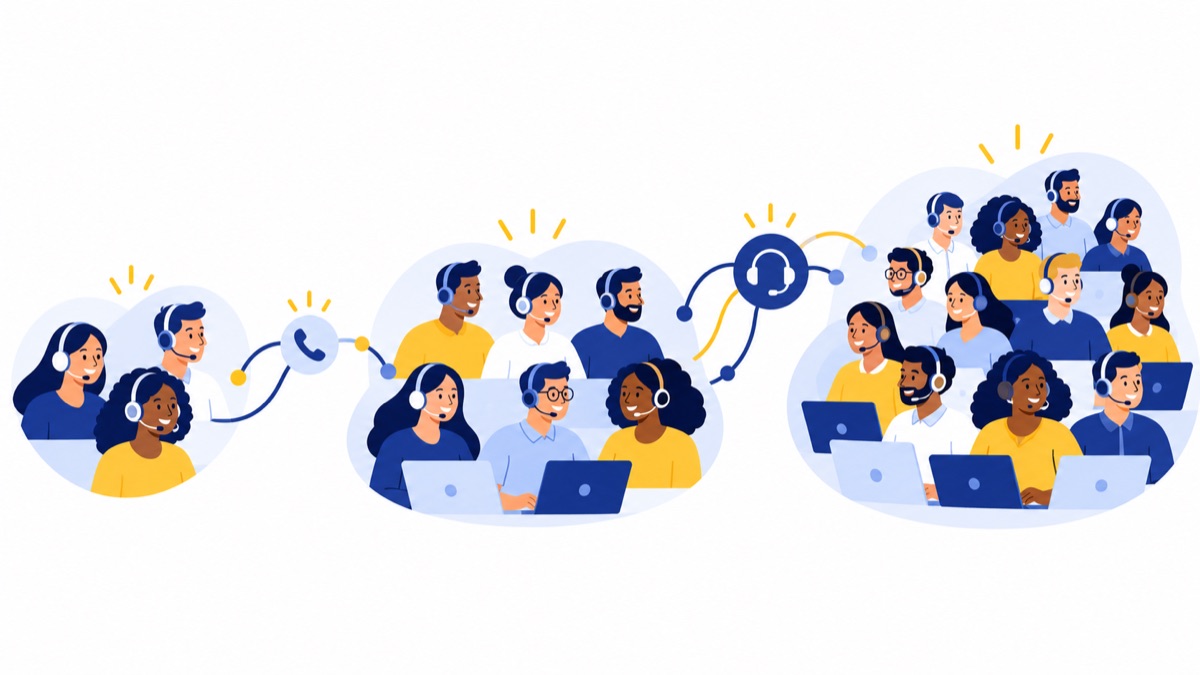
| Team size | Prioritize now | Consider as needs grow |
|---|---|---|
| 3 agents | Shared business number, basic menu, voicemail, transfers, call history | Simple CRM logging, transcription or summaries |
| 10 agents | Queues, routing rules, agent availability, CRM sync, basic reporting | Call summaries, texting, supervisor review |
| 25 agents | Multiple queues, team or skill routing, access controls, quality workflows, deeper analytics | Custom integrations, advanced workforce tools, multi-channel orchestration |
At 3 agents: how do you answer calls reliably and keep context?
A three-agent team usually benefits most from a shared business number, a simple menu, voicemail, and a consistent way to see who called and what happened. If calls are still manageable by hand, an elaborate contact center platform can add setup and administration without solving a real problem.
Check that missed calls reach the right person, that transfers work, and that customer history is available to whoever returns the call. A small call center software setup should make handoffs easier, not create a new system agents have to update twice.
At 10 agents: how do you route work and see team performance?
At ten agents, a team may need queues and rules that distribute calls consistently, along with CRM synchronization and basic reports on answered, missed, and returned calls. These features help supervisors spot bottlenecks and see whether leads or support requests are reaching the right team.
Choose the next feature based on a measurable gap. For example, add call summaries if agents spend too long writing notes, or texting if customers expect a convenient follow-up channel and your workflow can manage consent and replies.
At 25 agents: how do you manage multiple queues and coaching?
At 25 agents, multiple teams, schedules, call reasons, and escalation paths can make basic routing hard to maintain. Evaluate team or skills-based routing, more detailed analytics, role-based access, and quality review workflows when supervisors need to coach consistently or compare performance across groups.
More controls require more ownership. Decide who will maintain routing rules, permissions, reports, and integrations, and confirm that the software can export the call and customer data your business needs.
Which call center software features matter most?
The most valuable call center software features are the ones that reduce missed calls, shorten handoffs, or make follow-up accountable. Evaluate each capability against a real workflow, including who uses it, what information it needs, and how you will tell whether it works.
How do inbound routing, menus, queues, and voicemail work?
An IVR, or interactive voice response, is a phone menu that lets callers choose an option using keypad entries or spoken responses. Menus can route callers to sales, support, or another destination; queues can hold callers until an agent is available. Voicemail and after-hours routing help capture work when the team cannot answer.
Keep menus short and make a human route easy to find. Test the full path, including wrong selections, busy agents, voicemail notifications, and holidays. Voicalyst’s IVR and call routing feature is one example of a product page for this capability.
How do outbound calling, click-to-call, and power dialing help?
Click-to-call lets an agent start a call from a customer record or supported application rather than manually dialing. A power dialer places calls from a prepared list one at a time as agents become available; it can save repetitive work, but it needs clear list ownership and controls over when and whom the team calls.
Track call outcomes and follow-up tasks so a dial attempt does not disappear into a personal call log. Before using automated or higher-volume outbound features, review the rules that apply to your campaign, technology, number types, and recipients.
How do CRM sync, summaries, texting, and reporting fit together?
CRM integration connects calling activity with customer records, which can reduce duplicate data entry and give agents context before a conversation. Confirm exactly what syncs—calls, dispositions, notes, recordings, and contact details—and whether the integration supports the CRM objects and workflows your team uses.
Call summaries can help agents capture next steps, while texting can support appointment reminders or follow-up. Reporting should answer practical questions: how many calls were missed, how long callbacks take, and whether work is reaching the intended queue. See the HubSpot calling integration and AI call summaries if those functions fit your workflow.
How should you compare cloud software with building your own?
Buying cloud call center software usually trades a recurring subscription and vendor dependence for less infrastructure to build and maintain. Building your own can make sense when call handling is central to a genuinely distinctive workflow, you have engineering capacity, and you can support telephony, security, integrations, and ongoing changes over time.
A custom system is more than an application interface. It may require telephony services, hosting, monitoring, call routing, data storage, security controls, CRM integration, reporting, and a plan for outages and maintenance.
How do you calculate a full-cost model?
Compare options over the same period, such as 12 months:
Buy: subscriptions + calling usage + phone numbers + add-ons + onboarding + integration work + internal admin time + support costs.
Build: engineering and implementation + telephony + hosting and monitoring + integration work + security and maintenance + internal support and admin time.
Include the people cost on both sides. The Bureau of Labor Statistics reported a May 2024 median annual wage of $45,380 for customer service representatives; that is broad labor context, not an estimate of an agent’s total employment cost or a software budget. BLS occupational wage release
For a vendor quote, calculate monthly total = seats × quoted seat rate + usage + numbers + add-ons + amortized setup and integration + estimated admin time. Use your own quote values rather than assuming a market average.
How can you estimate the total cost?
A useful cost estimate includes every charge that changes with team size or calling behavior, plus the work needed to set up and run the system. Ask vendors to quote your expected seat count and usage, then compare the 3-, 10-, and 25-agent scenarios using the same billing period and assumptions.

| Cost line | 3 agents | 10 agents | 25 agents |
|---|---|---|---|
| Seats and minimum-seat requirement | $___ | $___ | $___ |
| Calling usage and numbers | $___ | $___ | $___ |
| Add-ons and feature tiers | $___ | $___ | $___ |
| Onboarding and integration | $___ | $___ | $___ |
| Internal admin and support time | $___ | $___ | $___ |
| Monthly equivalent / annual total | $___ | $___ | $___ |
Ask whether quoted prices are monthly or annual, whether there is a minimum seat count, and whether minutes, texting, recording, summaries, or integrations cost extra. Confirm contract length, renewal terms, number porting, and what happens to recordings and data if you leave.
For broader guidance on comparing business phone features, see what small businesses need in a business phone system.
How do you choose and pilot a system?
Choose a system by mapping real call paths, testing common failure cases, and checking that the software fits your CRM and data-handling needs. A focused pilot can reveal setup effort and workflow gaps before you move every agent or number.
Use this checklist:
- Map inbound calls, overflow, transfers, after-hours routing, and voicemail.
- Map outbound follow-up, list ownership, call outcomes, and any texting.
- Test CRM logging, notes, summaries, and the reports managers need.
- Ask about uptime history, support hours, incident communication, and escalation.
- Review user permissions, recording access, retention, deletion, and export options.
- Confirm number porting, implementation responsibilities, and expected staff time.
Run a short pilot with representative agents and one or two real workflows. Include a busy inbound period, a missed-call callback, an after-hours call, and an outbound follow-up. Review call quality, routing accuracy, CRM records, reports, agent effort, and the time needed to fix configuration issues before expanding.
For a practical setup reference, see small call center phone system guidance for 5–50 agents.
What US calling and recording rules should you review?
US calling and recording obligations depend on the call’s purpose, technology, recipient, and jurisdiction, so a software feature alone does not establish compliance. Review applicable federal and state requirements for your specific workflows, and get qualified legal advice before launching campaigns or recording calls.
The FTC says covered telemarketers must honor applicable Do Not Call requirements and update National Do Not Call Registry data at least every 31 days; the exact duties depend on the caller and call type. FTC Telemarketing Sales Rule guidance The FCC states that TCPA restrictions apply to certain autodialed or artificial/prerecorded-voice calls and texts, with consent requirements that depend on the call, number, and applicable exception. FCC order on TCPA rules
What should you check before outbound calling?
Before calling from a list, identify who supplied the numbers, what consent or relationship supports the call, which technology will place it, and how opt-outs and suppression lists are handled. Configure a process for staff to record opt-outs and prevent future calls where required.
What should you check about call recording and state rules?
Recording laws vary across states and can depend on where each participant is located and how a call is used. Tell callers when required, restrict access to recordings, set a retention policy, and confirm how recordings are stored and deleted. Have counsel review the rules for your customer and agent locations.
What is a practical shortlist for a growing small team?
A practical shortlist starts with the simplest system that supports the team’s call paths today and can grow into the next likely stage without forcing a costly rebuild. A cloud phone system may fit a small voice-first team; evaluate a full contact center platform when you need coordinated multi-channel work, complex routing, or deeper operational controls.
Voicalyst is one product example to evaluate for business numbers, menus, queues, voicemail, AI summaries, a power dialer, texting, browser workflows, and HubSpot sync; confirm current plan limits and pricing directly. See Voicalyst pricing or request a demo to assess fit against your call volume, integrations, and growth plan.
Frequently Asked Questions
Call center software can fit a small team without a physical call center, and there is no fixed agent count or universal per-agent price that determines when to buy. The answers below explain the difference between phone systems and call center software, how to compare costs, and what to check before choosing a system.
What is the difference between a phone system and call center software?
A business phone system handles everyday business calls with features such as numbers, transfers, voicemail, and menus. Call center software adds tools for managing shared inbound or outbound work, such as queues, routing rules, agent status, and reporting. A contact center platform extends those controls across channels such as voice, chat, and email.
How much does call center software cost per agent?
There is no reliable single per-agent price without a vendor quote. The total depends on seats and minimums, billing terms, included calling, numbers, feature tiers, add-ons, setup, integrations, and internal administration. Compare written quotes using your expected agent count and calling pattern, and calculate the monthly and annual totals.
How many agents do you need before buying call center software?
There is no fixed threshold. A three-person team may benefit from shared numbers, simple menus, voicemail, and call history; a ten-person team may need queues, CRM sync, and reporting; and a 25-person team may need multiple queues, access controls, coaching workflows, and deeper analytics. Buy when manual call handling is causing measurable problems.
Can small businesses use call center software without a physical call center?
Yes. Cloud call center software lets agents handle calls from supported devices and locations, so a business does not need a dedicated call-center room. Before choosing it, test call quality, remote access, routing, security controls, and how agents will work with your CRM and other systems.