To evaluate AI call summaries, run each candidate on the same 20 real calls and score what it gets right, what it misses, and how long a person spends correcting it. This guide gives sales and support teams a repeatable trial: build a representative call set, check five kinds of errors, and use a weighted scorecard to see whether summaries help people take the right next step.
Key takeaways
- A useful call summary captures caller intent, key facts, speaker attribution, decisions, commitments, unresolved questions, and next steps.
- A 20-call trial should include routine and difficult calls, plus phone-specific situations such as voicemail, transfers, queue handoffs, and short calls.
- The scorecard weights factual accuracy at 30%, completeness at 25%, and speaker attribution, actionability, and uncertainty handling at 15% each.
- Comparing the recording, transcript, and summary helps separate speech recognition errors from summary errors.
- Correction time and completed follow-ups matter alongside accuracy; a polished summary can still be wrong or unhelpful.
What should you evaluate in an AI call summary?
An AI call summary should preserve the material facts and outcome of a conversation without adding unsupported details. Evaluate the recording, transcript, and summary together: the transcript shows what the system recognized, while the summary shows what it selected, attributed, and turned into next steps.
How are transcript accuracy and summary quality different?
A transcript is the recognized text of a call. A summary is a shorter account generated from that conversation. A transcription error occurs when the system mishears a word or number; a summary error occurs when it omits, changes, misattributes, or invents a material detail.
When a name is wrong, check the transcript first. If the transcript has the correct name but the summary changes it, the error occurred later in the process. For examples of recognition mistakes, see this guide to AI call transcription accuracy.
NIST describes confabulation as generative AI confidently presenting erroneous or false content, including content that diverges from its input. Verify a summary against the recording instead of judging it by fluency alone. NIST’s Generative AI Risk Management Framework profile explains the risk.
What information should a useful summary capture?
For a sales or support call, check whether the summary accurately records:
- Caller intent: why the person called, or what the agent needed to accomplish.
- Key facts: relevant names, numbers, dates, order details, and account context.
- Speaker attribution: who made a request, gave an answer, or committed to an action.
- Decisions and commitments: what was agreed, by whom, and when it is due.
- Open questions: information that remains unresolved or needs confirmation.
- Next steps: the action, responsible person, and timing when stated.
A good summary does not need to reproduce every sentence. It does need to retain details that affect a customer, a deal, a handoff, or a promised follow-up.
How do you build a fair 20-call trial set?
A representative 20-call set is a deliberate sample of your team’s actual calling conditions, not 20 easy calls picked to make a tool look good. Include the workflows and audio conditions you expect the system to handle, then document which situations your sample does and does not cover.
Which calls should you include in the trial?
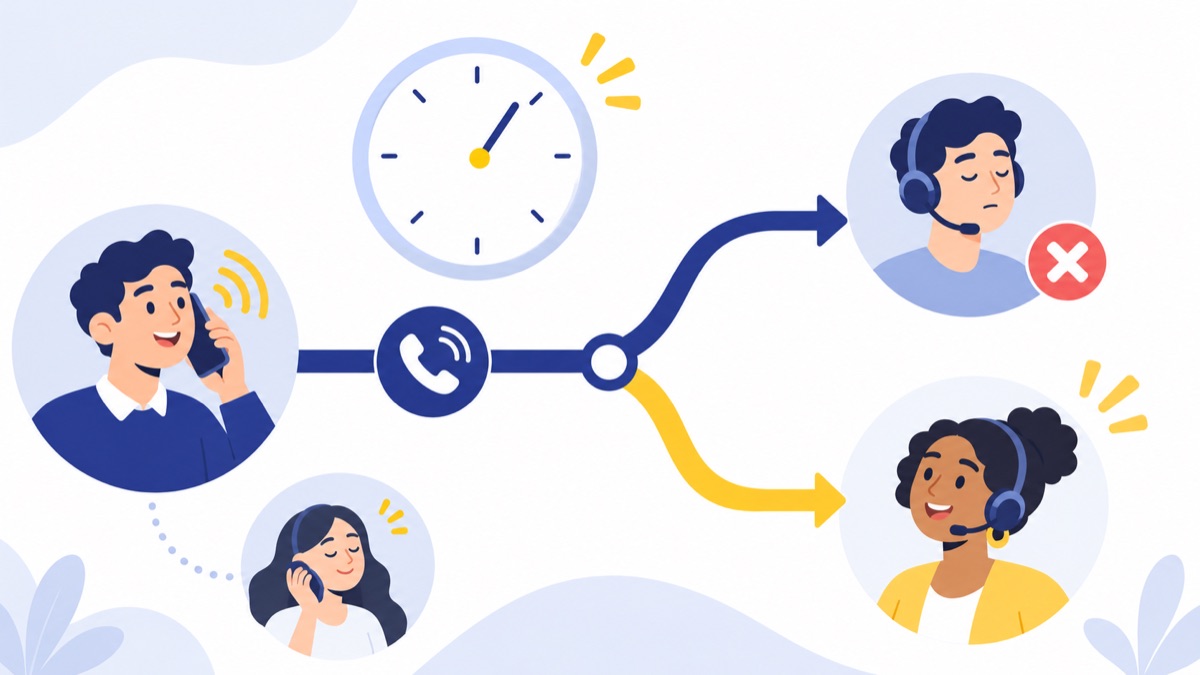
Build the set from calls your team is permitted to evaluate. Include inbound and outbound calls, and sample both sales and support if both teams will use summaries. Cover routine calls as well as situations that are short, complicated, or likely to expose errors.
A practical starting mix:
| Call type or condition | Suggested count |
|---|---|
| Routine sales or support calls | 6 |
| Calls with names, numbers, dates, or other exact details | 4 |
| Transfers, queue handoffs, or multiple speakers | 3 |
| Voicemail, including brief messages | 2 |
| Noisy, interrupted, or difficult audio | 3 |
| Short calls or calls ending with an unresolved question | 2 |
Use these categories as a guide, not a quota. One call can cover several conditions—for example, a noisy call with a transfer and a disputed order number. Note the overlap so you do not mistake the sample for a broader study than it is.
How do you create a human-verified reference?
Before reviewing a system’s output, have a person listen to each recording and note the relevant facts, speakers, decisions, commitments, open questions, and next steps. Record timestamps for details that would be costly to get wrong, such as a callback number or promised date.
Use this reference as the answer key for every system in the trial. Keep call IDs consistent and, if possible, hide which product produced each summary from the reviewer. A 20-call sample can reveal failure patterns, but it cannot establish performance on every team, call type, or audio condition.
What are the five tests in an AI call summary accuracy test?
A useful AI call summary accuracy test checks details that change what a team does next. For each test below, compare the summary with both the verified reference and the recording, and log the evidence behind every material error.
Test 1: Are names, numbers, dates, and exact details correct?
Choose calls where someone says a customer or company name, phone number, price, date, order ID, or product model. Check the transcript for recognition errors, then check whether the summary preserves each detail correctly.
A wrong digit in a callback number or an altered deadline is a material error, even if the rest of the summary reads well. Record the relevant detail and timestamp so reviewers can judge the result consistently.
Test 2: Does the summary show who said what?
Use calls with more than one speaker, a transfer, or a queue handoff. Check that the summary attributes requests, answers, and commitments to the right caller, agent, or teammate.
A transfer can make speaker attribution especially important: the next agent needs to know what the customer said and what the first agent promised. If roles are unclear from the recording, the summary should avoid assigning a statement with false certainty.
Test 3: Does the summary capture decisions and next steps?
Review calls that end with an agreement, a promised callback, a refund, an escalation, or a sales follow-up. Confirm that the summary states the actual decision and, when specified, who owns the next step and when it is due.
Mark a commitment as missed if the summary omits it or changes who is responsible. For sales teams, a summary can support a consistent review process; see this guide to sales call coaching with AI summaries.
Test 4: Does it handle noisy audio and interruptions?
Choose calls with background noise, accents, interruptions, overlapping speech, poor connections, or abrupt endings. Compare disputed words against the recording and note whether a recognition error causes the summary to give a misleading account.
A useful system should handle what it can and signal what it cannot. If a key word is genuinely inaudible, a summary that marks the detail as unclear is safer than one that confidently fills the gap.
Test 5: Does it flag missing information instead of guessing?
Use calls where a caller asks a question that goes unanswered, a detail is not provided, or the conversation ends before a decision. Check that the summary preserves the open issue instead of presenting an assumption as a confirmed fact.
Log any detail that cannot be found in the audio or verified reference. NIST’s description of confabulation is a reminder that confident wording is not evidence that a claim came from the call. The NIST profile outlines this risk.
How should you score calls with a call summary quality checklist?
A consistent call summary quality checklist makes side-by-side results easier to compare. Score every system on the same five criteria and weights, attach evidence to low scores, and report both the average result and the number of serious errors across the 20 calls.
How do you score each call consistently?
Use a 0–4 scale for each criterion:
- 4 — Correct: accurate and complete for the details that matter.
- 3 — Minor issue: small omission or wording problem that does not change the next action.
- 2 — Material gap: a detail is missing or unclear enough to require correction.
- 1 — Major error: a fact, speaker, decision, or action is wrong.
- 0 — Unsafe or unusable: fabricated or materially misleading information, or no usable summary.
Apply these weights to each call:
| Criterion | Weight | What to check |
|---|---|---|
| Factual accuracy | 30% | Are names, numbers, dates, and claims supported by the call? |
| Completeness | 25% | Are caller intent, key facts, decisions, and open questions captured? |
| Speaker attribution | 15% | Are statements and commitments assigned to the right person? |
| Actionability | 15% | Can the next person identify what to do, who owns it, and when? |
| Uncertainty handling | 15% | Does the summary flag missing or unclear information instead of guessing? |
Calculate a weighted score for each call by multiplying each 0–4 score by its weight, adding those results, then dividing by 4. The result is a score out of 100. For example, scores of 4, 3, 4, 2, and 3 produce 85/100: (4×30 + 3×25 + 4×15 + 2×15 + 3×15) ÷ 4.
What should go in the 20-call scoring sheet?
Copy these fields into a spreadsheet, then create one row per call and per system:
Call ID | Call type/conditions | Transcript issues | Accuracy (0–4) |
Completeness (0–4) | Attribution (0–4) | Actionability (0–4) |
Uncertainty (0–4) | Weighted score /100 | Serious error? |
Correction time (minutes) | Follow-up completed? | Evidence/timestamp
Define a serious error before the trial. For example, a wrong commitment, incorrect customer detail, or unsupported claim could change a customer outcome or business decision. Keep the definition fixed across products. Log the error and timestamp, not just the score.
What pass threshold should you use?
As a starting rule, require a weighted average of at least 85/100, no serious fabricated claims, and no more than two calls out of 20 with a major error. Treat this as a trial decision rule, not a universal industry benchmark. A team handling sensitive escalations may need a stricter threshold than a team using summaries as informal coaching notes.
Inspect category scores too. An acceptable overall average can hide weak results on transfers or exact numbers if easier calls dominate the sample. For broader operational measures, compare the trial with your team’s existing call center metrics and formulas.
Do AI call summaries help sales and support teams work?
A summary helps only if the next person can find the call, verify the facts, and complete the right action with less effort. Test it inside the real sales or support workflow, then compare correction time and follow-up completion with your current process.
How do you measure correction time and follow-up completion?
For every trial call, time how long a reviewer needs to find and correct errors. Track whether the agreed next step—such as a callback, escalation, or CRM update—was completed by the right owner.
A 2025 IDC InfoBrief commissioned by Talkdesk, based on a survey of 417 U.S. contact centers, reported that 68% said agents spend 10% to 29% of their time on manual after-call work, including updating records and logging call details. That is an industry survey finding, not a guaranteed saving from an AI tool. Read the study announcement.
A tool that scores well for accuracy but takes longer to correct may not improve the workflow. Compare the total time spent reviewing, editing, and completing follow-up—not just the time it takes to generate a summary.
How should you review the call-to-summary workflow?
Test how quickly the summary appears after a call and whether an agent can edit it. Check whether a reviewer can open the associated recording, locate the source detail, and correct the summary without switching through several disconnected screens.
If your team is comparing broader phone workflows, this guide to call center software for small businesses can help frame requirements. Voicalyst describes its AI call summaries as part of its cloud business phone system; assess the feature using your own trial calls and rubric.
What privacy and integration checks matter before buying?
Before choosing an AI call summary system, establish who can access recordings and summaries, how long they are retained, how deletion works, and where corrections go. Then test the CRM and phone workflows your team uses, and check recording and consent requirements for your specific US calling context.
What should you ask about access, retention, and deletion?
Get clear answers to these questions:
- Where are recordings, transcripts, and summaries stored?
- Which roles can view, edit, export, or delete each item?
- What retention period applies, and can your organization change it?
- How do deletion requests work, including copies or exports?
- Are edits and reviewer corrections logged?
Confirm the answers with the people who will handle real calls. A policy description is useful, but the trial should show whether the controls work in the product.
For consent, recording, and calling rules, check the federal and state requirements that apply to your situation. The FCC has confirmed that TCPA restrictions on artificial or prerecorded voices include current AI-generated human voices. That ruling concerns AI-generated voice calls; it is distinct from using AI to summarize a recorded call. See the FCC’s ruling.
How do you confirm CRM and phone workflow fit?
Test whether summaries land in the right customer, lead, or ticket record, and whether edits and follow-up tasks sync reliably. Include transfers and queue handoffs: those scenarios can reveal whether the summary stays attached to the right call and reaches the next agent.
For HubSpot teams, verify the mapping and review the HubSpot calling integration within your own workflow. If you use queues, test the full handoff path; a summary that exists but cannot be found by the next agent is not operationally useful.
How do you choose an AI notetaker for calls using trial evidence?
Choose an AI notetaker for calls by comparing systems on the same recordings, reference notes, score definitions, and workflow tasks. Use the trial to identify which system meets your team’s accuracy and usability threshold, then decide whether its controls and integrations fit how your business handles calls.
Before a vendor trial, assign one person to maintain the reference notes and one or more reviewers to score outputs. Keep the rubric fixed, record serious errors separately from average scores, and compare correction time and follow-up completion across the same 20 calls.
Pew Research Center reported that 21% of U.S. workers said at least some of their work was done with AI in September 2025, up from 16% roughly a year earlier. Interest in AI is growing, but your own trial should determine whether a particular system performs well enough for your workflow. Read Pew’s report.
When you’re ready to assess Voicalyst, start with the AI call summary feature and use the same checklist you apply to other candidates. Score the calls, inspect the evidence, and decide against your team’s needs.
Frequently Asked Questions
What should a good AI call summary include?
A useful AI call summary captures the caller’s intent, material facts, who said what, decisions, commitments, unresolved questions, and next steps. It distinguishes confirmed details from uncertainty and leaves missing information blank rather than inventing an answer. The summary should be concise enough to scan and specific enough for a sales or support teammate to act on.
How do you test an AI call summarizer?
Build a representative set of 20 calls, create a human-verified reference for each, and run every candidate system on the same recordings. Score names and numbers, speaker attribution, decisions and commitments, difficult audio, and uncertainty handling. Track serious errors, reviewer correction time, and follow-up completion, then compare results using one weighted rubric.
Can AI call summaries invent or miss details?
Yes. A summary can omit a commitment, assign a statement to the wrong person, or include a detail that the recording does not support. NIST describes confident but erroneous generative AI output as confabulation. Compare the summary with the recording, and check the transcript too so you can tell whether the problem began in transcription or summarization.
Are AI call summaries secure and private?
Privacy depends on the provider’s controls and your calling practices. Before a trial, ask where recordings and summaries are stored, who can access them, how long they are retained, how deletion works, and whether edits reach connected systems. Check the recording and consent requirements that apply to your US calling context, and test permissions with the roles that will use the system.
What is the best AI notetaker for phone calls?
The best AI notetaker for calls is the one that performs reliably on your team’s calls and fits its workflow. Compare systems using the same 20-call set, a human-verified reference, and a weighted scorecard. Include voicemails, transfers, queue handoffs, short calls, and difficult audio, then compare accuracy, correction time, follow-up completion, controls, and integration fit.