
If you’re comparing the best VoIP for HubSpot, start with what each system writes back to the CRM—not how many features appear on its pricing page. This comparison looks at call logs, contact matching, texts, outcomes, recordings, summaries, and workflow support, then translates those differences into choices for small and midsize US sales and support teams.
Key takeaways
- HubSpot’s built-in calling can work for straightforward needs, but eligible plans, supported countries, and included minutes affect availability.
- A phone system’s HubSpot sync can range from basic call logging to texts, recordings, summaries, and workflow triggers; verify each item in your own account.
- No single integration earns a blanket “best” score here: the right choice depends on which records and customer interactions your team needs in HubSpot.
- Test unknown callers, duplicate contacts, missed calls, inbound text replies, and recording permissions before committing to a rollout.
- Compare total cost by adding required provider and HubSpot plans, seat minimums, usage, add-ons, and setup—not just the advertised per-user price.
Quick answer: What is the best VoIP for HubSpot?
The best VoIP for HubSpot is the system that reliably logs the calls, texts, and outcomes your team uses on the right HubSpot records, at a total cost your business can support. For basic calling, start with HubSpot’s built-in option; for dialers, shared queues, or richer activity sync, shortlist third-party providers and test the CRM behavior before buying.
Best fit by team and calling workflow
- Small team with simple calling: Start by checking whether HubSpot’s native calling meets your plan, country, and minutes needs.
- Outbound sales: Compare power dialing, call outcomes, contact matching, and whether those outcomes can drive HubSpot workflows.
- Mixed sales and support: Prioritize queues, shared numbers, missed-call handling, texting, and clear ownership of activity.
- Company-wide communications: Compare phone capabilities with your existing meetings, messaging, administration, and support requirements.
A HubSpot phone integration setup guide can help your team map its current CRM workflow before evaluating providers. If you are considering Voicalyst, review its HubSpot calling integration alongside the capabilities your team needs.
How this comparison scores HubSpot sync depth
The sync-depth score uses six categories: call activity, contact and record matching, text messages, dispositions, recordings and AI artifacts, and HubSpot workflows or lists. A category counts only when the available evidence supports it; a listing or product claim can identify a capability, but it does not prove the behavior is enabled on your plan or configured in your portal.
The comparison below separates documented behavior from plan-dependent or unverified behavior. It is an evidence-based buying guide, not a hands-on test of every provider in a live HubSpot account. Recheck current Marketplace listings and vendor documentation before purchase because features, plans, and integrations change.
What should you check before connecting a phone system to HubSpot?
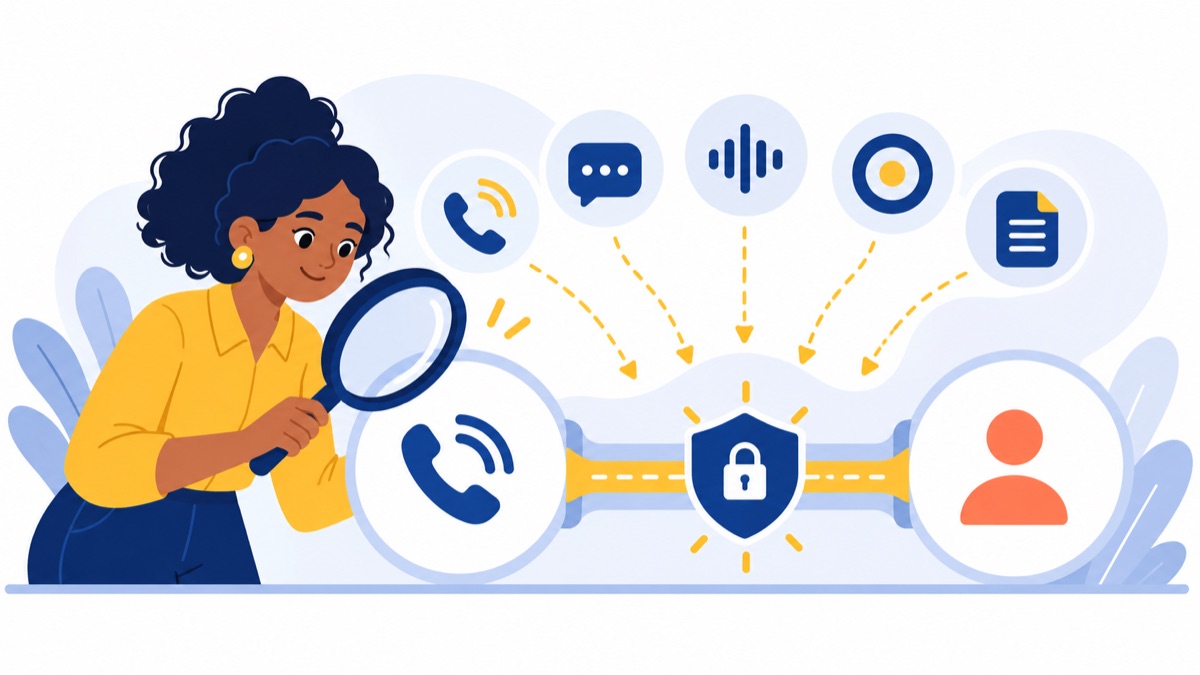
Before connecting a phone system, decide which HubSpot objects should receive calls and texts, how contacts should match, and which activities should trigger follow-up. HubSpot supports third-party calling apps, but integrations differ in what they sync, which plans they require, and whether activity flows into the CRM automatically or only after a user action.
Built-in HubSpot calling versus a third-party provider
HubSpot’s built-in calling may be enough when a small team needs to call and log activity without advanced routing or dialing workflows. HubSpot says that when an account uses all its included calling minutes, users cannot start new calls until minutes reset or more capacity is added; a supported third-party provider is another option. HubSpot calling FAQs
A third-party phone system may make sense when you need capabilities such as shared queues, menus, business texting, power dialing, or additional country coverage. HubSpot says third-party calling apps can support making and receiving calls within HubSpot, including when a team needs to call countries outside HubSpot’s supported list. HubSpot’s third-party calling setup documentation
A VoIP phone system carries calls over an internet connection rather than a traditional phone line. For a quick primer on the technology and business trade-offs, see what a VoIP phone is.
HubSpot plan, minutes, countries, and integration requirements
Check your HubSpot subscription, included calling minutes, and supported countries before comparing providers. Then confirm whether the phone integration requires a specific HubSpot plan, provider tier, add-on, or administrator permission. Marketplace availability alone does not tell you which features your account can use.
A browser-based system also depends on your team’s network and devices. The FCC’s 2024 report set the US fixed broadband benchmark for advanced telecommunications capability at 100 Mbps download and 20 Mbps upload; that benchmark is context for connectivity, not a guarantee of call quality. FCC 2024 report
Which VoIP phone systems integrate with HubSpot?
Several phone systems offer HubSpot connections, but “integrates” can mean different things: click-to-call, automatic call logging, text sync, or deeper workflow support. Treat the profiles below as a shortlist, then verify current Marketplace documentation, plan requirements, and the precise records and activity fields your team will use.
Aircall: CRM-centered calling
Aircall may suit teams that want calling to sit close to their CRM workflow. Confirm how its current HubSpot connection handles call records, contact matching, SMS, recordings, and outcomes, and check which provider and HubSpot plans support the functions you need. The trade-off to assess is whether the integration captures all your team’s activity or leaves some steps manual.
CloudTalk: sales calling workflows
CloudTalk may be worth evaluating when outbound sales workflows and dialing tools matter. Check whether call dispositions and related activity appear on the intended HubSpot records, and whether list or workflow features depend on a particular tier. Test the dialer with duplicate contacts and missing numbers before using it for live prospecting.
JustCall: calling and business texting
JustCall may fit teams evaluating phone and business-text workflows together. Verify whether inbound and outbound messages sync to HubSpot, how replies are associated with records, and whether your chosen plan supports recordings, outcomes, and workflow actions. A connected number alone does not confirm that the full message thread will appear in the CRM.
Dialpad: AI-assisted calling
Dialpad may suit teams interested in AI-generated call notes or summaries. Confirm where those artifacts appear in HubSpot, which plan includes them, and whether users can review or edit them before they become CRM activity. Also test the call log and contact matching independently; AI features do not guarantee complete CRM sync.
RingCentral: broader business communications
RingCentral may be a candidate for organizations comparing calling with broader business communications needs. Review its current HubSpot integration evidence alongside phone-system requirements such as menus, queues, voicemail, mobile access, and administration. Confirm which integration capabilities require specific plans or configuration. For more options in that category, see business phone systems compared with RingCentral.
Zoom Phone: teams already using Zoom
Zoom Phone may be practical for companies already using Zoom and seeking a single communications environment. Check the current HubSpot connection for call logging, record matching, and any supported text or recording sync. Confirm which features are part of your phone plan and which depend on other subscriptions or setup.
Quo: shared business numbers and conversations
Quo may appeal to smaller teams that manage customer conversations through shared business numbers. Verify how the current integration handles HubSpot records, texts, calls, and team ownership, and test whether the shared-number workflow matches your support process. Check plan requirements and activity history before rollout.
HubSpot calling: straightforward calling
HubSpot calling is a sensible first option when your team’s country coverage, minutes, and workflow needs fit the available HubSpot capability. It avoids adding a separate phone provider, but it may not cover every need for dialing, routing, shared numbers, or usage. Check current plan limits before treating native calling as a long-term fit.
Voicalyst: browser-based calling for US teams
Voicalyst describes its service as a US-focused, browser-based phone system with business numbers, menus, queues, voicemail, AI call summaries, a power dialer, texting, and HubSpot sync. Match each product capability to your workflow and confirm the specific data sent to HubSpot during a pilot; the HubSpot integration details are a starting point, not a substitute for testing.
HubSpot integration comparison: what syncs and where?
The table compares the evidence a buyer should verify, rather than assuming every integration sends every interaction to HubSpot. “Documented” means the capability is described in the available product or integration evidence; “plan-dependent” means access may vary by tier or configuration; and “unverified” means confirm it in current documentation and a live trial before counting on it.

| Option | Call activity and record matching | Texts | Dispositions | Recordings, transcripts, summaries | Workflows or lists |
|---|---|---|---|---|---|
| Aircall | Verify call logging and matching rules | Verify availability and sync behavior | Verify | Verify recording access and CRM placement | Verify triggers and plan |
| CloudTalk | Verify call logging and matching rules | Verify availability and sync behavior | Verify | Verify recording and AI artifact sync | Verify list and workflow support |
| JustCall | Verify call logging and matching rules | Verify message sync and reply handling | Verify | Verify recording and AI artifact sync | Verify triggers and plan |
| Dialpad | Verify call logging and matching rules | Verify availability and sync behavior | Verify | Verify summary location and plan | Verify triggers and plan |
| RingCentral | Verify call logging and matching rules | Verify availability and sync behavior | Verify | Verify recording access and CRM placement | Verify triggers and plan |
| Zoom Phone | Verify call logging and matching rules | Verify availability and sync behavior | Verify | Verify recording access and CRM placement | Verify triggers and plan |
| Quo | Verify call logging and matching rules | Verify message sync and reply handling | Verify | Verify recording access and CRM placement | Verify triggers and plan |
| HubSpot calling | Check native call activity and eligible account limits | Verify availability for your account | Check the fields available to users | Verify recording and transcription options by plan | Check available HubSpot automation |
| Voicalyst | Product states HubSpot sync; test record matching and call fields | Product lists texting; test CRM message sync | Verify | Product lists AI summaries; test where they appear | Verify workflow and list support |
This is deliberately a verification matrix, not a claim that every unchecked feature is absent. The research brief does not provide current official integration documentation for each vendor, so specific sync behavior remains unverified here. Ask each provider for the current HubSpot Marketplace listing or support article, then reproduce the behavior in your own portal.
Call logs, notes, and contact matching
Check whether a call creates a HubSpot activity automatically, which object receives it, and whether the activity includes direction, duration, owner, outcome, and notes. Test matching by phone number against a contact, company, and deal, then repeat with an unknown number and duplicate contacts.
Texts, dispositions, recordings, transcripts, and summaries
A text integration should be tested in both directions: outbound messages and inbound replies. For calls, confirm whether a recording link, transcript, or summary is attached to the activity or stored elsewhere, and whether users need permissions or a higher plan to access it.
A disposition is the outcome a rep records after a call, such as “left voicemail” or “meeting booked.” Confirm that the outcome reaches HubSpot in a usable field and can trigger the follow-up process your team expects.
HubSpot workflows, lists, and supported records
Ask whether synced activity can enroll contacts in workflows, update properties, or support active lists, and whether those behaviors work for the HubSpot objects you use. If your process depends on automation, test the trigger and resulting action in a sandbox or with clearly labeled test records before enabling it for the full team.
How much does a HubSpot-compatible VoIP system cost?
The real cost of a HubSpot-compatible VoIP system includes the provider plan, minimum seats, usage, add-ons, setup, and any HubSpot subscription needed for your workflow. Because prices and feature packaging change, compare current quotes against the same team size and call pattern rather than treating a starting price as a complete monthly cost.
Per-user price versus minimum monthly cost
Request the monthly total for your actual number of users, not just a per-seat rate. Ask about minimum seats, number costs, porting or setup fees, and whether shared or support-only users require full licenses. If calls are metered, estimate usage from your recent monthly minutes.
Add-ons, usage, and HubSpot plan dependencies
Ask providers to price the exact capabilities your team needs: power dialing, SMS, recording storage, AI summaries, advanced routing, and reporting. Then confirm whether the HubSpot tier you already have supports your desired calling integration and automation.
Compare the costs in a single worksheet:
- Provider seats and minimum commitment
- Calling minutes, international usage, and number charges
- SMS volume and any messaging add-on
- Recording storage, transcription, and AI features
- HubSpot plan or required upgrade
- Setup, number porting, training, and support
For broader budgeting context, see this 2026 US business phone system cost guide. Voicalyst’s current options are listed on its pricing page.
Which phone system should you choose for your team?
Choose based on the work your team does daily and the HubSpot activity you need to preserve. A small team may value simple setup, sales teams may need power dialing and dispositions, and support teams may need queues and shared numbers; any recommendation should be checked against current sync evidence and plan requirements.
Small teams that need basic calls and CRM logging
Start with native HubSpot calling if its availability, minute limits, and country coverage fit. If you need a separate provider, choose a short list based on call logging, matching, and the monthly cost for your actual seat count. Make the virtual phone system requirements concrete: who answers, which business number appears, and what happens to missed calls.
Outbound sales teams using power dialing and dispositions
Prioritize the power dialer, call outcome capture, contact matching, and HubSpot workflow behavior. Have reps test a short list of contacts and verify that each result attaches to the right record. For US outbound calling, build compliant practices into the workflow: the FTC reported more than 258 million active Do Not Call Registry registrations and more than 2.6 million complaints in fiscal year 2025. FTC report
Sales and support teams sharing queues and numbers
Look for menus, queues, voicemail, missed-call routing, mobile access, and ownership rules for shared numbers. Test transfers between sales and support and make sure the CRM history stays understandable when several users handle one customer. Voicalyst lists IVR menus and call routing among its capabilities; confirm the queue behavior in a pilot with your team’s actual schedule.
Organizations standardizing on unified communications
Compare phone administration, calling, messaging, meetings, mobile use, and support coverage across the company. A broad communications platform may simplify administration, but it still needs to meet the CRM sync requirements of sales and support. See this business VoIP buying guide for a wider needs checklist.
How do you test HubSpot sync before you buy?
A short pilot with test contacts reveals whether a phone integration syncs the activities your team depends on. Use the same call and text scenarios for each finalist, capture where each item appears in HubSpot, and record any manual steps, permissions, or plan restrictions that affect the workflow.
Run a call and verify the associated CRM record
- Create a test contact with a known number and place an outbound call.
- Confirm the activity’s owner, direction, duration, notes, and outcome.
- Call from an unknown number and check whether the system creates, prompts for, or fails to find a record.
- Repeat with duplicate phone numbers and confirm which record receives the activity.
- Test a missed call and a voicemail, then check whether either creates a HubSpot activity.
Send a text and check logging and reply handling
- Send a test text from the business number and look for it on the intended HubSpot record.
- Reply from the test phone and check whether the inbound message and full thread sync.
- Ask a second user to reply from a shared number and verify ownership and visibility.
- Test an unknown number and duplicate contact, just as you did for calls.
Check recordings, outcomes, and workflow triggers
- If calls are recorded, confirm the link, access permissions, retention, and any required consent process.
- Add a disposition and verify the exact CRM property or activity field that receives it.
- Trigger a test workflow or list based on the synced activity and confirm the expected action.
- Repeat with the plan and user permissions your production team will have.
Keep a simple scorecard: works as expected, requires manual entry, requires an upgrade, or not supported. That gives your team a defensible HubSpot phone system comparison based on its own workflow.
Frequently Asked Questions
Does HubSpot include VoIP calling?
Yes. HubSpot includes calling for eligible accounts, subject to plan, country, and calling-minute limits. When included minutes run out, users cannot start new calls in HubSpot until the minutes reset or capacity is added. A supported third-party calling provider can be an option when you need more calling capacity or broader country coverage.
Which HubSpot phone integration syncs texts and recordings?
The answer depends on the provider, its HubSpot connection, and your plan. Some integrations can log calls while text messages, recordings, transcripts, or summaries require separate settings or tiers. Before choosing, send a test text, place a call, and check the actual HubSpot record for each item you expect to sync.
Can I use a power dialer with HubSpot?
Yes, some third-party phone systems offer power dialing alongside HubSpot integrations, but availability and CRM behavior vary by provider and plan. Confirm that the dialer logs each call to the right HubSpot record and captures outcomes your team can use. Test unanswered calls, duplicate contacts, and workflow triggers before rollout.
What is a good alternative to Aircall for HubSpot?
CloudTalk, JustCall, Dialpad, RingCentral, Zoom Phone, Quo, and other providers may suit different HubSpot workflows. Compare the records and activity each integration actually syncs, along with queues, texting, dialers, price requirements, and support. Run the same test calls and texts across your shortlist instead of relying on an integration badge.
For a team that wants to evaluate browser-based calling, texting, queues, and CRM activity together, review Voicalyst’s HubSpot integration and test it with your own HubSpot records before choosing.