
For a small or midsize US business, the best VoIP services with AI combine dependable calling and routing with useful tools such as call summaries, transcription, coaching, or automated answering. The right system depends on whether your team needs better call follow-up, inbound support, outbound dialing, or an AI agent that can handle routine calls. This guide compares six providers and explains what to verify in plans, CRM workflows, and total cost before you choose.
Key takeaways
- AI call summaries document conversations after a call; AI voice agents can speak with callers and handle defined tasks.
- Dialpad, RingCentral, Nextiva, Aircall, CloudTalk, and Quo serve different needs, so compare the features included in the specific plan you would buy.
- A VoIP quote can include per-user charges, annual billing conditions, minimum seats, AI add-ons, usage limits, and separate number or texting fees.
- VoIP calling depends on an internet connection, so teams should confirm backup routing, number porting, 911 support, and registered service addresses.
- HubSpot integration is useful only when the right call, text, voicemail, and AI details reach the CRM with a workflow your team will actually use.
Best AI VoIP services at a glance
The best AI VoIP service depends on the job: call intelligence for sales coaching, broad communications for a larger organization, or a simple browser-based workflow for a small team. The table summarizes likely fits; advertised prices and included features vary by plan, billing term, region, and add-ons, so confirm the current quote with each provider.
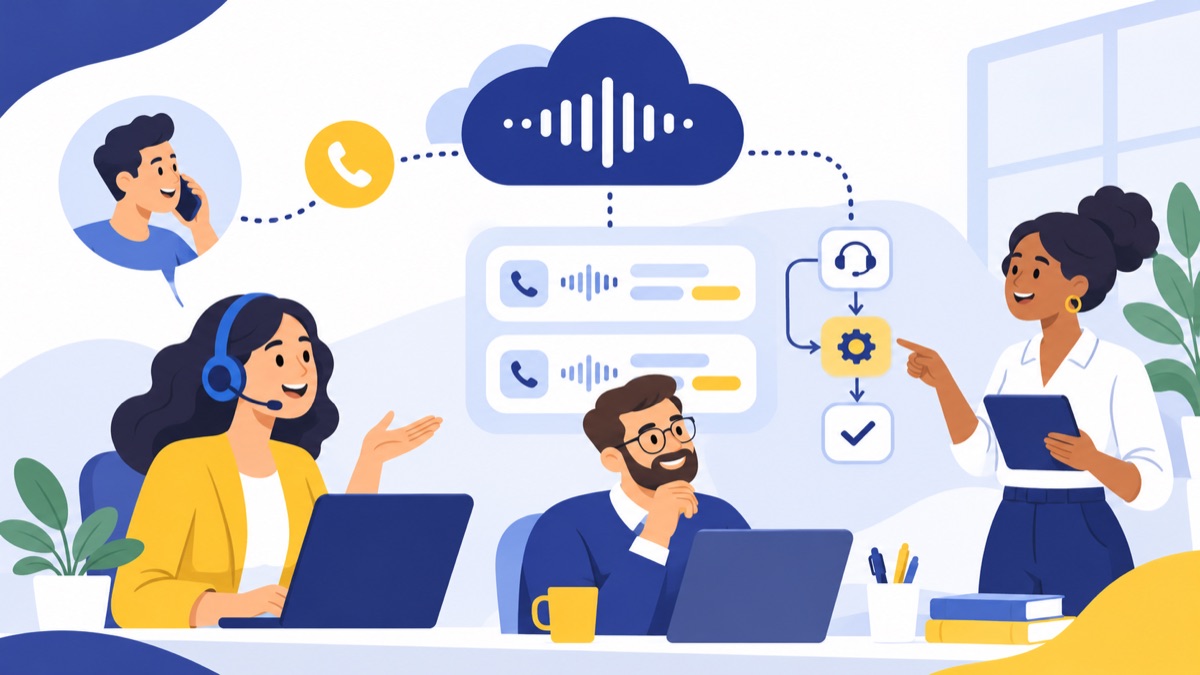
| Service | Best for | AI capabilities to compare | CRM and workflow fit | Key limitation to check |
|---|---|---|---|---|
| Dialpad | Teams prioritizing call transcription and coaching | Transcription, summaries, and conversation intelligence vary by plan | Check HubSpot and other CRM features against the selected tier | AI access and analytics may be plan-gated |
| RingCentral | Businesses seeking a broad communications suite | AI call notes and related tools depend on product and plan | Broad business integrations; validate the exact CRM workflow | Suite breadth can mean more configuration and tier comparisons |
| Nextiva | Teams looking for customer experience tools | AI and customer interaction capabilities depend on package | Check which CRM records calls and messages | Confirm whether the product fits a phone-first or contact-center need |
| Aircall | CRM-connected sales and support teams | Call intelligence and AI options vary by plan or add-on | Compare HubSpot activity logging and setup requirements | Minimum seats, plan gates, and add-on costs can change the bill |
| CloudTalk | Sales teams that need dialing and call analytics | AI and analytics features depend on plan | Verify CRM sync details, especially texts and call outcomes | Check usage limits and the cost of advanced features |
| Quo | Small teams wanting straightforward shared business calling | Check current AI features and plan availability | Review integrations and what activity is logged | Validate queue, dialing, and reporting depth for a growing team |
| Voicalyst | Browser-based sales and support workflows | AI summaries, plus a power dialer and business phone features | HubSpot calling integration for CRM-connected work | Confirm current plan limits and fit for your call volume |
For Voicalyst, compare the virtual phone system, AI call summaries, and HubSpot calling integration against the workflows your team needs.
Use the shortlist as a starting point, not a ranking. A team handling a high volume of outbound leads may value a power dialer and clean CRM logging more than an AI receptionist. A support team may put menus, queues, shared coverage, and voicemail routing first.
How we evaluated AI VoIP services
This comparison was prepared on November 14, 2026, using the research brief’s provider shortlist and stated feature categories. It is a desk-based editorial comparison; it does not claim hands-on call testing, independently measured uptime, or verification of live vendor checkout prices. Confirm current plan details and product documentation before purchase.
Core calling and routing
A business phone system needs to do the basics reliably: provide business numbers, route calls through menus and queues, handle voicemail, and let staff call from a browser, desktop app, or mobile device. For sales, we also considered power dialing and call logging; for support, shared lines and call distribution matter.
AI features and plan availability
We separated post-call transcription and summaries from live coaching, sentiment analysis, AI receptionists, and autonomous voice agents. These features do different jobs, and a provider may include some only in higher tiers or as paid add-ons. The feature name alone does not establish which plans include it or what usage limits apply.
Pricing, CRM fit, and usability
We considered whether buyers can identify per-user costs, billing terms, seat minimums, usage limits, and potential charges for AI, numbers, and texts. CRM fit means checking what gets logged—calls, dispositions, recordings, transcripts, and messages—and whether setup is native, plan-limited, or requires extra configuration.
Which AI VoIP service fits your sales or support team?
The six providers below address different workflows, from call coaching to general business communications and CRM-connected calling. Because plan names and included features change, treat each description as a shortlist for evaluation and verify specific capabilities against the plan, add-ons, and integrations your team would use.
Dialpad: call summaries and coaching
Dialpad is worth comparing if managers want call transcripts and conversation intelligence to help reps review customer conversations. Ask whether the plan includes live transcription, post-call summaries, coaching or analytics, and how long recordings and transcripts are retained. Confirm which CRM events sync and whether supervisors can review calls from the same workflow.
RingCentral: broad business communications
RingCentral may suit companies that want business calling alongside a broader communications suite. Buyers should check whether the AI capability they need is included in their specific product and tier, then map its call routing, CRM logging, and reporting to actual sales or support tasks. A wide feature set can be useful, but it takes a deliberate plan comparison to avoid paying for tools the team will not use.
Nextiva: customer experience tools
Nextiva is a candidate for teams comparing business calling with customer experience capabilities. Verify what is included in the chosen package, especially if you need AI summaries, call queues, CRM records, or contact-center workflows. Ask whether agents can work from a browser and whether the same system covers the team’s business numbers, voicemail, and texting needs.
Aircall: CRM-connected sales and support
Aircall is often considered by teams that want cloud calling integrated with sales or support software. Validate the exact HubSpot integration behavior: what call details appear on a contact or deal, whether recordings and notes sync, and whether texts are logged. Check any seat minimums and whether analytics or AI functions require a higher plan or add-on.
CloudTalk: outbound dialing and analytics
CloudTalk is worth evaluating when outbound calling, dialing workflows, or call analytics are central to the sales process. Compare the dialer and AI features included at the plan level, then test how call outcomes and recordings reach your CRM. Confirm usage limits and the cost of additional features before estimating the monthly total.
Quo: straightforward shared business calling
Quo may fit a small team that wants shared business calling with a simpler setup. Check that the system handles your call menus, queues, voicemail, texting, and CRM needs, and verify current AI features rather than assuming they match a dedicated call-intelligence platform. Teams with complex routing or outbound volume should test those workflows before switching.
Voicalyst: browser calling and HubSpot workflows
Voicalyst is designed for US sales and support teams that want business numbers, browser calling, menus, queues, voicemail, texting, AI summaries, a power dialer, and HubSpot sync in one phone workflow. Review the power dialer, business texting, and IVR menus and call routing to see how they fit your process. Confirm current pricing, plan limits, and which call or text activity syncs to HubSpot.
What do AI features in a VoIP system actually do?
AI phone features can document a call, help a human handle it, or answer and manage calls themselves. Those are different levels of automation: a transcript or summary supports follow-up, while an AI receptionist or voice agent interacts directly with the caller and needs clear rules for escalation.
Transcription and summaries
Transcription turns spoken words into text; a call summary condenses the conversation into points such as customer needs and next steps. These features typically run during or after a call and help employees reduce manual note-taking. They can still mishear names, numbers, accents, or overlapping speech, so let staff review important details before they enter a quote or commitment into the CRM.
Live coaching and conversation analytics
Live coaching gives an employee prompts or signals during a call; conversation analytics reviews calls for patterns such as talk time, topics, or sentiment. These tools assist a human rather than replace the agent. Ask whether analytics are available in real time or only after a call, how managers access them, and whether transcripts can be corrected.
AI receptionist and voice agents
An AI receptionist answers routine calls, collects basic information, and routes callers to a person or voicemail. An AI voice agent can handle a longer, defined conversation, such as qualifying an inquiry or scheduling an appointment. A standalone AI answering service or voice-agent add-on may connect to an existing phone system, while an AI-enabled VoIP system combines AI tools with core calling. In either case, define when the system hands off to a human.
How should you choose an AI VoIP service?
Choose by mapping your real call flow and measuring the complete monthly cost, then validate reliability, CRM behavior, and emergency setup before moving numbers. A two-week pilot with a few employees can uncover issues that a feature list will not, including how well browser calling works on your office network and whether call notes land in the right CRM record.
Match the system to inbound support or outbound sales
Write down what happens to a call from first ring through follow-up. For inbound support, verify business numbers, menus, queues, shared coverage, voicemail, and after-hours routing. For outbound sales, verify browser calling, power dialing, call dispositions, texting, and whether agents can see the customer record while calling.
Check HubSpot and CRM workflows
Ask the provider to demonstrate a real call from start to finish. Check whether inbound and outbound calls attach to the right contact, whether recordings or summaries are accessible, and whether SMS messages and voicemail are logged. Confirm which plan supports the integration and whether setup needs an administrator, extra connector, or manual steps.
Compare the full bill and plan limits
Request a written quote using the number of users and locations you expect to support. Include:
- Per-user price and whether it requires annual billing.
- Minimum seats, taxes, and fees for phone numbers.
- AI add-ons, transcription or recording limits, and overage charges.
- Texting availability, registration requirements, and message limits.
- Charges for toll-free or international calling, if relevant.
A low advertised starting price does not establish the cost of the plan your team needs. Compare the features and usage included in each quote, not just the per-user headline.
Evaluate reliability, number porting, and 911
VoIP calls need a working internet path. Ask about forwarding or failover if your office connection goes down, and test the fallback route. Before switching providers, confirm the porting timeline and what happens to existing numbers; review the number porting process before scheduling a cutover.
Confirm how the provider handles emergency calling and registered service addresses, especially for employees working from home or multiple offices. The FCC explains that interconnected VoIP providers have 911 obligations, but business buyers still need to configure service locations and understand how emergency calls are routed.
AI VoIP questions buyers ask
Buyers often need to know whether AI actually takes calls, what happens when internet service fails, and whether a system can text or reach emergency services. The answers depend on product configuration and plan terms, so confirm each item with the provider and test it before relying on it for customer operations.
Is AI VoIP different from an AI answering service?
An AI-enabled VoIP system combines business calling with AI features such as summaries, transcription, or automated call answering. A standalone answering service or voice-agent add-on can work alongside a separate phone system. Compare how the tools share phone numbers, transfer calls, store recordings, and log activity in your CRM before choosing either setup.
Can a VoIP system work during an internet outage?
VoIP calls rely on an internet connection, so a local outage can interrupt calling unless you have a backup connection or configured failover. Ask whether calls can forward to a mobile number and whether employees can use cellular data through a mobile app. Test the fallback route and keep an alternate way to contact emergency services.
Are AI call summaries accurate?
AI summaries can make mistakes, especially when callers speak over one another or the call includes background noise, unfamiliar names, or numbers. Use a summary as a draft for follow-up, then review the transcript or recording when details affect a sale, support decision, or customer commitment. Confirm whether your plan allows transcript access and corrections.
Can a business VoIP system send texts and support 911?
Many systems offer business texting and emergency calling, but the details vary by number, plan, device, and location configuration. Check how to register service addresses for 911, and understand the provider’s limits during a power or network outage. For business texts, review the FCC’s consumer guidance on unwanted calls and texts and the FTC’s CAN-SPAM compliance guide for applicable campaign requirements.
Which AI VoIP service should you choose?
Choose the service that handles your team’s call flow, CRM updates, and reliability needs at a total cost you can explain. Shortlist two or three providers, verify the exact plans in writing, and test a representative inbound call, outbound call, text, voicemail, and CRM update before porting your business numbers.
- For call summaries and coaching, compare Dialpad’s specific AI plan features.
- For broad communications, assess RingCentral’s suite against the tools your team will use.
- For CRM-connected sales and support, test Aircall and CloudTalk integrations and dialing workflows.
- For straightforward shared calling, check whether Quo covers your routing and reporting needs.
- For browser-based calling with menus, texting, a power dialer, and HubSpot sync, review Voicalyst’s plans and confirm the workflow with your team.
For context, the Census Bureau’s nationally representative supplement covering November 2025 through January 2026 found that 18% of firms reported using AI in a business function; among firms using AI, 52% used it in sales and marketing. That points to growing interest, but it does not mean every team needs automated callers. Start with the work your staff wants help completing, then explore Voicalyst if its calling and CRM workflow fits.
Frequently Asked Questions
What is the difference between an AI receptionist and an AI voice agent?
An AI receptionist handles routine front-desk tasks such as greeting callers, answering basic questions, collecting details, and routing calls. An AI voice agent can conduct a broader automated conversation, such as qualifying a lead or scheduling an appointment. Both should have a clear fallback to a person or voicemail when they cannot help.
Can a VoIP system work during an internet outage?
VoIP calls need an internet connection between the phone or app and the provider. If your office connection fails, service may stop unless you have a backup connection, such as cellular data, or configured call forwarding to another number. Ask the provider how failover works and test the route before relying on it.
Are AI call summaries accurate?
AI summaries can miss names, numbers, accents, overlapping speech, or details from noisy calls. Treat them as a useful first draft, especially for follow-up tasks, and let employees review the transcript or recording when accuracy matters. Check whether your plan supports recording, transcript access, corrections, and retention controls.
Can a business VoIP system send texts and support 911?
Many business phone systems support texting and 911, but availability depends on the provider, number, plan, device, and registered service address. Confirm emergency calling and location settings for every work location, and check texting registration and campaign rules before sending business messages. Keep an alternate way to contact emergency services during an outage.